BaseShift - Building Mover
🟡 Updated this year⚠️ Install Order · 1 step
Install in this order, then this mod last — most mods fail to load without their framework and dependencies in place.
Preview
🔍 Analysis
- 👍 0.0% endorsement rate
- ✅ Updated 255 days after the latest game patch — actively maintained
- 🏆 #1 of 25 UE4SS, Utilities, Gameplay, User Interface mods in this game by downloads
📋 About This Mod
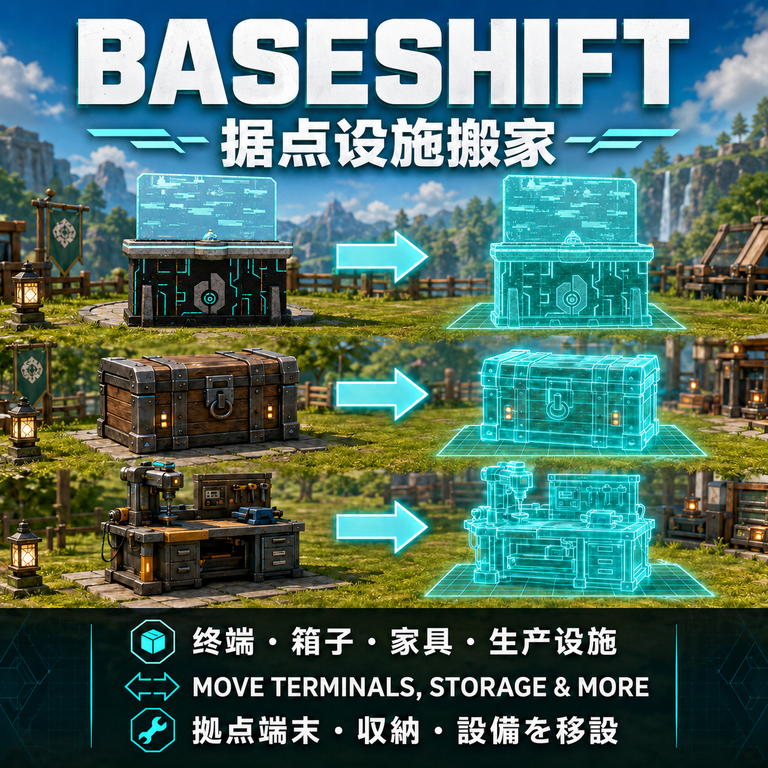
BaseShift v2.5.3 - Relocate many supported non-structural objects, including base terminals, storage, furniture, and production facilities. - Move the original object without dismantling, rebuilding, or consuming materials. - Added a blue placement preview and four-language UI guidance. - Reduced preview and key-guide polling to improve terminal-moving performance. - Return to Dismantle / Move after placing or cancelling, allowing consecutive moves. -Supports dedicated servers and multiplayer clients. install the same BaseShift version on the server and every client. - Requires UE4SS Experimental. How to use: 1. Enable UE4SS Experimental and BaseShift in Mod Management, then restart the game. 2. Activate Building Mode, then enter Dismantle / Move. 3. Aim at a highlighted object and press F7 to pick it up. 4. Position the blue preview and press F7 to place, or press F8 to cancel. 5. press F7 again to confirm the Palbox move.
BaseShift v2. 5. 3 - Relocate many supported non-structural objects, including base terminals, storage, furniture, and production facilities. - Move the original object without dismantling, rebuilding, or consuming materials. - Added a blue placement preview and four-language UI guidance. - Reduced preview and key-guide polling to improve terminal-moving performance. - Return to Dismantle / Move after placing or cancelling, allowing consecutive moves. -Supports dedicated servers and multiplayer clients. install the same BaseShift version on the server and every client. - Requires UE4SS Experimental. How to use: 1. Enable UE4SS Experimental and BaseShift in Mod Management, then restart the game. 2. Activate Building Mode, then enter Dismantle / Move. 3. Aim at a highlighted object and press F7 to pick it up. 4. Position the blue preview and press F7 to place, or press F8 to cancel. 5. press F7 again to confirm the Palbox move.
📊 Mod Details
- Game
- Palworld Mods
- Author
- 76561198082203867
- Version
- N/A
- Downloads
- 11,800
- Endorsements
- 0
- Category
- UE4SS, Utilities, Gameplay, User Interface
- Created
- 7/27/2026
- Updated
- 8/4/2026
🔧 How to Install Palworld Mods
Subscribe on Steam Workshop. Mods auto-download and install. Launch the game to activate.
📖 Full step-by-step install guide for Palworld →
Visit the official mod page for specific installation instructions for this mod.
🎮 Need cheat codes or console commands? Check ur gaming wiki for Palworld commands, item IDs, and more.
Keep browsing — more Palworld mods await