Standing Orders - Keep Your Base Stocked
🟡 Updated this year⚠️ Install Order · 1 step
Install in this order, then this mod last — most mods fail to load without their framework and dependencies in place.
Preview
🔍 Analysis
- 👍 0.0% endorsement rate
- ✅ Updated 264 days after the latest game patch — actively maintained
- 🏆 #12 of 30 UE4SS, Gameplay, Utilities mods in this game by downloads
📋 About This Mod
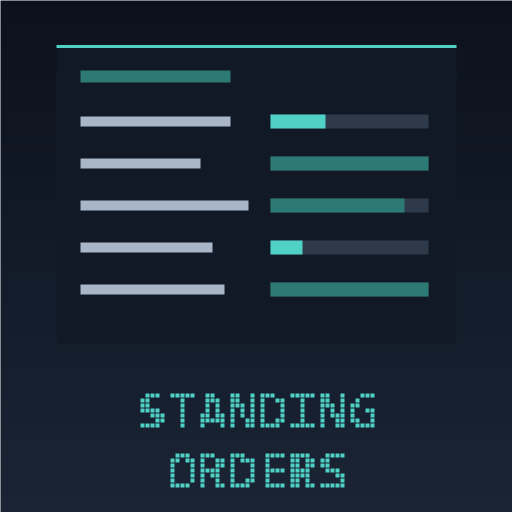
Standing Orders Keep your base stocked, without the walking. A standing order is simply "keep 30 salads on hand" — when stock drops below the floor, the mod queues a batch on a station that is actually free. Client-side mod. You install it; the server does not need it. Works in single-player and when playing on a dedicated server. Getting started 1. Walk up to the bench you want to use -- a cooking pot, a workbench, a furnace. Open it as normal. 2. Press the Standing Order button on the craft screen, then pick your recipe and confirm the batch exactly as you always would. That batch becomes a standing order, and the order remembers this bench -- it will never make your salad in a Pal Sphere factory. 3. Set how much to keep -- the number you confirmed becomes the floor. Change it any time from the board. 4. Open the board at your Monitoring Stand: there is a Standing Orders button just above the panel. Every order shows its stock against its floor with a coloured dot -- red under half, amber under the floor, green when you are stocked. 5. Tap an order to select it, then top it up on its own, nudge its floor, change how it behaves, or remove it. That is the whole loop. Make one order at the bench you already use, then check the board when you pass the stand. If an order will not run, it tells you why -- no free bench of that kind, not enough ingredients, nothing to work with. It never guesses and it never makes your item somewhere else. The idea: you are still the manager This is not autopilot. It does not decide what your base makes, or spend your materials behind your back. What it removes is the busywork — walking the base, counting what is in the chests, and eyeballing which pot is idle. The decisions stay yours; the legwork goes. How it works Create an order where you already are — open a cooking pot or workbench and press the Standing Order button on the craft screen. Pick the recipe and confirm as you normally would; that batch becomes the order. See everything
📊 Mod Details
- Game
- Palworld Mods
- Author
- 76561198023410597
- Version
- N/A
- Downloads
- 851
- Endorsements
- 0
- Category
- UE4SS, Gameplay, Utilities
- Created
- 7/28/2026
- Updated
- 8/14/2026
🔧 How to Install Palworld Mods
Subscribe on Steam Workshop. Mods auto-download and install. Launch the game to activate.
📖 Full step-by-step install guide for Palworld →
Visit the official mod page for specific installation instructions for this mod.
🎮 Need cheat codes or console commands? Check ur gaming wiki for Palworld commands, item IDs, and more.
Keep browsing — more Palworld mods await