Palbox Circle Toggle
🟡 Updated this year⚠️ Install Order · 1 step
Install in this order, then this mod last — most mods fail to load without their framework and dependencies in place.
Preview
🔍 Analysis
- 👍 0.0% endorsement rate
- ✅ Updated 72 days after the latest game patch — actively maintained
- 🏆 #60 of 128 UE4SS, Gameplay mods in this game by downloads
📋 About This Mod
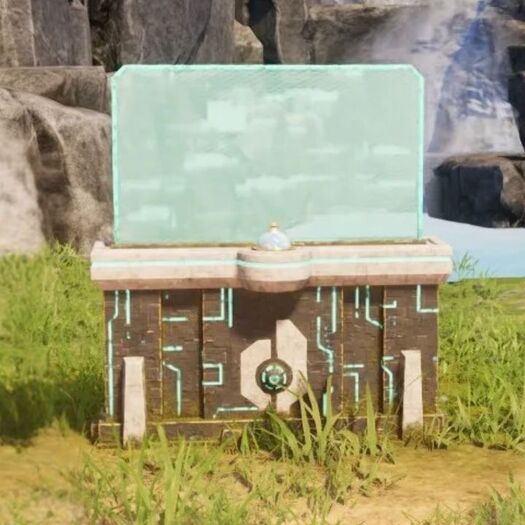
The mod allows you to use the L key on your keyboard to hide and unhide the Palbox Blue Circle of your base radius, it's purely visual, it won't affect where you can or cannot build. To change the Hotkey to Toggle ON and OFF from the Default L to any other you have to edit the Engine.ini file, go to your %LOCALAPPDATA%\Pal\Saved\Config\Windows\ and open the Engine.ini file in notepad or any other text editor and add the following at the bottom of it: [/Game/Mods/PalBoxCircleToggle/ModActor. ModActor_C] ToggleKey=L Change the L to whatever key you want to use, then save it. Important After you subscribe to the mod, do these steps to enable the mod: 1. Launch the game and wait until you get to the title screen. 2. Go to Options > Mod Management and make sure Enable Mod is set to ON. 3. Make sure the checkbox next to Palbox Circle Toggle is CHECKED 4. Click the blue Save button and the game will now restart. 5. Once the game starts up again, Palbox Circle Toggle should now be enabled.
📊 Mod Details
- Game
- Palworld Mods
- Author
- 76561198038830468
- Version
- N/A
- Downloads
- 1,480
- Endorsements
- 0
- Category
- UE4SS, Gameplay
- Created
- 1/20/2026
- Updated
- 2/2/2026
🔧 How to Install Palworld Mods
Subscribe on Steam Workshop. Mods auto-download and install. Launch the game to activate.
📖 Full step-by-step install guide for Palworld →
Visit the official mod page for specific installation instructions for this mod.
🎮 Need cheat codes or console commands? Check ur gaming wiki for Palworld commands, item IDs, and more.
Keep browsing — more Palworld mods await