Aethershade Vanilla Revival
🟠 Updated over a year agoPreview
🔍 Analysis
- 🏆 #215 of 233 Visual Presets mods in this game by downloads
📋 About This Mod
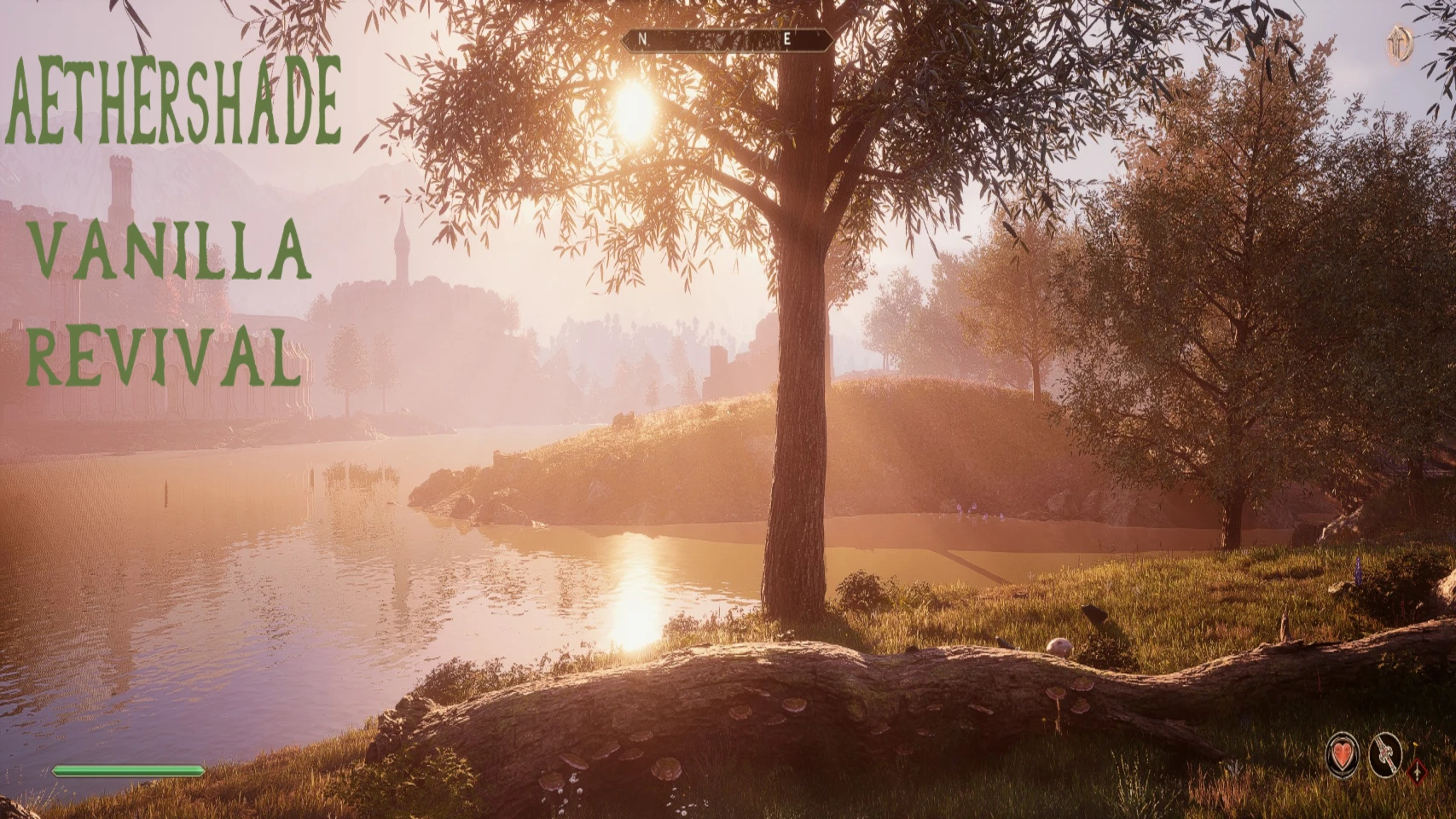
Enhance Oblivion’s visuals with a subtle, immersive touch. This ReShade preset stays true to the vanilla style while boosting color depth, lighting, and shadows for a richer experience. Nights are darker, interiors more atmospheric, and
Bring Oblivion Remastered to life like never before with Aethershade: Vanilla Revival, a carefully crafted Reshade preset that enhances the game’s atmosphere while staying true to its original aesthetic. This preset amplifies the vanilla color palette with rich, balanced tones and immersive lighting effects for a world that feels more alive and cinematic. Expect darker, more atmospheric nights that maintain visibility without sacrificing detail, and interiors that breathe with dynamic shadows and beautifully blended lighting. Whether you're exploring ancient ruins or strolling through the Imperial City at dusk, every scene pops with immersive depth and mood.
This is not only a custom reshade preset but a basic reshade install guide aswell so you can expand upon my preset or create your own!
Installation:
Installation is very simple, download reshade from the link below:
https://reshade.me/#download
Once installed launch the executable and locate your Oblivion Remastered File. (IMPORTANT: Make sure you select OblivionRemastered-Win64-Shipping (OblivionRemastered-Win64-Shipping) and NOT OblivionRemastered.exe)
Once selected, hit next and it will send you to Rendering API Selection Window.
It should auto-select the correct version but if not select DirectX 10/11/12 and hit next to get to the Effects window.
Once at the Effects installation screen you will see only two of the effects selected, to select all it is VERY IMPORTANT to click the uncheck all button in the top right of the window once, it should then switch to a "Check all" button, click that and it should select all the effects so you don't have to do so manually. While this preset only utilizes 4 effects I've personally customized, I'm not quite sure which of these packs contains them so install all of them to be safe, it will not crash your game.
(ONCE RESHADE IS INSTALLED RUN OBLIVION ONCE AND EXIT AT THE MAIN MENU SCREEN ONCE YOU'VE VERIFIED IT IS PRESENT BY THE SHADER WINDOW ON THE TOP OF YOUR SCREEN UPON LAUNCH)
now all that is left is to download my preset and drag it into your D:\SteamLibrary\steamapps\common\Oblivion Remastered\OblivionRemastered\Binaries\Win64 alongside your other reshade files.
How to turn the preset on: Press the home key, it will ask you for a brief tutori
📊 Mod Details
- Game
- Oblivionremastered Mods
- Author
- Jeph4ye
- Version
- 0.411.140.0
- Downloads
- 389
- Endorsements
- 16
- Category
- Visual Presets
- Created
- 4/26/2025
- Updated
- 4/26/2025
🔧 How to Install Oblivion Remastered Mods
Download from Nexus Mods.
📖 Full step-by-step install guide for Oblivion Remastered →
Visit the official mod page for specific installation instructions for this mod.
🎮 Need cheat codes or console commands? Check ur gaming wiki for Oblivion Remastered commands, item IDs, and more.
Keep browsing — more Oblivion Remastered mods await