TES4LL - Missing textures for Landscape LOD generation
⚪ Last updated 2020⚠️ Install Order · 2 steps
Install in this order, then this mod last — most mods fail to load without their framework and dependencies in place.
Preview
🔍 Analysis
- 👍 4.2% endorsement rate — high engagement, a strong quality signal
- 🏆 #42 of 52 Patches mods in this game by downloads
📋 About This Mod
Title: TESALL Missing Textures for clean landscape lod generation.
Author: Grim Reaper
Release: v1. 0
Date: 31/05/2020
Description:
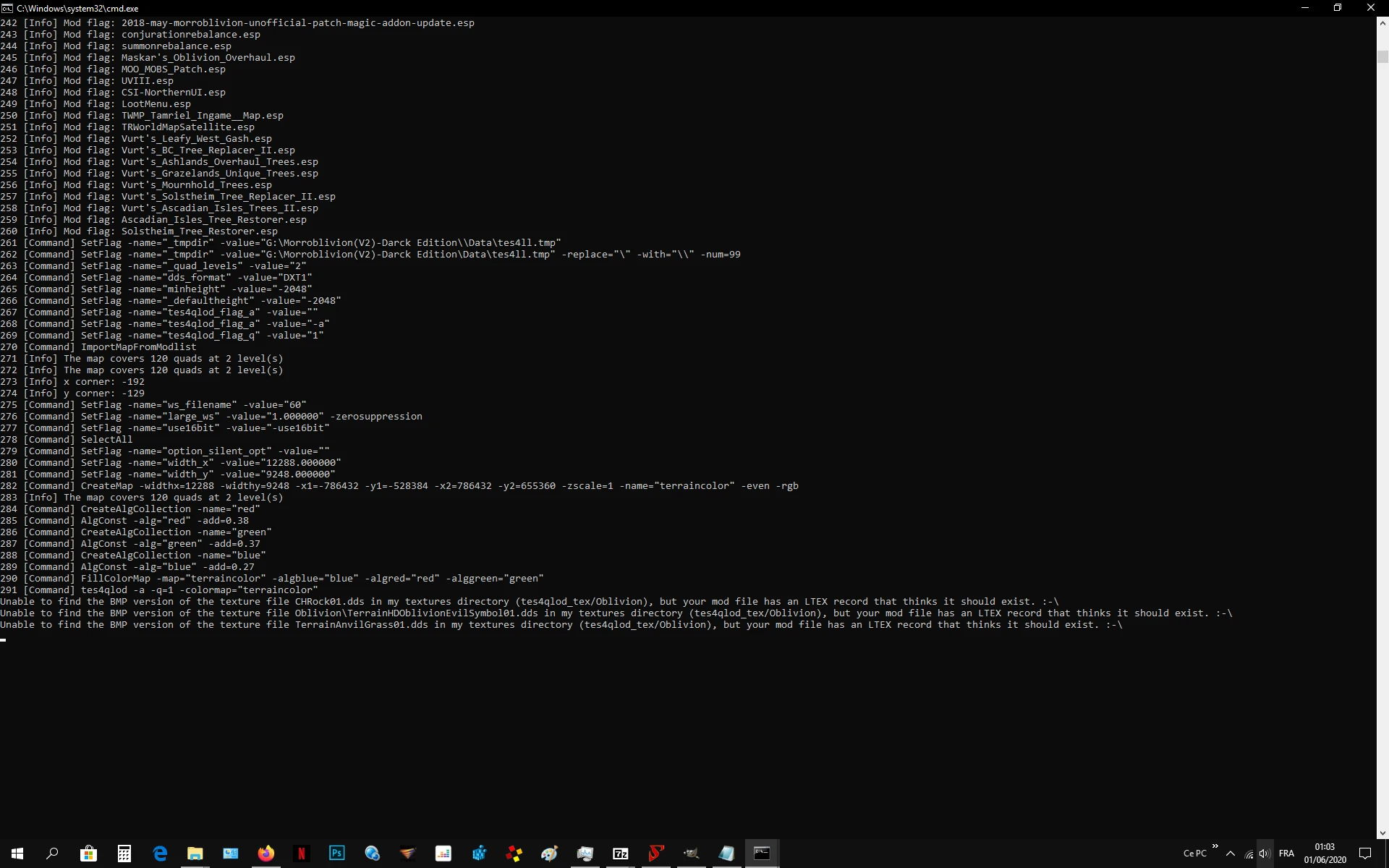
Some of you using TESALL tool might have noticed while generating landscape LODs that there are missing textures, probably due to ESP/ESM or meshes pointing to wrong texture directories.
3 textures from Vanilla Oblivion are missing : chrock01.dds / terrainanvilgrass01.dds / terrainhdoblivionevilsymbol01.dds
this does not prevent TES4LL from doing its job but i 'd prefer not to experience any lods problem while in game as i am a perfectionist, i just wanted logs to be clean...
At first, i made straight bmp tiles to cover up this problem and dropped them into Data\tes4qlod_tex\Oblivion folder. But then i realized that missing bmp tiles was the result of missing dds textures from somewhere esle.
chrock01 was easily found inside Textures\Rocks directory but i spent hours searching for other 2 textures in BSAs, meshes ... looked for information on internet but no solution at all...
Rather than spending another decade waiting for a fix or searching for textures, i decided to make them, based on an assumption of what they could look like.
chrock01 was then duplicated from Rocks folder and copied to Landscape folder.
I searched for a grass texture inside my data folder that looked very similar to what i could see while playing. I renamed this texture
"terrainanvilgrass01.dds" and copied it into "Landscape" folder.
The most difficult one was the terrainhdoblivionevilsymbol01... i finally could find evil symbol belonging to some rune and blend it with a rock texture to create the missing dds. This new texture was moved to "Landscape\Oblivion" folder.
With these textures back in the right place , tes4ll_tes4qlod_cache can now create proper bmp tiles...no more Ltex records errors claiming for missing textures :)
This might looks useless to you, it might be a placebo to the game, but i feel better now that error is gone ! ... moreover if Ltex index is pointing at those textures (now back in the right place) it is propably not for fun... and if game crashes, at least i know it is not because of landscape lods.
As I am running Morroblivion + Tamriel Rebuilt 19. 12 Converted + Skyrim Home of the Nords Converted and because similar issue is happenning with last two converted esps, i decided to extend this fix to TR and SHOTN. This took me much more time to recreate all Missing TR19. 12 textures. All of them are referring to Grey Meadows area (North west of TR map).
SHOTN mainly needed renaming of a few textures and most of them were already present but not at the right place or with a wrong name (Ltex searching for TxSkyU... and real textures were na
This patch adds three missing vanilla Oblivion textures required for TES4LL landscape LOD generation, fixing errors caused by incorrect texture paths. It's a small utility for modders using TES4LL who encounter missing texture warnings. With 211 endorsements and 5,069 downloads, it's a proven fix for a niche issue.
✨ Key Features
📊 Pros & Cons
✅ Pros
- Community-tested fix (211 endorsements, 5,069 downloads) for a common TES4LL issue
- Tiny download that solves a specific problem without bloat
- Works with vanilla Oblivion textures, so no compatibility headaches
⚠️ Cons
- Last updated in 2020 — may not be compatible with newer TES4LL versions or mod setups
- Only addresses three specific textures; other missing textures may still occur
For Oblivion modders using TES4LL who hit missing texture errors during landscape LOD generation. Skip if you don't use TES4LL or haven't encountered this issue.
💡 Beginner Tips
- Ensure you have TES4LL installed and configured before adding this patch
- Place the textures in the correct Oblivion Data folder path as indicated in the mod's file structure
- If missing textures persist, double-check your load order and that no other mods overwrite these files
📊 Mod Details
- Game
- Oblivion Mods
- Author
- GGrimReaper
- Version
- v1.0
- Downloads
- 5,069
- Endorsements
- 211
- Category
- Patches
- Created
- 6/1/2020
- Updated
- 6/1/2020
🔧 How to Install Oblivion Mods
Download from Nexus.
📖 Full step-by-step install guide for Oblivion →
Visit the official mod page for specific installation instructions for this mod.
🎮 Need cheat codes or console commands? Check ur gaming wiki for Oblivion commands, item IDs, and more.
Keep browsing — more Oblivion mods await