Static Picture Frame Resource
⚪ Last updated 2014⚠️ Install Order · 2 steps
Install in this order, then this mod last — most mods fail to load without their framework and dependencies in place.
Preview
🔍 Analysis
- 🏆 #13 of 116 Modders Resources & Tutorials mods in this game by downloads
📋 About This Mod
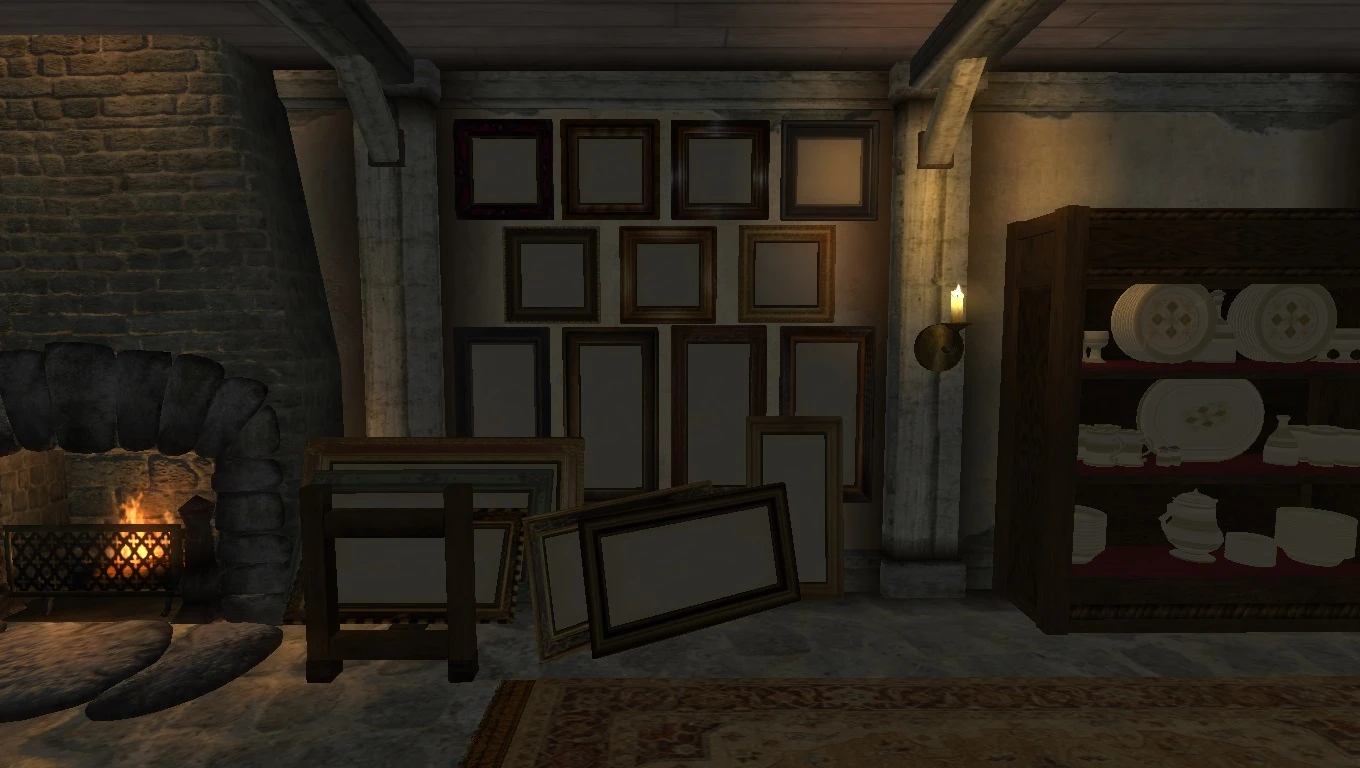
This mod contains a collection of picture frames to use as a resource to help decorate your mods.
Details ======= This is another of those resources that have been sitting on my computer for the longest time and I decided to release it in case anyone may find some use for it. It contains 17 picture frames in square, tall, and wide models.
This resource pack does require a working knowledge and posession of the Nifskope program in order to use. As you can see in the screenshots there are no pictures in these frames you must supply them yourself.
You can either use your own pictures or just simply copy the textures from Bethesda's default paintings. Once you decide on the picture you want paste the texture into the frame mesh with Nifskope. That's all there is to it.
This is of course just a modder's resource so you must use the Construction Set to place these pieces into the game yourself.
If you have any questions don't hesitate to ask and I will do my best to try and help. Other than that I hope you enjoy this resource pack!
Conflicts ========= None that I can think of since there is no esp included with this mod. If you do find a problem with anything in this mod feel free to contact me and I will do my best to try and fix it. Please do not hesitate to point out anything that might be wrong since I am only human and although I try to be thorough, I still make mistakes.
Install ======= 1. Extract the files to a temporary location. 2. Examine the folder structure and make corrections where necessary. 3. Copy files to (install folder)OblivionData 4. Drag and drop all meshes into the Construction Set under the Static tab.
Uninstall ========= 1. Simply delete the RM folder in the meshes and texture folders( I like to keep things simple).
Contact ======= You can find me on TESNexus.com under RileyMarks
Credits =======
Jbvw - Vaernlor Manor (picture frame mesh and wood burl and original metal trim texture; all modified by me)
The rest of the textures I used were simple Bethesda stock.
Thanks to Bethesda for creating Oblivion. Thanks to TESNexus.com for the a one-stop-shop resource for authors and players. Thanks to NifSkope for providing me with the tools necessary to make all my mods. Thanks to LHammonds for the Readme Generator this file was based on. Thanks to God for creating us all.
Tools Used ========== IZArc - http://www.izarc.org/ NIFSkope - http://niftools.sourceforge.net/wiki/NifSkope Gimp 2. 0 - http://www.gimp.org/ Readme Generator - http://HammondsLegacy.com/obmm/tools_readme_generator1.asp Photoshop CS6 - http://helpx.adobe.com/x-productkb/policy-pricing/cs6-product-downloads.html
Licensing/Legal ==============
📊 Mod Details
- Game
- Oblivion Mods
- Author
- Riley Marks
- Version
- N/A
- Downloads
- 286
- Endorsements
- 35
- Category
- Modders Resources & Tutorials
- Created
- 2/17/2014
- Updated
- 2/17/2014
🔧 How to Install Oblivion Mods
Download from Nexus.
📖 Full step-by-step install guide for Oblivion →
Visit the official mod page for specific installation instructions for this mod.
🎮 Need cheat codes or console commands? Check ur gaming wiki for Oblivion commands, item IDs, and more.
Keep browsing — more Oblivion mods await