Replacement Main Menu Stuff
⚪ Last updated 2015⚠️ Install Order · 2 steps
Install in this order, then this mod last — most mods fail to load without their framework and dependencies in place.
Preview
🔍 Analysis
- 👍 4.8% endorsement rate — high engagement, a strong quality signal
- 🏆 #47 of 68 User Interfaces mods in this game by downloads
📋 About This Mod
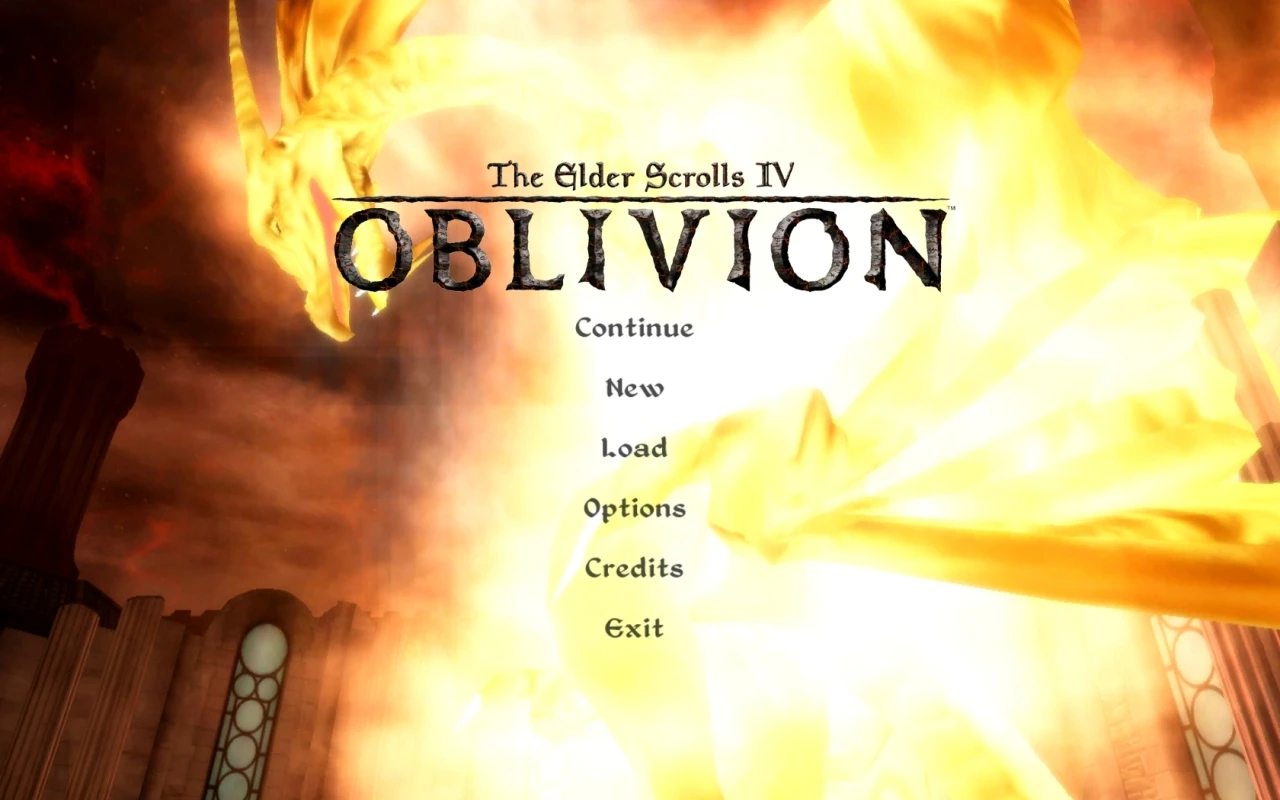
If you have the main menu movies disabled in your Oblivion.ini, you may be tired of that same old parchment texture as your main menu background. If that is the case, try this replacement; or, use the included resources to make your own.
Replacement Main Menu Stuff
================================== DESCRIPTION ================================== If you have the intro movies disabled in your Oblivion.ini, you may be tired of that same old parchment texture as your main menu background. I was, so I made this!
The image I have included will look and function best when used with Darnified UI, or any other UI mod that vertically aligns the main menu (see screenshot). You can very easily use your own; instructions below.
Don't have your intro movies disabled, but want to? Edit your .. My Documents\My Games\Oblivion\Oblivion.ini file like so:
SCreditsMenuMovie= SMainMenuMovie= SMainMenuMovieIntro= SIntroSequence=
Basically, just delete whatever is after the equal sign on those four lines. You can also use Wrye Bash's ini tweaks tab to do this for you automatically.
================================== THIS MOD AS A RESOURCE ================================== Enclosed are dark-background-friendly edits of the Oblivion logo and blurred title (the final title was already crisp at the edges). Feel free to use and distribute these anyway you like for non-commercial purposes, such as if you want to clone this mod but with your own background image.
How to use your own image as the background:
1) Scale your image to size 2048x1024. If you prefer lower file size over higher quality, 1024x512 is fine also. 2) Save your image in .dds format using DXT1 compression with the file name "loading_background.dds". 3) Place the file in .. Oblivion\Data\Textures\Menus\Loading.
If your image editor doesn't support saving as .dds, grab Paint. NET for this task, as it will do it natively and with excellent quality. Or, if you already have Gimp or Photoshop, google search for the .dds plugins made for those programs.
================================== NEED HELP? FIND A BUG? ================================== Mod Installation Guide Mod Troubleshooting Guide
================================== PERMISSIONS ================================== You may re-use any of this mod's content in your own Oblivion mods, as long as you don't charge money for it, and you credit me for my work.
You may share this mod freely, as long as you don't charge money for it, and you include my original Readme.
Please enjoy. =)
📊 Mod Details
- Game
- Oblivion Mods
- Author
- Khettienna
- Version
- 1.0
- Downloads
- 1,083
- Endorsements
- 52
- Category
- User Interfaces
- Created
- 1/8/2011
- Updated
- 6/10/2015
🔧 How to Install Oblivion Mods
Download from Nexus.
📖 Full step-by-step install guide for Oblivion →
Visit the official mod page for specific installation instructions for this mod.
🎮 Need cheat codes or console commands? Check ur gaming wiki for Oblivion commands, item IDs, and more.
Keep browsing — more Oblivion mods await