Delete Spell OBSE
⚪ Last updated 2015⚠️ Install Order · 2 steps
Install in this order, then this mod last — most mods fail to load without their framework and dependencies in place.
Preview
🔍 Analysis
- 👍 6.2% endorsement rate — high engagement, a strong quality signal
- 🏆 #27 of 68 User Interfaces mods in this game by downloads
📋 About This Mod
Delete known spells, need OBSE 21.
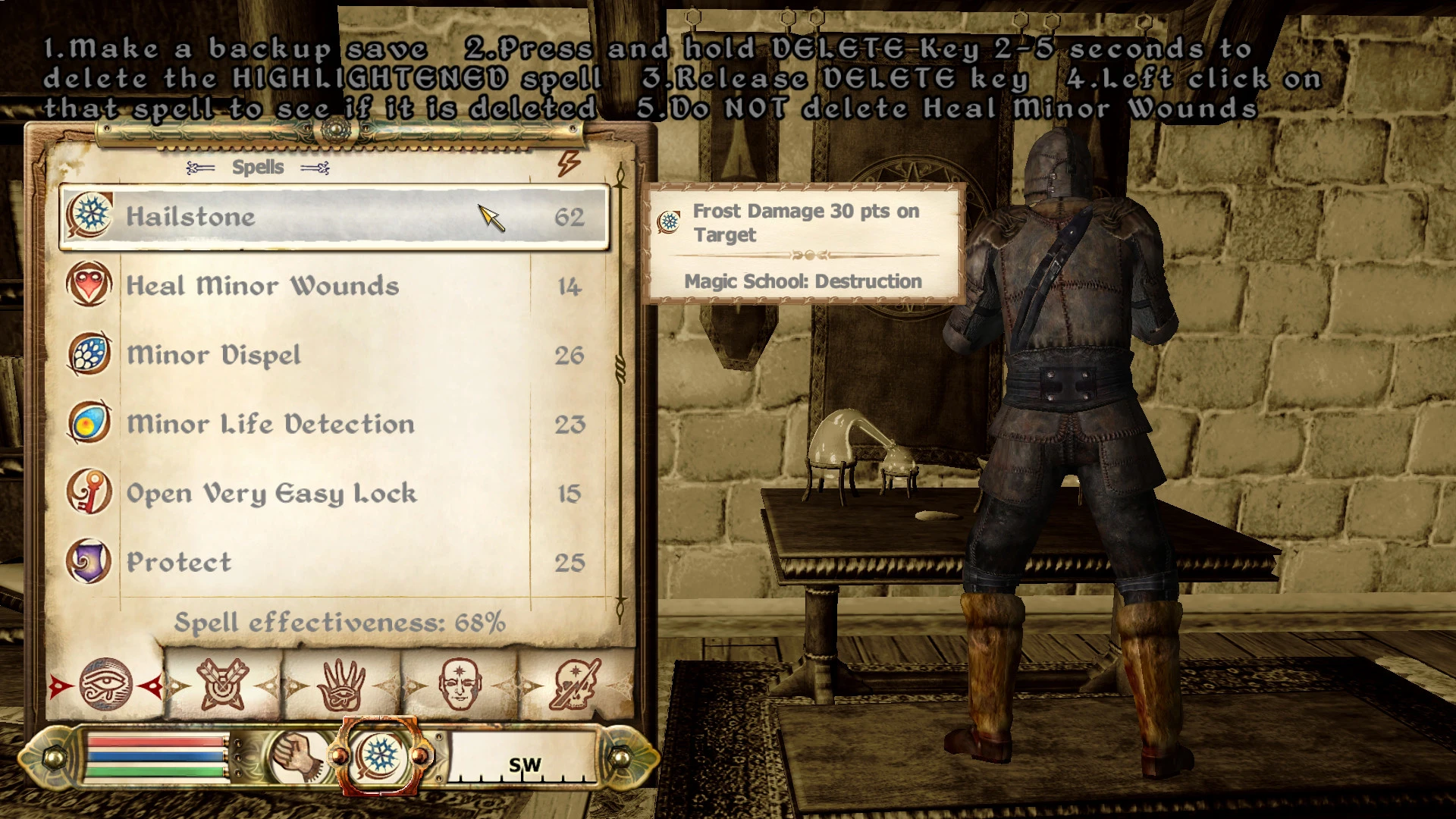
Since some old delete spell mods using OBSE GetKeyPresse function do not work for me .(Maybe because i am playing under linux/wine?) I made this mod using OBSE IsKeyPressed2 function.
I. Installation/(Uninstallation) This mod need OBSE 21 Copy(Delete) DeleteSpellKeyboardDEL.esp to(in) Oblivion/Data directory II. Usage 1. Make a backup save 2. Press and hold DELETE Key 2-5 seconds to delete the HIGHLIGHTENED spell 3. Release DELETE key 4. Left click on that spell to see if it is deleted 5. Do NOT delete Heal Minor Wounds, it is a fallback III. sorry for my poor english.
📊 Mod Details
- Game
- Oblivion Mods
- Author
- tim110011
- Version
- 1.0
- Downloads
- 1,248
- Endorsements
- 77
- Category
- User Interfaces
- Created
- 12/25/2015
- Updated
- 12/25/2015
🔧 How to Install Oblivion Mods
Download from Nexus.
📖 Full step-by-step install guide for Oblivion →
Visit the official mod page for specific installation instructions for this mod.
🎮 Need cheat codes or console commands? Check ur gaming wiki for Oblivion commands, item IDs, and more.
Keep browsing — more Oblivion mods await