Plugin Resources
⚪ Last updated 2019⚠️ Install Order · 2 steps
Install in this order, then this mod last — most mods fail to load without their framework and dependencies in place.
Preview
🔍 Analysis
- 🏆 #1 of 116 Modders Resources & Tutorials mods in this game by downloads
📋 About This Mod
Download locations: Nexus Mods: Direct Link: https://www.nexusmods.com/oblivion/mods/37684
Discussion threads: Bethesda.net: https://bethesda.net/community/topic/323002/relz-plugin-resources
AFK mods: https://www.afkmods.com/index.php?/topic/5420-relz-plugin-resources/
The Assimilation Lab: http://www.theassimilationlab.com/forums/topic/16661-relz-plugin-resources/
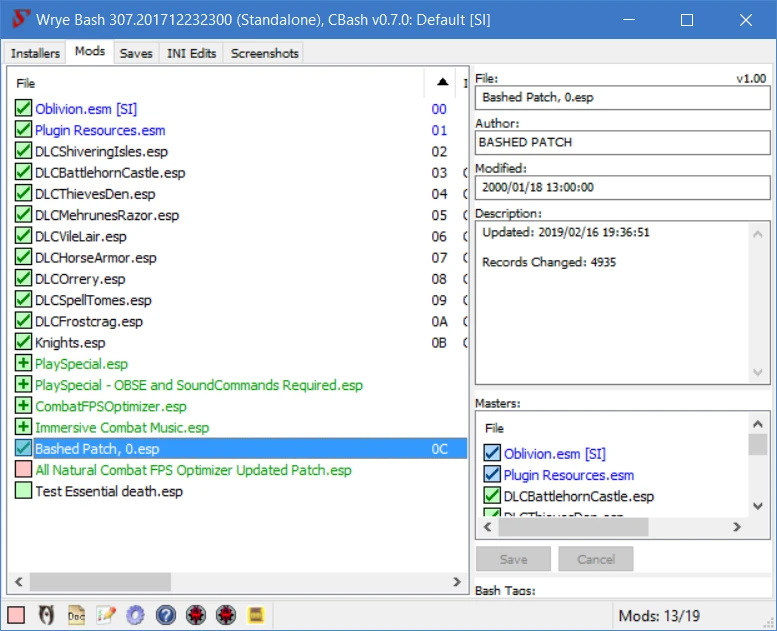
This mod provides a library of pre-created records for modders to use. This allows their mods to be mergeable into Wrye Bash's Bashed Patch, thus saving ESP slots for the end user.
Where can I find mods that use Plugin Resources?
The following mods have been released by others:
-
[]Nothing at the moment
I have released the following:
- [
Additionally, I have created a page for mods created by others that I have ported to use Plugin Resources:
-
[]Wrye Bash Mergable Mods
All you have to do is replace any new records in your mod with blank records created by "Plugin Resources.esm". If you ensure that every new record created by your mod uses a record provided by "Plugin Resources.esm", this will allow your mod to be merged into the Bashed Patch.
What are the Rules?
- [
[]Your finished mod must be mergeable in Wrye Bash. If it isn't, you are simply making your mod dependent on mine for no good reason. Additionally, you're wasting blank records and wasting my time as a result.
How do I claim a record for my mod?
-
[]Each listed record type below has a link to a wiki page on both SourceForge and Github. The wiki page you visit will have a list of records present in "Plugin Resources.esm" and whether or not they are available. To assign a record to your mod, simply edit the wiki page so that the needed records are listed as being used by your mod. It would also be appreciated if you inform me that you are claiming records. I would also appreciate it if you could edit both wikis to reflect your claimed records but I can do so otherwise.
Do I need another online account to claim a record?
- You will need either a SourceForge or Github account to edit the pages on the respective wikis. Both are free and easy to create. Personally, I slightly prefer SourceForge's wikis to Github's but it's entirely up to you.
📊 Mod Details
- Game
- Oblivion Mods
- Author
- XJDHDR
- Version
- 1.001
- Downloads
- 297
- Endorsements
- 15
- Category
- Modders Resources & Tutorials
- Created
- 3/21/2011
- Updated
- 2/16/2019
🔧 How to Install Oblivion Mods
Download from Nexus.
📖 Full step-by-step install guide for Oblivion →
Visit the official mod page for specific installation instructions for this mod.
🎮 Need cheat codes or console commands? Check ur gaming wiki for Oblivion commands, item IDs, and more.
Keep browsing — more Oblivion mods await