(Menu Navigation fix) NorthernUIAway (Vanilla Style) with LINK Plus Plus
⚪ Last updated 2024⚠️ Install Order · 4 steps
1🛠️ OBSE — Oblivion Script Extender Download ↗
2🔧 UOP — Unofficial Oblivion Patch Download ↗
3📦 NorthernUIAway (Vanilla Style) Find it →
4📦 Link++ Find it →
Install in this order, then this mod last — most mods fail to load without their framework and dependencies in place.
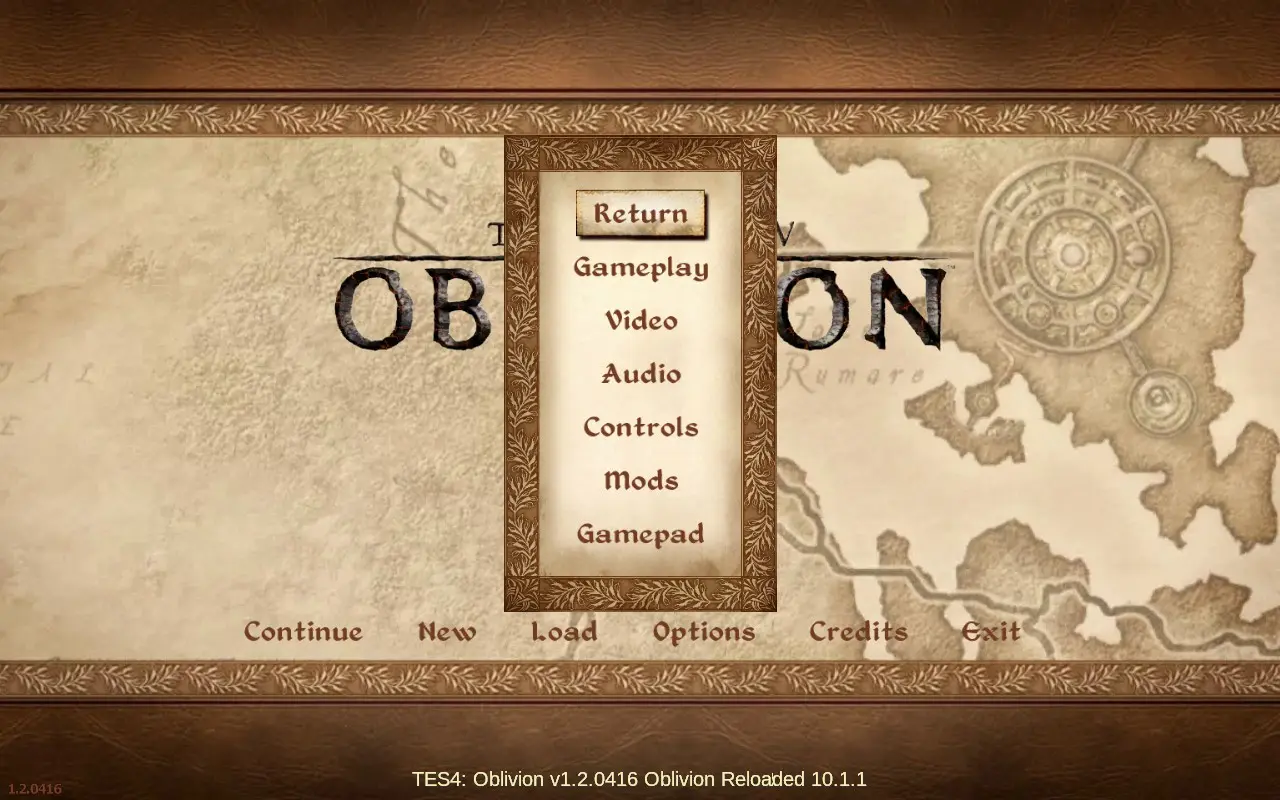
Preview
🔍 Analysis
- 👍 1.8% endorsement rate — high engagement, a strong quality signal
- 🏆 #14 of 60 User Interfaces mods in this game by downloads
📋 About This Mod
Fixes the D-pad navigation when using NorthernUIAway (Vanilla Style) and Link++
🤖 AI-enhanced — based on mod data
This small UI fix resolves D-pad navigation issues when using NorthernUIAway (Vanilla Style) alongside Link++. With 39 endorsements and 2,189 downloads, it's a niche utility for players combining these two UI mods, last updated in July 2024.
✨ Key Features
Fixes D-pad navigation conflicts between NorthernUIAway (Vanilla Style) and Link++
Specifically designed for users of both NorthernUIAway and Link++
Maintains vanilla-style UI aesthetics while restoring proper controller input
📊 Pros & Cons
✅ Pros
- Solves a real headache for controller players using both mods (39 endorsements)
- Tiny, focused fix—no bloat, just the navigation correction
- Recent update (July 2024) means it's likely compatible with current mod versions
⚠️ Cons
- Very niche—only useful if you're running both NorthernUIAway and Link++
- Low endorsement count (39) suggests limited community testing
🎯 Is This For You?
For Skyrim players who use NorthernUIAway (Vanilla Style) and Link++ together and play with a controller. If you're not running both mods, this fix is irrelevant. Skip if you use keyboard/mouse or don't have those mods installed.
For Skyrim players who use NorthernUIAway (Vanilla Style) and Link++ together and play with a controller. If you're not running both mods, this fix is irrelevant. Skip if you use keyboard/mouse or don't have those mods installed.
📦 Install:Easy· Under 1 minute
💡 Beginner Tips
- Ensure you have both NorthernUIAway (Vanilla Style) and Link++ installed before adding this fix, as it won't work without them.
- Place the mod files in your Data folder or use a mod manager to overwrite the conflicting files—check your load order to keep this fix after the other two mods.
- If you're using a mod manager, enable this mod last to ensure it takes priority over the base UI mods.
📊 Mod Details
- Game
- Oblivion Mods
- Author
- DavidJCobb
- Version
- 1.0
- Downloads
- 2,189
- Endorsements
- 39
- Category
- User Interfaces
- Created
- 7/2/2024
- Updated
- 7/2/2024
🔧 How to Install Oblivion Mods
Download from Nexus.
📖 Full step-by-step install guide for Oblivion →
Visit the official mod page for specific installation instructions for this mod.
🎮 Need cheat codes or console commands? Check ur gaming wiki for Oblivion commands, item IDs, and more.
Keep browsing — more Oblivion mods await