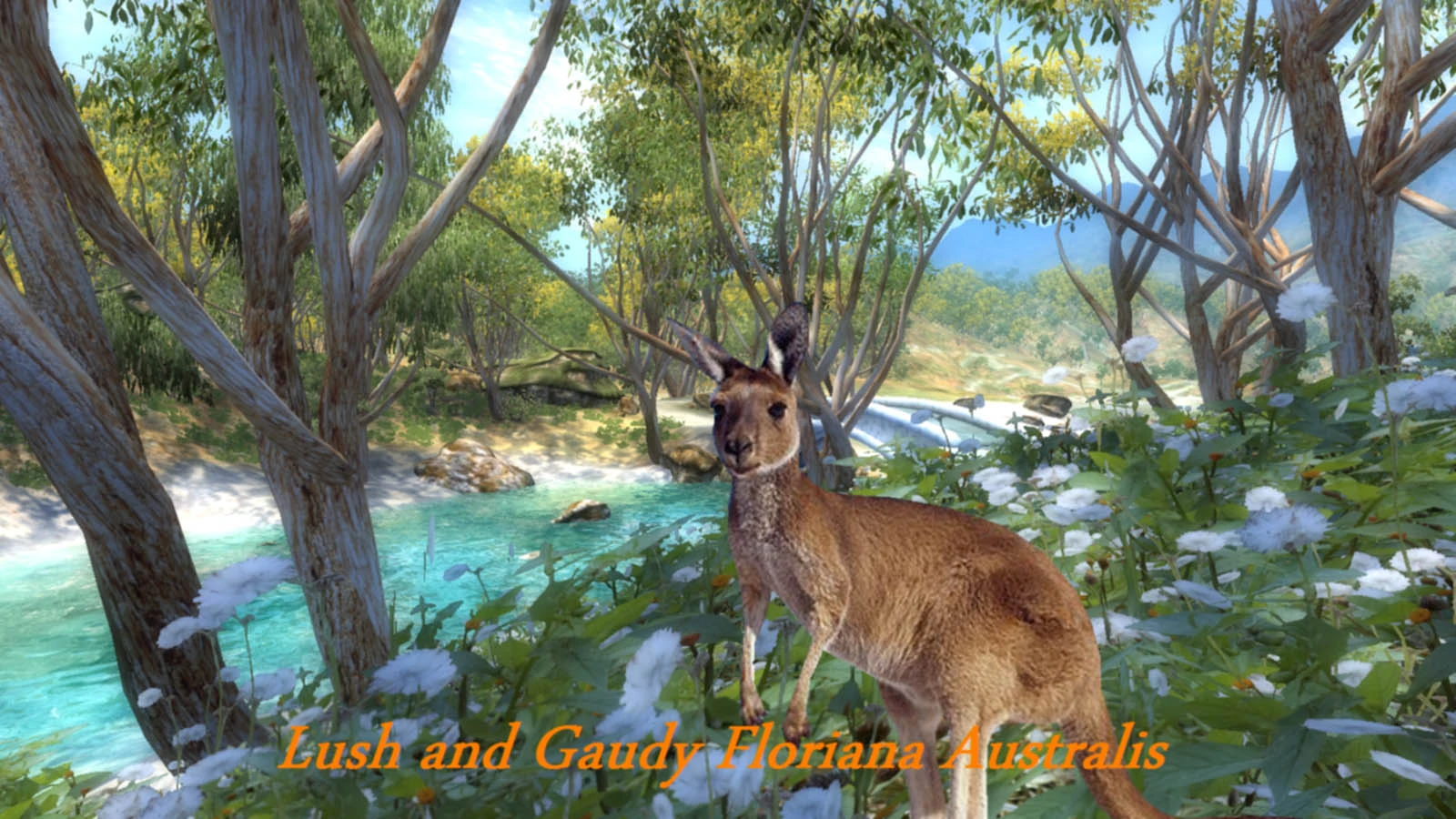
Lush and Gaudy Floriana Australis
⚪ Last updated 2013⚠️ Install Order · 2 steps
Install in this order, then this mod last — most mods fail to load without their framework and dependencies in place.
Preview
🔍 Analysis
- 👍 5.6% endorsement rate — high engagement, a strong quality signal
- 🏆 #6 of 247 Models And Textures mods in this game by downloads
📋 About This Mod
- -------------------------------------------------------
- LUSH & GAUDY FLORIANA AUSTRALIS 1. 0
- --------------------------------------------------------
*WARNING - if you're using one of my old L&G mods, be sure to delete the old Oblivion/Data/Trees folder before you install this version. If you don't, shit will surely hit the fan. (And yes, that is the right directory.)
Welcome to the latest instalment of all things lush and gaudy.
This is a texture replacement for trees, shrubs, long grasses, rocks, and ground covers.
The average resolution of the textures is 2048x2048. There are also medium (1024x1024) and low (512x512) resolution versions on offer.
Unlike previous L&G mods, this one is decidedly dull and arid - hence the DA in the esp name. (Let's be frank, there's no other way to put it when comparing it to other L&G mods.) There's also a certain level of uniformity to all the regions. While there are enough variations for a bit of interest, overall there's no major differences. The price of this uniformity is a lack of diversity. The payoff is smooth regional transitions, a vastly less complicated esp, and no clashing colours.
To accommodate some of the drastic changes to the Jerall Mountains (going from snow to completely dry) I've included an optional tweak to get rid of the falling snow for those who don't want to blow their immersion to pieces.
The main Lush & Gaudy DA.esp file MUST be activated for this mod to work properly. It won't clash with any other mods you might be running and unlike the nightmare esp files of Floriana Gloria, this one is small and simple, but still makes a few vital changes. (All of which are explained further down if you really want to get picky.)
Enjoy all the decidedly dull frippery...or not.
- ---------------
- TO INSTALL
- ----------------
Before you do anything else, if you were running an old Lush and Gaudy FG or whatever, make sure you delete the Oblivion/Data/Trees folder before proceeding. We don't want that shit to hit the fan, do we?...well...maybe you do.
1:) Copy the Data folder to your Oblivion directory. If asked to over-write any existing files, say yes.
2:) Activate the Lush & Gaudy DA.esp file.
3:) Choose (or ignore) any of the optional goodies you want. Copy the Data folders of your choice to your Oblivion directory. If asked to over-write any existing files, say yes.
4:) Do a BSA Redirection with a tool like OBMM if you're feeling sanitary. Skip it if you're not.
6:) Multiple choices from here on:
A: Complain about the mod to mod author because it's not how you would have done it. B: Compliment modder on mod an
Lush and Gaudy Floriana Australis is a high-resolution texture replacement mod for Skyrim, offering an arid, pseudo-Australian style. With an average texture resolution of 2048x2048, it transforms the game's flora with a unique aesthetic. Optional medium and low-res versions are available for performance flexibility.
✨ Key Features
📊 Pros & Cons
✅ Pros
- Sharp 2048x2048 textures give the flora a crisp, detailed look.
- The pseudo-Australian theme is a fresh twist for Skyrim veterans tired of vanilla plants.
- Performance-friendly options with medium and low res versions.
⚠️ Cons
- Last updated in 2013 — may not be compatible with newer Skyrim versions or DLCs.
- Only 137 endorsements, so it's a niche pick with a smaller community.
- No screenshots or install instructions provided, so you're flying blind until you test it.
For Skyrim players who want a unique, arid flora overhaul without overhauling the whole game. If you're into Australian-inspired landscapes or just want something different from the usual green, this is for you. Skip if you prefer lore-friendly or vanilla-plus textures.
💡 Beginner Tips
- Use a mod manager like Nexus Mod Manager or Mod Organizer 2 to install and manage the files easily.
- If you're on Skyrim Special Edition, you may need to convert the mod using the Creation Kit or Cathedral Assets Optimizer.
- Test the medium or low res versions first if you're on a lower-end PC to avoid performance hits.
📊 Mod Details
- Game
- Oblivion Mods
- Author
- Brittainy
- Version
- 1.0
- Downloads
- 2,459
- Endorsements
- 137
- Category
- Models And Textures
- Created
- 12/16/2013
- Updated
- 12/25/2013
🔧 How to Install Oblivion Mods
Download from Nexus.
📖 Full step-by-step install guide for Oblivion →
Visit the official mod page for specific installation instructions for this mod.
🎮 Need cheat codes or console commands? Check ur gaming wiki for Oblivion commands, item IDs, and more.
Keep browsing — more Oblivion mods await