Juggler - A Simplistic Replacement Managing Tool - Oblivion plant 2nd edition
⚪ Last updated 2014⚠️ Install Order · 2 steps
Install in this order, then this mod last — most mods fail to load without their framework and dependencies in place.
Preview
🔍 Analysis
- 🏆 #33 of 53 Utilities mods in this game by downloads
📋 About This Mod
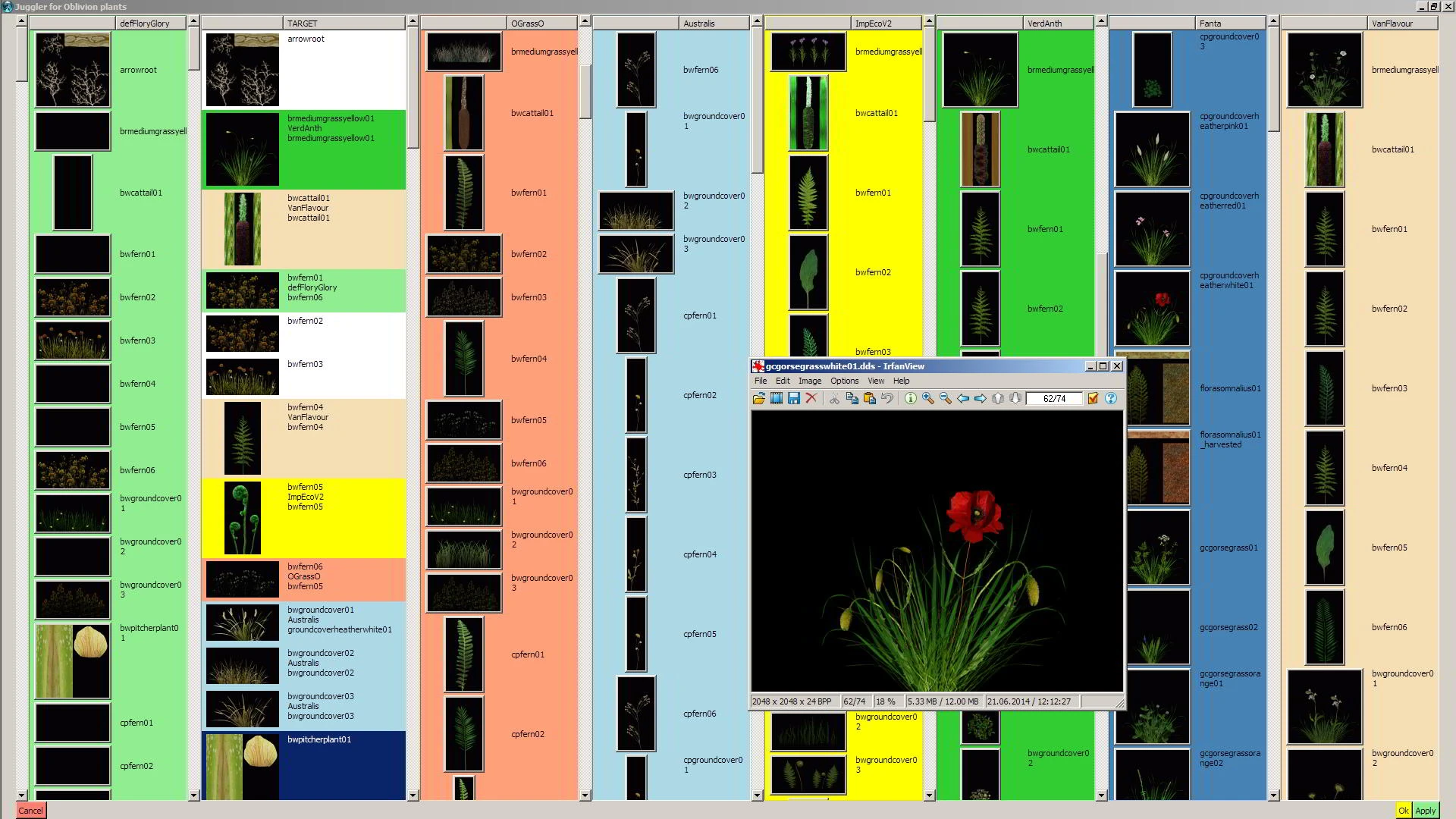
Compile your own flora texture replacer from any number of repositories. You click on the pretty buttons, the Juggler keeps care of the normal maps and meshes. 2nd Edition: With MS Windows style INI file.
Compile your own flora texture replacer from a number of repositories. You click on pretty buttons, the Juggler takes care of the normal maps and meshes.
Version 2: Now with MS Windows style INI file (no weird source code editing ;-D)
I am a bit reluctant, really, to send this little hack into the wild (-- "And with good reason!" -- Yes, thank you, I know.). But it served me well for quite some time now, and perhaps someone of you finds it useful, too.
It qualifies as simplistic, because it does only do the texture selection thing well. It is you, who does the setup and configuration by hand. No graphical user interface (GUI) holding your hand there (apart from file manager and editor).
You need to install some software before you can run this program, see 'Requirements' below.
New information for users of the previous version: (thanks to all three of you :-))
The configuration is now done by means of a MS Windows style INI file. No TCL/TK code editing ;-). So you can really paste your directory path from the Explorer address bar and copy it into the INI file.
The 'Requirements' have changed: Additionally, you need tcllib (see below).
Automatic archiving (configurable).
Old thumbnails are being reused (greatly speeds up program start).
** The '_empty_' repo looks prettier in the GUI.
REQUIREMENTS ==============================
1) Tcl/Tk ("tickle-tee-kay") is a scripting language in the world for 25 years now. Get yourself a copy of the free "Community Edition" from ActiveState, here. See that the programs "tclsh" and "wish" are accessible from your Windows path (it's probably done automatically by the ActiveState installation process, but I am not sure about this ...).
2) Get yourself a copy of the free Open Source library Tcllib, version 1. 15, from SourceForge, here. Choose the zip version. Unzip it somewhere. There's a file called 'installer.tcl' in it. A double-click should to the trick (please kindly note the poetry). Or do right-click, choose "Open with...|Wish Application".
3) The graphic viewer IrfanView, here. It'sfree (for non-commercial use), and a beautiful program, too.
4) The Juggler needs the flora texture replacers you want it to use uncompressed. So you need a few gigabyte free space on your disk (rule of thumb: 500MB per archive, give or take).
6) Not necessary, but recommended: Wrye Bash for (de)installing your archives.
Are you still with me? Fine, please continue reading in the ReadMe Tab / file.
CHANGES 2. 1 ============================= In the ReadMe for v2, I had forgotten on
📊 Mod Details
- Game
- Oblivion Mods
- Author
- TesaPlus
- Version
- 2.1
- Downloads
- 131
- Endorsements
- 15
- Category
- Utilities
- Created
- 10/4/2014
- Updated
- 10/18/2014
🔧 How to Install Oblivion Mods
Download from Nexus.
📖 Full step-by-step install guide for Oblivion →
Visit the official mod page for specific installation instructions for this mod.
🎮 Need cheat codes or console commands? Check ur gaming wiki for Oblivion commands, item IDs, and more.
Keep browsing — more Oblivion mods await