Fine Arts
⚪ Last updated 2014⚠️ Install Order · 2 steps
Install in this order, then this mod last — most mods fail to load without their framework and dependencies in place.
Preview
🔍 Analysis
- 🏆 #51 of 116 Modders Resources & Tutorials mods in this game by downloads
📋 About This Mod
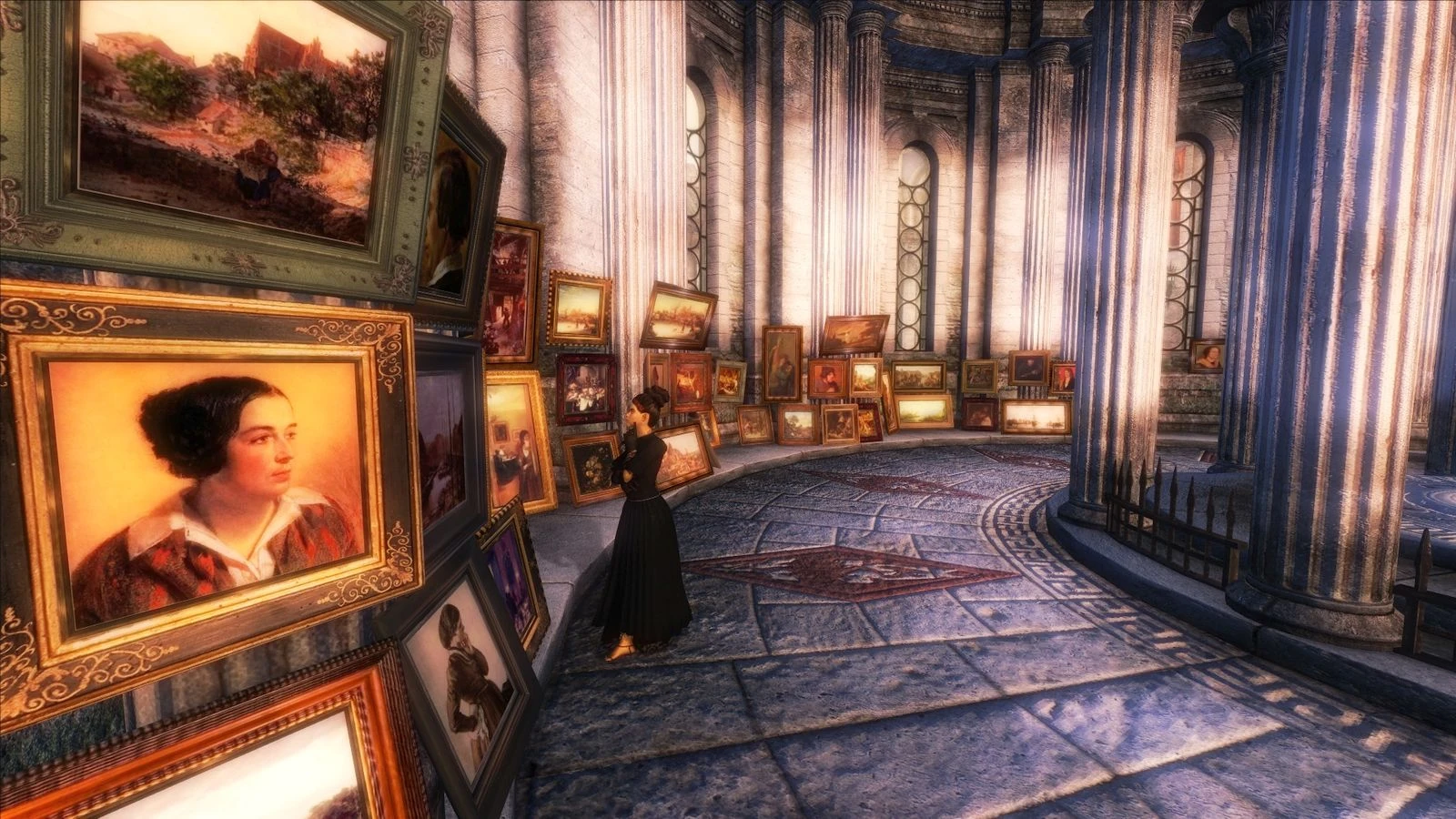
--> playable modders resource of real-world paintings, the emphasis is on "resource" :^P <--
This is a playable modders resource providing a few dozen (today: 55) of ready-to-use real-world paintings, of quatratic (512x512px), tall (256x512px), and wide (512x256px) shape. The paintings can be admired in the redesignated "Temple of The One" -- it has good, variable, light, and has much space left. And is never being visited -- by anyone! Please keep in mind that I am not applying for a job as curator -- collection and presentation are rather ... well, you name it :^). I hope you can enjoy it nevertheless.
This mod does not replace anything. The "FineArts.esp" is only needed when you want to see the paintings in the "Temple of The One". And this the only location being altered. ____________________
Installation: ____________________
First install Static Picture Frame Resource by Riley Marks.
It is safe to extract the contents of this archive into the Data directory. If you want to see the gallery in "The Temple of The One", activate "FineArts.esp".
____________________
Conflicts: ____________________
____________________
For modders: ____________________
First of all, if you need help making your own pictures, or reframing existing ones, feel free to ask.
If you don't want to make all the EditorIDs by yourself, the "FineArts.esp" provides a static object for each of them (see "WorldObjects->Static->yorck"). For each object the texture, mesh, and EditorID, share the same name (well, the CS strips off all non-alphanumeric characters). The naming scheme is as follows:
y ... Prefix 1x1 | 2x1 | 1x2 ... Format <stuff> ... the image's file name as downloaded from wikimedia
These three parts a separated by a "-" (again, not in the CS, of course).
Example: Image file name was: "602px-Albrecht_Dürer_088.jpg". After being chopped to quadratic shape, it becomes the texture "y-1x1-602px-Albrecht_Dürer_088.dds", and gets the mesh "y-1x1-602px-Albrecht_Dürer_088.nif". EditorID is "y1x1602pxAlbrechtDrer088" (CS also strips the umlaut).
I suggest, you open the texture directory "texture/yorck" with an image viewer that can nicely do DDS thumbnails (like IrfanView) alongside the CS.
____________________
Resources used: ____________________
As frames I use the Static Picture Frame Resource by Riley Marks. Please, consider giving Riley Marks' resource the well deserved endorsement :^).
All faithful reproductions of the paintings used here are in the "Public Domain world-wide" (e
📊 Mod Details
- Game
- Oblivion Mods
- Author
- TesaPlus
- Version
- 1
- Downloads
- 251
- Endorsements
- 29
- Category
- Modders Resources & Tutorials
- Created
- 12/18/2014
- Updated
- 12/18/2014
🔧 How to Install Oblivion Mods
Download from Nexus.
📖 Full step-by-step install guide for Oblivion →
Visit the official mod page for specific installation instructions for this mod.
🎮 Need cheat codes or console commands? Check ur gaming wiki for Oblivion commands, item IDs, and more.
Keep browsing — more Oblivion mods await