DarkUI Menu Video Replacer by LegacyCloud
⚪ Last updated 2014⚠️ Install Order · 2 steps
Install in this order, then this mod last — most mods fail to load without their framework and dependencies in place.
Preview
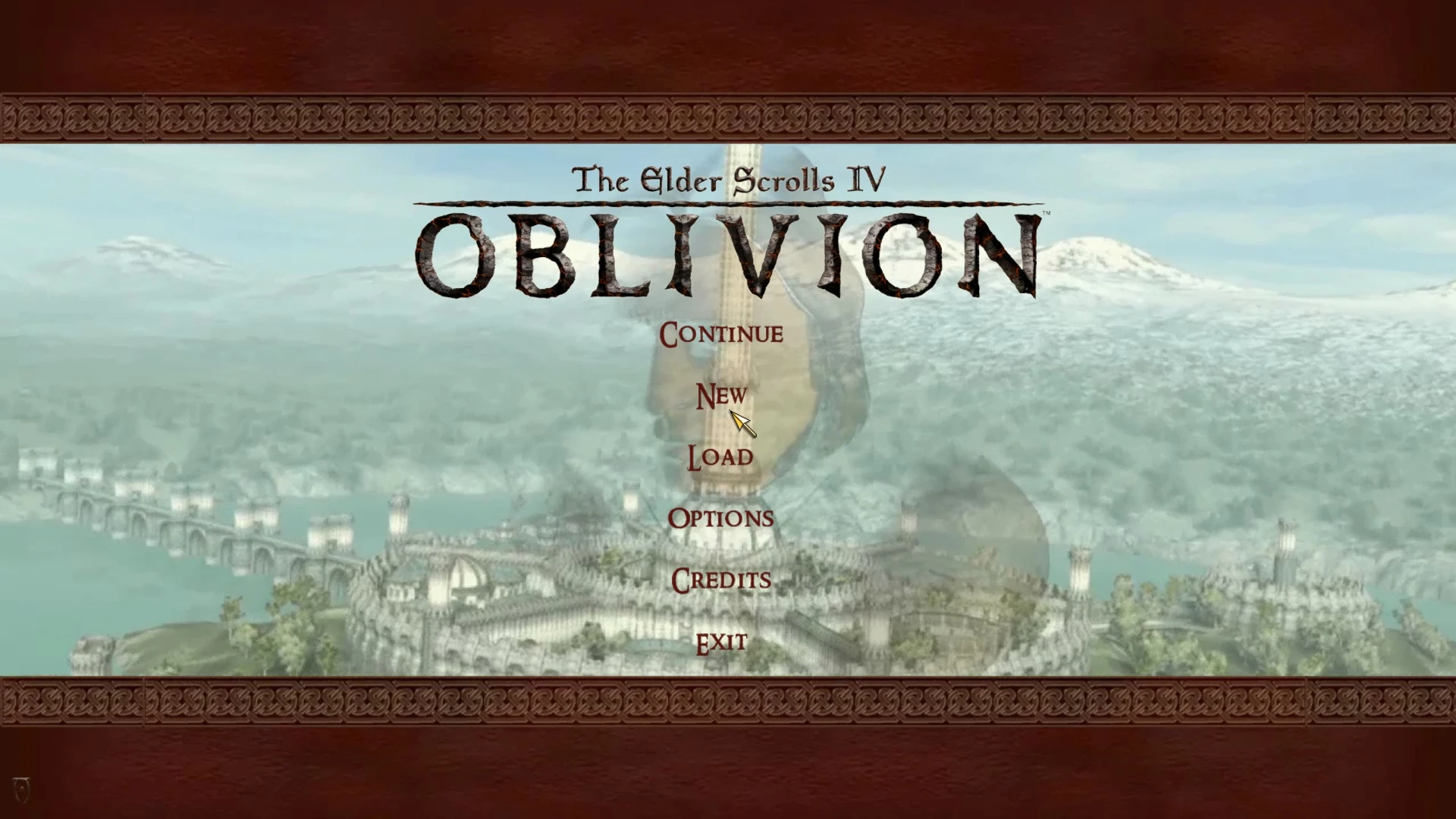
🔍 Analysis
- 👍 5.5% endorsement rate — high engagement, a strong quality signal
- 🏆 #9 of 10 Videos and Trailers mods in this game by downloads
📋 About This Mod
========================= ABOUT ========================= v2. 0 Update: Added a tweaked version of 'oblivion iv logo.bik' for a smoother transition on first playthrough edited both video and audio sequences for better looping added bonus content of new main loading screen
This replaces the default menu loading video with one that matches the popular "Dark UI" menu scheme and features an edited version of the original trailer footage. It still uses the default map video resolution of 1280 x 720.
Also included is a matching soundtrack using the more heroic sounding theme music from the original cinematic trailer. This is an optional installation as it will complement this video, but is not required to install this.
========================= NOTES ========================= I've tested this in several standard and widescreen display resolutions without problems.
========================= INSTALL =========================
1. Backup the following two Bink video files in your ... OblivionDataVideo folder: Map loop.bik Oblivion iv logo.bik 2. (OPTIONAL STEP IF YOU WANT TO USE THE INCLUDED SOUNDTRACK) Backup the following audio file in your ...oblivionDataMusicSpecial folder: tes4title 2. Extract the downloaded Data folder from here to your Oblivion directory 3. Launch the game and these two files will play making your dark UI complete and allowing you to enjoy the more heroic version of the title music.
========================= REQUIREMENTS ========================= TES Oblivion
========================= UNINSTALLING ========================= Delete the installed files and restore your backup copies.
========================= CHANGE LIST ========================= v2. 0 Now includes replacer for oblivion iv logo.bik edited video & audio sequences added optional main loading screen
v 1. 0 First release
========================= KNOWN ISSUES ========================= None
========================= THANKS TO ========================= The original creators and developers of the Dark UI interface and loading screens: Greybird, DarN, Galahaut, hyperion5, etc. Rehevkor, who had some files on TES Source that gave me enough information to create this replacement video. Frizdog who's own Dark UI menu video supplied with templates allowed and inspired me to produce this.
DarkUI Menu Video Replacer by LegacyCloud swaps the default menu video and optionally the title music in Darkest Dungeon. A compact cosmetic mod with 279 endorsements and over 5,000 downloads, last updated in 2014. For players wanting a fresh menu presentation without gameplay changes.
✨ Key Features
📊 Pros & Cons
✅ Pros
- Community-approved with 279 endorsements and over 5,000 downloads.
- Adds a fresh look and sound to the menu without touching gameplay.
- Simple replacer files mean no complex mod manager setup.
⚠️ Cons
- Last updated in 2014 — may not be compatible with current game versions.
- Only affects menu presentation, so no impact on gameplay.
For Darkest Dungeon players who want a quick cosmetic refresh to the menu screen. If you're tired of the default video and music, this is a simple swap. Skip if you're looking for gameplay changes or if you prefer to keep the original atmosphere.
💡 Beginner Tips
- Back up your original menu video and music files before replacing, so you can revert if needed.
- Check the mod's file structure to ensure you place the replacers in the correct game directory.
- If the game updates, re-verify the mod's compatibility before using it.
📊 Mod Details
- Game
- Oblivion Mods
- Author
- LegacyCloud
- Version
- 2.0
- Downloads
- 5,073
- Endorsements
- 279
- Category
- Videos and Trailers
- Created
- 4/27/2014
- Updated
- 4/28/2014
🔧 How to Install Oblivion Mods
Download from Nexus.
📖 Full step-by-step install guide for Oblivion →
Visit the official mod page for specific installation instructions for this mod.
🎮 Need cheat codes or console commands? Check ur gaming wiki for Oblivion commands, item IDs, and more.
Keep browsing — more Oblivion mods await