DarkUI DarN Recolored Dark Green
⚪ Last updated 2008⚠️ Install Order · 3 steps
Install in this order, then this mod last — most mods fail to load without their framework and dependencies in place.
Preview
🔍 Analysis
- 👍 4.5% endorsement rate — high engagement, a strong quality signal
- 🏆 #16 of 60 User Interfaces mods in this game by downloads
📋 About This Mod
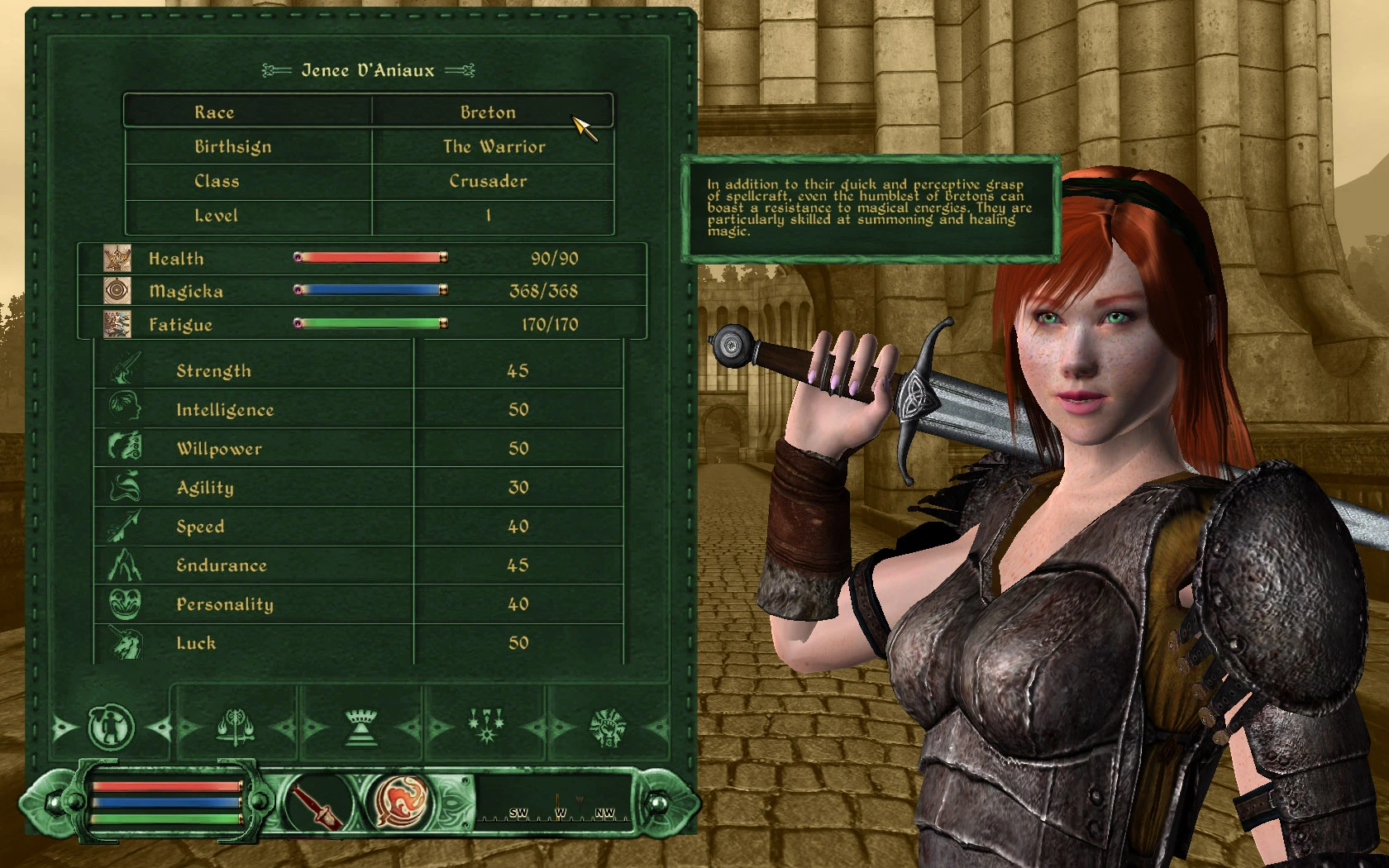
To use this, you must have the original DarkUI Darn installed. Get it here: http://tesnexus.com/downloads/file.php?id=11280 This is compatible with DarkUI DarN version 1. 5. 5 dated 24 April 2008. Once you have it installed and configured to your taste, simply extra the Textures folder from the \"DarkUI_Dark_Green\" archive and drop it into your \"Data\" directory, overwriting when prompted. This will NOT work with low resolutions (under 1024x768 - and maybe not even that one)! To revert to DarkUI\'s normal color scheme, extract the \"Textures_Original\" folder from the \"DarkUI_Dark_Green\" archive, rename it to Textures, and drop it into your \"Data\" directory, overwriting when prompted. No menu configs or anything else are affected by this mod, just the textures. All credit for this UI mod goes to Darn, Darkbirdy, and Gothic251 - all I did was recolor their work!
DarkUI DarN Recolored Dark Green is a texture replacer that changes the default dark red UI of DarkUI Darn 1.5.1 to a dark green scheme. It's for Oblivion players who prefer a darker interface but want a different color. With 98 endorsements and 2,157 downloads, it's a niche but appreciated cosmetic tweak.
✨ Key Features
📊 Pros & Cons
✅ Pros
- Gives a fresh look to the UI without changing functionality (98 endorsements)
- Lightweight texture replacer—just drop in and go
- Perfect for players who want a darker UI but hate the default red
⚠️ Cons
- Requires DarkUI Darn 1.5.1, so you need to install that first
- Last updated in 2008—may have compatibility issues with newer Oblivion versions or mods
- Only changes the color to green; no other UI tweaks or fixes included
For Oblivion players who already use DarkUI Darn and want a color change without extra features. Skip if you're looking for a full UI overhaul or need modern compatibility.
💡 Beginner Tips
- Make sure DarkUI Darn 1.5.1 is installed first, then overwrite its textures with this mod
- Use a mod manager like Oblivion Mod Manager to avoid file conflicts
- If you're on Steam, check that your game version is compatible with this old mod
📊 Mod Details
- Game
- Oblivion Mods
- Author
- Luchaire
- Version
- 1.0
- Downloads
- 2,157
- Endorsements
- 98
- Category
- User Interfaces
- Created
- 4/30/2008
- Updated
- 4/30/2008
🔧 How to Install Oblivion Mods
Download from Nexus.
📖 Full step-by-step install guide for Oblivion →
Visit the official mod page for specific installation instructions for this mod.
🎮 Need cheat codes or console commands? Check ur gaming wiki for Oblivion commands, item IDs, and more.
Keep browsing — more Oblivion mods await