Adventurers Guide Books
⚪ Last updated 2012⚠️ Install Order · 2 steps
1🛠️ OBSE — Oblivion Script Extender Download ↗
2🔧 UOP — Unofficial Oblivion Patch Download ↗
Install in this order, then this mod last — most mods fail to load without their framework and dependencies in place.
Preview
🔍 Analysis
- 👍 6.4% endorsement rate — high engagement, a strong quality signal
- 🏆 #7 of 143 Miscellaneous mods in this game by downloads
📋 About This Mod
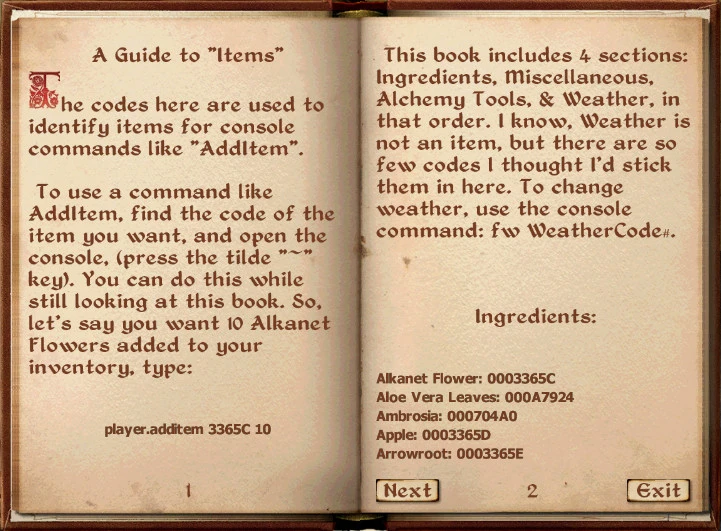
In-Game Books for Console Codes: NPC, Item, Location, and Book & Scroll codes.
🤖 AI-enhanced — based on mod data
Adds in-game books to Skyrim that list console codes for NPCs, items, locations, and books/scrolls. Useful for players who want quick reference without alt-tabbing. Last updated in 2012, so it's old but still functional for the original game.
✨ Key Features
Adds in-game books containing console codes for NPCs, items, locations, and books/scrolls.
Provides a convenient in-game reference for console commands.
Categorized into four types of codes: NPC, Item, Location, and Book & Scroll.
📊 Pros & Cons
✅ Pros
- Handy for players who use console commands frequently and want quick access without leaving the game.
- Covers a wide range of codes—NPCs, items, locations, and books/scrolls—so it's a solid all-in-one reference.
- Decent community support with 284 endorsements and over 4,400 downloads.
⚠️ Cons
- Last updated in 2012—may not include codes for DLC or newer content, and could be outdated for current game versions.
- Only useful for PC players who use console commands; console players get nothing from this.
- No screenshots or detailed install instructions provided, so you're on your own for setup.
🎯 Is This For You?
For PC Skyrim players who rely on console commands and want a quick in-game reference for codes. Skip if you're on console or prefer to use external lists.
For PC Skyrim players who rely on console commands and want a quick in-game reference for codes. Skip if you're on console or prefer to use external lists.
📦 Install:Easy· Under 1 minute
💡 Beginner Tips
- Place the mod files in your Skyrim Data folder and activate the .esp in the launcher or mod manager.
- Look for the books in the game world—they may be added to a specific location or your inventory, so check your items.
- Since the mod is old, test it on a save before relying on it; it may not work with the Special Edition without conversion.
📊 Mod Details
- Game
- Oblivion Mods
- Author
- TonyBalony
- Version
- 1
- Downloads
- 4,421
- Endorsements
- 284
- Category
- Miscellaneous
- Created
- 1/13/2012
- Updated
- 1/16/2012
🔧 How to Install Oblivion Mods
Download from Nexus.
📖 Full step-by-step install guide for Oblivion →
Visit the official mod page for specific installation instructions for this mod.
🎮 Need cheat codes or console commands? Check ur gaming wiki for Oblivion commands, item IDs, and more.
Keep browsing — more Oblivion mods await