NL-Tag Remover
🟡 Updated this yearPreview
🔍 Analysis
- 👍 1.7% endorsement rate — high engagement, a strong quality signal
- 🏆 #4 of 183 User Interface mods in this game by downloads
📋 About This Mod
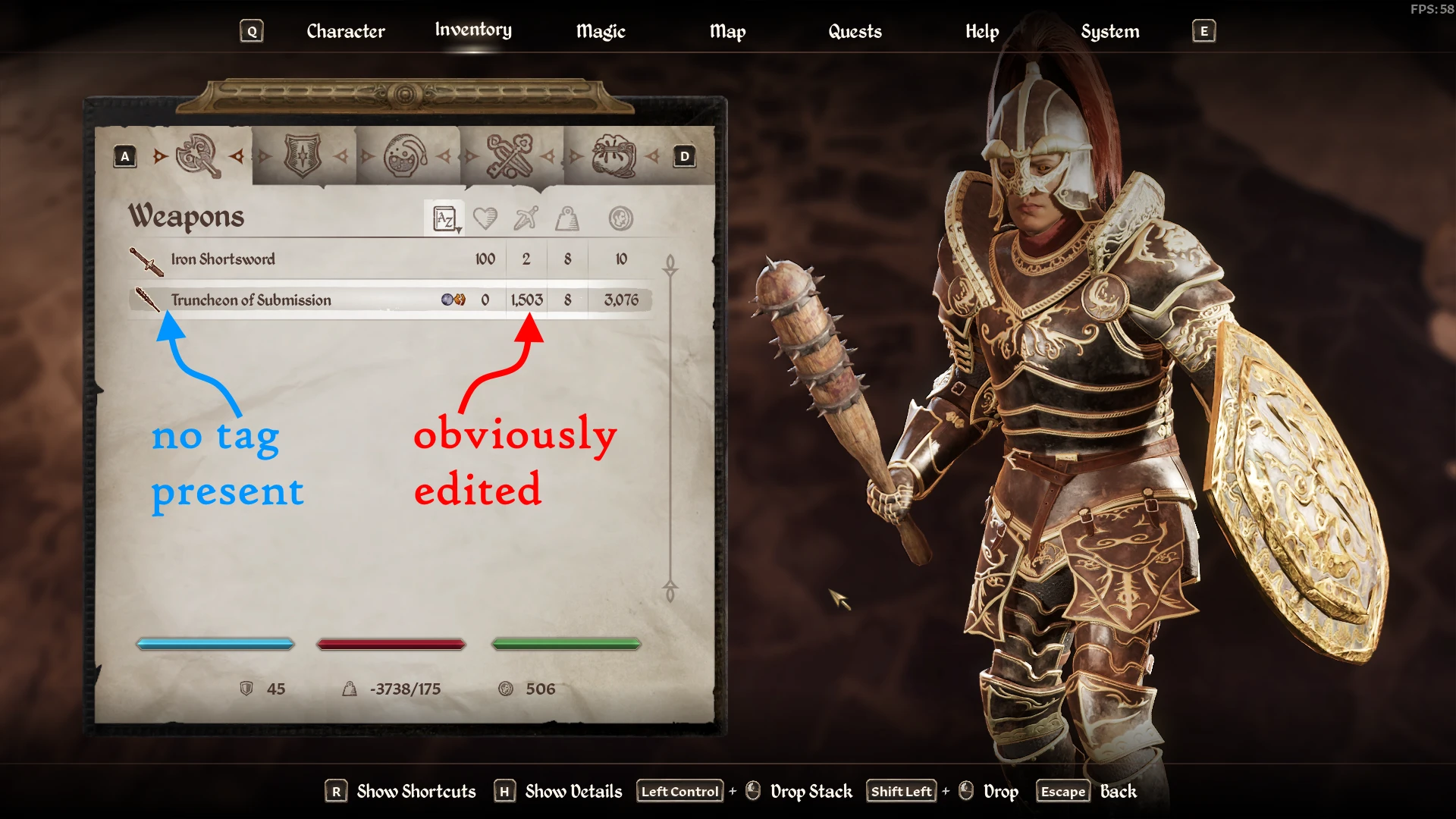
When you add or change texts using ESP plugins located in <GameRoot>\OblivionRemastered\Content\Dev\ObvData\Data you see the game adds tag to them, this probably means because no UE strings are loaded for your items.
How to install - Steam
- Download and install OBSE64 > Its EXE and DLL should be placed inside <GameRoot>\OblivionRemastered\Binaries\Win64 directory.
- Download and install the mod > its DLL and PDB should be placed inside <GameRoot>\OblivionRemastered\Binaries\Win64\OBSE\Plugins directory.
- Full folders structure starting from the game root is provided to clarify the path.
<GameRoot>
- OblivionRemastered.exe
- OblivionRemastered
- OblivionRemastered-Win64-Shipping.exe
- obse64_loader.exe / this is OBSE64 you always launch
- NLTagRemover.dll / mod's plugin
- NLTagRemover.pdb / mod's symbols (optional, you can remove it)
How to install - GamePass
- Download and install Ultimate ASI Loader > Its DLL should be placed inside <Content>\OblivionRemastered\Binaries\WinGDK directory.
- Download and install the mod > its ASI and PDB should be placed inside <Content>\OblivionRemastered\Binaries\WinGDK directory.
- Full folders structure starting from the <Content> is provided to clarify the path.
<Content>
- GameLaunchHelper.exe
- OblivionRemastered
- OblivionRemastered-WinGDK-Shipping.exe
- version.dll / this is Ultimate ASI Loader, filename can be different
- NLTagRemover.asi / mod's plugin
- NLTagRemover.pdb / mod's symbols (optional, you can remove it)
Support
- The latest Steam and GamePass versions are supported.
- The plugin will probably require update if the game updates. In that case, please, be patient.
- Big thanks to daytripping for the GamePass version tests.
NL-Tag Remover is a lightweight UI mod that strips the [NL] tag from items modified by ESP plugins, cleaning up inventory screens. With 3,875 endorsements and 223,849 downloads, it's a popular quality-of-life fix for modded playthroughs. Ideal for players who find the tag clutter distracting.
✨ Key Features
📊 Pros & Cons
✅ Pros
- Huge download count (223k) shows it's a go-to fix for many players.
- Simple, focused purpose—does one thing and does it well.
- Recent update (Feb 2026) means it's still supported.
⚠️ Cons
- Only affects the [NL] tag—if you use other tag mods, this won't touch those.
- Requires you to have ESP plugins that add the tag in the first place, so it's useless for vanilla players.
If you're running a modded setup with ESP plugins that slap [NL] on items and it drives you nuts, this is for you. Also great for streamers or screenshot lovers who want clean UI without the tag noise. Not for vanilla players or those who don't mind the tag.
💡 Beginner Tips
- Make sure you load this mod after any ESP plugins that add the tag, so it can properly override them.
- If you're using a mod manager, just drop it in and enable—no FOMOD or extra patches needed.
- Test in a save with tagged items to confirm the tag is gone before starting a new playthrough.
📊 Mod Details
- Game
- Oblivion Remastered Mods
- Author
- Meridiano
- Version
- 1.3.3
- Downloads
- 223,849
- Endorsements
- 3,875
- Category
- User Interface
- Created
- 4/24/2025
- Updated
- 2/24/2026
🔧 How to Install Oblivion Rem. Mods
Use Vortex or MO2.
📖 Full step-by-step install guide for Oblivion Rem. →
Visit the official mod page for specific installation instructions for this mod.
🎮 Need cheat codes or console commands? Check ur gaming wiki for Oblivion Rem. commands, item IDs, and more.
Keep browsing — more Oblivion Rem. mods await