Voidwalker ReShade Collection -- Vivid-Realistic-Cinematic
⚪ Last updated 2021⚠️ Install Order · 1 step
Install in this order, then this mod last — most mods fail to load without their framework and dependencies in place.
🖼️ Gallery (2 images)

🔍 Analysis
- 👍 2.9% endorsement rate — high engagement, a strong quality signal
📋 About This Mod
VOIDWALKER RESHADE COLLECTION
D
escription &
F
eatures
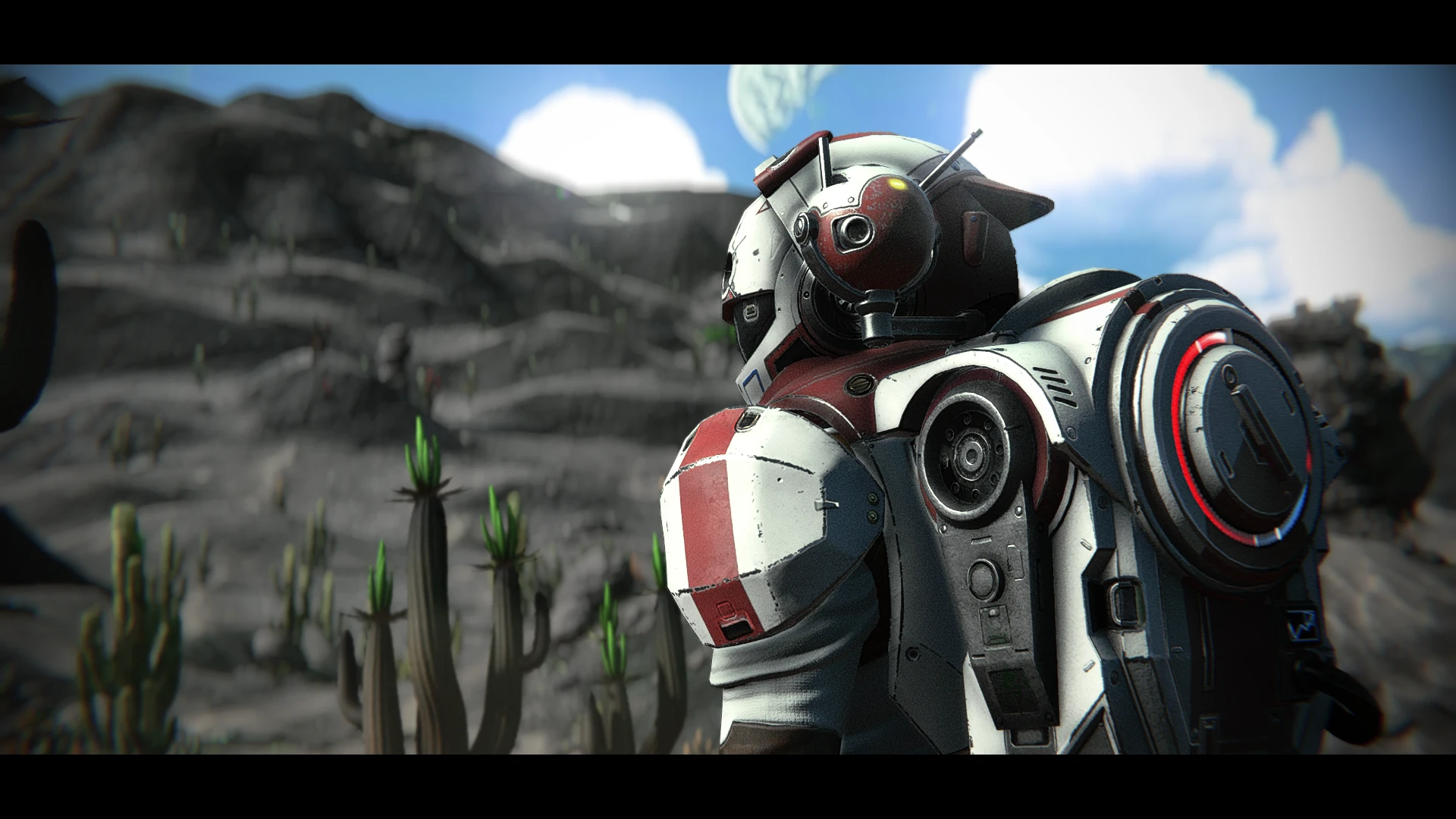
This is a collection of three carefully-crafted ReShade presets that offer a range of looks to enhance your game by creating a more vivid, realistic, or cinematic image. Each preset has custom-tuned depth-of-field (with two DoF options for each preset), cinematic letterboxing (black bars), multiple iterations of bloom, film grain that's tuned for each preset's atmosphere, chromatic aberration and lens warping to emulate a real camera, vignette, and sharpness (because AA needs a counter). Every feature and added effect is optional and can be toggled away with hotkeys from in game, no menu-fiddling required. This is the result of months of work, and you'll feel the quality.
Install Instructions
*Run your game and ensure NMS is set to borderless mode first. Close your game and proceed. (Note to advance users: Setting the game to borderless-windowed mode is randomly unnecessary for some people, so if you really like fullscreen-exclusive mode for some reason, go ahead and leave it that way, I guess. But if your game CTD's on launch, then try making it borderless without the ReShade files installed then follow the steps in the "Part Two" section again.
1. If you have mods installed already, delete any mod that changes the game's filters. So if you have a mod that forces the game to use the vintage filter, default filter, filmic filter, etc., delete that.
2. Go to your NMS PCBANKS folder, found here, "...\Steam\steamapps\common\No Man's Sky\GAMEDATA\PCBANKS" and delete the file called DISABLEMODS. TXT."
3. If you do not have one already, create a folder in that same PCBANKS folder called "MODS"
4. Download the contents of this mod, containing a zip file "Mercs Voidwalker ReShade Collection" and open the zip file using winrar or 7zip (I use 7zip, cause it's free and easy).
5. From that zip file, copy only the file "
A collection of three ReShade presets for enhancing game visuals, offering vivid, realistic, and cinematic styles. All effects are optional and can be toggled via hotkeys. With 176 endorsements and 6,109 downloads, it's a moderately popular choice for players seeking visual variety.
✨ Key Features
📊 Pros & Cons
✅ Pros
- Three presets in one download – you get variety without hunting for multiple mods.
- Hotkey toggles mean you can switch effects on the fly without restarting the game.
- Solid community backing with 176 endorsements and over 6k downloads.
⚠️ Cons
- Last updated in 2021 – might not be fully compatible with the latest game patches.
- Presets are subjective – what looks 'cinematic' to one person might not fit your taste.
For players who want to tweak their game's visuals without diving into complex ENB or graphics mods. If you're into screenshotting or just want a fresh look, this collection gives you three quick options. Skip if you prefer a single, consistent visual style or want gameplay changes.
💡 Beginner Tips
- Make sure ReShade is installed first – this mod only provides the presets, not the framework.
- Use the in-game ReShade menu to load each preset and tweak the intensity to your liking.
- Check the hotkey bindings in ReShade's settings to easily toggle effects during gameplay.
📊 Mod Details
- Game
- No Mans Sky Mods
- Author
- TheMercsAssassin
- Version
- 0.9
- Downloads
- 6,109
- Endorsements
- 176
- Category
- ReShade Presets
- Created
- 1/4/2019
- Updated
- 9/10/2021
🔧 How to Install No Man\ Mods
Create /MODS/ folder in /GAMEDATA/PCBANKS/. Delete DISABLEMODS.TXT.
📖 Full step-by-step install guide for No Man\ →
Visit the official mod page for specific installation instructions for this mod.
🎮 Need cheat codes or console commands? Check ur gaming wiki for No Man\ commands, item IDs, and more.
Keep browsing — more No Man\ mods await