NMS Decompressinator
⚪ Last updated 2024⚠️ Install Order · 3 steps
Install in this order, then this mod last — most mods fail to load without their framework and dependencies in place.
Preview
🔍 Analysis
- 👍 5.0% endorsement rate — high engagement, a strong quality signal
- 🏆 #14 of 18 Utilities mods in this game by downloads
📋 About This Mod
NOTICE: This tool is defunct as of No Man's Sky: Worlds Part II.
HelloGames has finally addressed the lag spikes issue by changing the archive format to an entirely new one that is less heavy to decompress. This page will remain up for potential uses by the No Man's Sky Retro community. Thanks for using NMS-Decompressinator, but it should no longer be necessary! Have fun out there, Travellers!
Original Description:
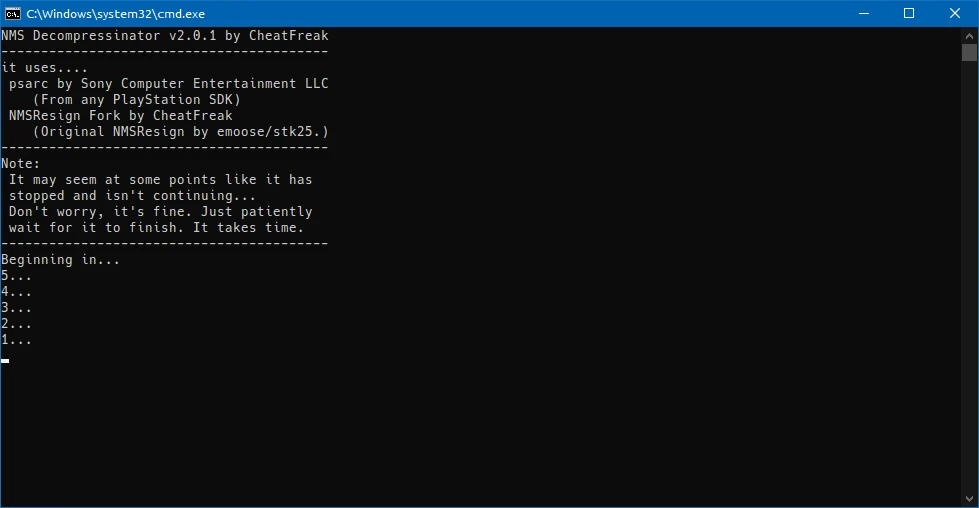
Decompressinator is a Windows batch script that uses PSARC and NMSResign to automatically process the game .pak files by unpacking them and repacking with compression disabled.
This, in most cases, will significantly improve game performance by eliminating CPU spikes caused by on-the-fly .pak decompression without running the game files fully unpacked, which is another method that itself introduces significantly longer loading times due to the file system strain caused by the game needing to open handles to thousands of files.
In most cases, it completely eliminates commonly experienced lag spikes when leaving the atmosphere of a planet, calling in freighters, and many other similar lag spikes that occur when the game needs to decompress data from a .pak file during gameplay. It may also improve loading times more generally, such as when loading into a save file, warping from system to system, or using teleporters. Because it addresses these lag spikes, other similar mods that may address these some of these things individually are rendered moot by using this, so you may be want to adjust what mods you load accordingly.
Anecdotally, I've been told that this seems to improve performance more for Worlds Part 1 than previous updates. Perhaps Worlds introduces more decompression-caused chokepoints? Feel free to let me know of your experiences in the posts section above.
So, how and why does this work?
Basically, this improvement happens because decompressing and repacking the files as is, you are dropping the requirement for the game to spend CPU cycles on decompression during any loading situation, and are instead relying on your disk's raw read speed to get the necessary files quicker instead. Decompressed .pak files are much larger than compressed .pak files, so it's highly recommended you store No Man's Sky on a very fast reading disk, such as any decent quality SSD from a reputable brand. Extremely poor quality/no-name brand SSDs and slow or fragmented mechanical hard disks may actually see performance losses in some cases if this script is used, since the reason the performance gains occur depends on having fast file access to begin with. Because of this, the amount of improvement this has on performance is variable from computer to computer, but assuming you are running the game from any even half-decent SSD, even older SATA ones, it should improve performance and reduce lag spikes as intended.
Obviously this performance boost comes at the cost of storage space. Uncompressing the files will roughly triple the amount of required storage space. As of No Man's Sky Worlds Part 1, assuming you delete the backup of the compressed files afterwards or ran with the -no-backup argument, the game takes up ~44. 8GB of storage total.
Features:
-
[] Works on all No Man's Sky versions, theoretically including all future updates.
[
] Doesn't conflict with any mods loading through the typical mod loading system.[] Tries to be smart about running again after No Man's Sky updates or branch switches by checking file timestamps. (Can be bypassed using -force.)
[] Backs up the base game files in a sub folder in case things go wrong. (Can be bypassed by using -no-backup, which also slightly reduces the required free space footprint during runtime by ~10GB or so.)
[] Disables the "File Tampering" warning by using NMSResign to generate BankSignatures.bin.
Usage:
[] Download and extract the mod file from above. (A Github mirror is available here.)
[] Copy NMS-Decompressinator.bat, psarc.exe, and NMSResign.exe over to your No Man's Sky\GAMEDATA\PCBANKS folder.
[] Ensure you have sufficient free space. As of No Man's Sky Worlds Part 1, the uncompressed .pak files will consume 44. 7GB of storage, and you should have at least 15GB of additional headroom for the unpacking process. Meaning, the disk ideally needs at least 60GB of free space before running the script.
[] Run the NMS-Decompressinator.bat.
[] Wait patiently. This takes quite a whil
NMS Decompressinator is a Windows batch script that unpacks and repacks No Man's Sky .pak files with compression disabled, eliminating CPU spikes from on-the-fly decompression. The tool is now defunct as of Worlds Part II, which introduced a new archive format, but remains for retro users. It has 292 endorsements and 5,834 downloads.
✨ Key Features
📊 Pros & Cons
✅ Pros
- Community-tested with 292 endorsements and 5,834 downloads — clearly helped a lot of players.
- One-click batch script does the heavy lifting — no manual file editing needed.
- Targets the root cause of stutter: on-the-fly decompression, not just individual mods.
⚠️ Cons
- Defunct as of Worlds Part II — HelloGames fixed the issue, so this tool is now obsolete for current versions.
- Requires PSARC and NMSResign, which aren't bundled — you'll need to source them yourself.
- Repacking all .pak files can increase disk space usage and may affect load times if not done carefully.
For No Man's Sky players on older versions (pre-Worlds Part II) who suffer from lag spikes during gameplay and want a performance boost without running fully unpacked files. Also for retro players who stick to older builds. Skip if you're on the latest update — the game already fixed the issue.
💡 Beginner Tips
- Make sure you have PSARC and NMSResign in the same folder as the script, or it won't run.
- Back up your original .pak files before running — the script modifies them in place.
- If you use other mods, check if they also touch .pak files — this tool may make some of them redundant.
📊 Mod Details
- Game
- No Mans Sky Mods
- Author
- CheatFreak
- Version
- 2.0.1
- Downloads
- 5,834
- Endorsements
- 292
- Category
- Utilities
- Created
- 7/30/2024
- Updated
- 8/8/2024
🔧 How to Install No Man\ Mods
Create /MODS/ folder in /GAMEDATA/PCBANKS/. Delete DISABLEMODS.TXT.
📖 Full step-by-step install guide for No Man\ →
Visit the official mod page for specific installation instructions for this mod.
🎮 Need cheat codes or console commands? Check ur gaming wiki for No Man\ commands, item IDs, and more.
Keep browsing — more No Man\ mods await