Firmware Update for the Signal Booster
🟡 Updated this year⚠️ Install Order · 1 step
Install in this order, then this mod last — most mods fail to load without their framework and dependencies in place.
Preview
🔍 Analysis
- 👍 2.4% endorsement rate — high engagement, a strong quality signal
- 🏆 #4 of 18 Utilities mods in this game by downloads
📋 About This Mod
Feel free to include any or all of the LUA in any mod or usage you may want.
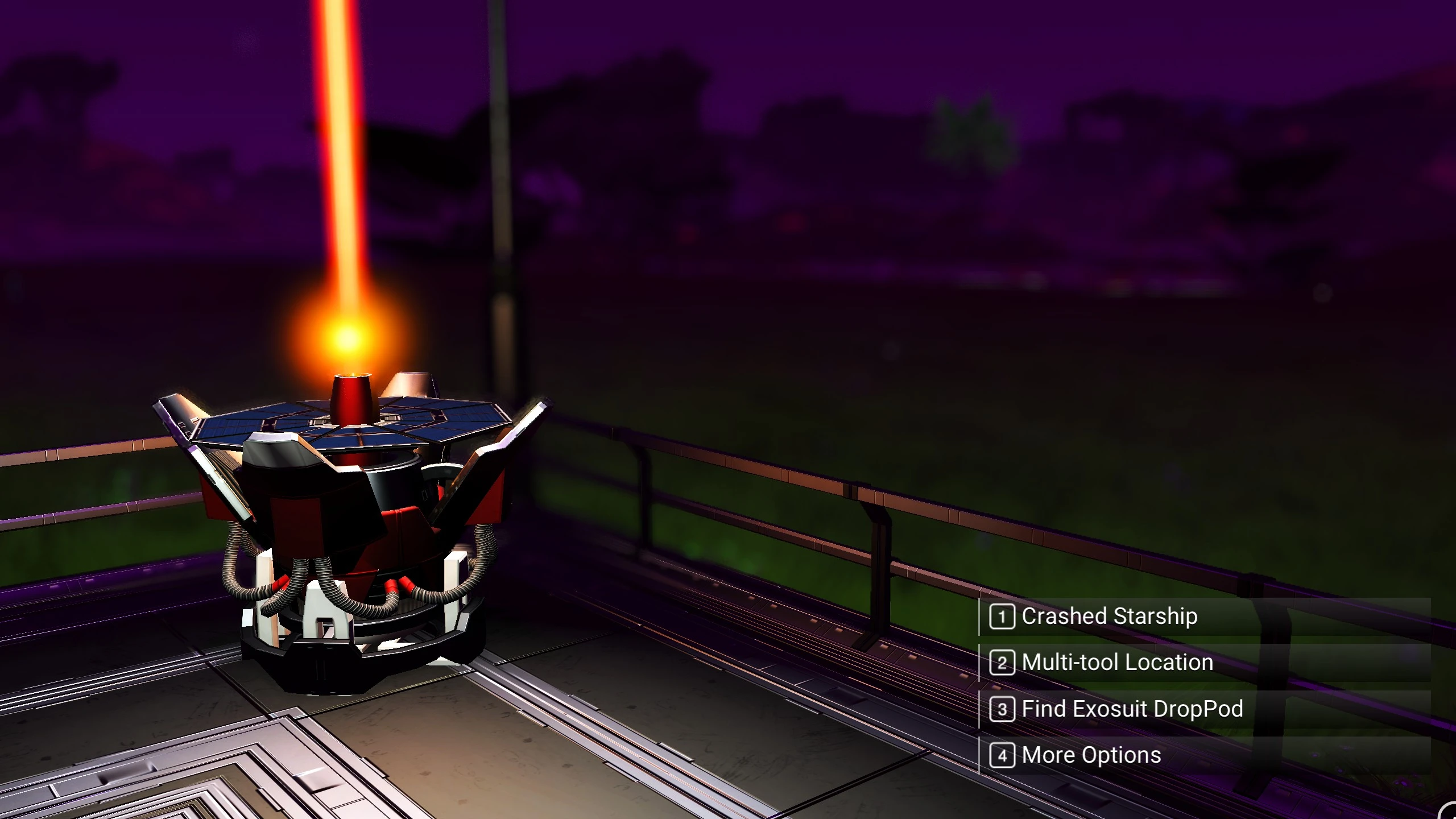
The following are all the exciting things the scanner can now find
-
[]Vanilla random structure scan for milestones [/]
[]Portals [/]
[]Crashed Starships[/]
-
[]Multi-Tool location[/]
[]Manufacturing Facility[/]
[]Exosuit DropPod[/]
-
[]Planetary Archives[/]
[]Crashed Freighters [/]
[]Observatory [/]
-
[]Scan Habitable Outposts (A random habitable location)[/]
[]Sentinel Pillar[/]
[]Traveler Graves[/]
-
[]"Wild" Base Computer [/]
[]Boundry Failures[/]
[]Monolith[/]
-
[]Abandoned Building[/]
[]Sentinel Camp[/]
[]Crashed Sentinel Ship[/]
-
[]Settlement[/]
[]Autophage Settlement[/]
[]Waste Processing Plant[/]
Files changed by this mod:
METADATA\SIMULATION\SCANNING\SCANEVENTTABLEPLANET. MBIN
METADATA\REALITY\TABLES\COSTTABLE. MBIN
METADATA\REALITY\TABLES\NMS_DIALOG_GCALIENPUZZLETABLE. MBIN
METADATA\REALITY\TABLES\REWARDTABLE. MBIN --Caution this table is changed by many different mods.
METADATA\GAMESTATE\STATS\STATDEFINITIONSTABLE. MBIN
METADATA\GAMESTATE\STATS\STATGROUPSTABLE. MBIN
METADATA\SIMULATION\MISSIONS\ENABLINGCONDITIONSTABLE. MBIN
If one or more others mods you have installed are using any of these files, there would be a conflict and only one of the mods would work.
LUA Notes\Other Modders:
The LUA structure makes adding additional options super easy, even re-arranging the options is a simple task.
So if you use AMUMSS which you should if you are modding NMS, you can customize this mod to suit your taste.
-
[]You can put the options in whichever arrangement you want[/]
[]Adding a new option is just two pieces of information[/]
[]Rewards can also be added, again with just two parameters[/]
[]Removing any option(s) is even easier[/]
[]See the notes in the LUA[/]
-
[]You can put the options in whichever arrangement you want[/]
-
[]Settlement[/]
-
[]Abandoned Building[/]
-
[]"Wild" Base Computer [/]
-
[]Scan Habitable Outposts (A random habitable location)[/]
-
[]Planetary Archives[/]
-
[]Multi-Tool location[/]
This No Man's Sky mod upgrades the Signal Booster with 7 new dialog options, letting you scan for specific points of interest like Portals, Crashed Starships, Sentinel Pillars, and Settlements. It's a quality-of-life utility for explorers who want targeted scanning without hunting for random structures. The mod is open-source LUA, allowing easy customization via AMUMSS.
✨ Key Features
📊 Pros & Cons
✅ Pros
- Huge quality-of-life boost for explorers (1,116 endorsements, 47k downloads)
- Saves hours of flying around hoping to stumble on a Portal or Sentinel Pillar
- Open LUA means you can tweak the options to your exact needs
⚠️ Cons
- Conflicts with any mod that touches the same 7 files, especially REWARDTABLE.MBIN — you'll need to merge or pick one
- Last updated May 2026 — might break with future game patches
For No Man's Sky players who are tired of randomly scanning for specific structures and want a more efficient way to find Portals, crashed ships, or Sentinel Pillars. Also great for modders who want a base to build their own scanning options. Skip if you're happy with vanilla scanning or don't want to deal with potential mod conflicts.
💡 Beginner Tips
- Place the .pak file in your No Man's Sky MODS folder (usually GAMEDATA\PCBANKS\MODS) and delete the DISABLEMODS.TXT file if it exists.
- If you have other mods that change REWARDTABLE.MBIN, use a mod merge tool like AMUMSS to combine them, or one will override the other.
- Test the mod after a game update — NMS patches often break mods, and this one hasn't been updated since May 2026.
📊 Mod Details
- Game
- No Mans Sky Mods
- Author
- Lowkie and Babscoole
- Version
- 6.42
- Downloads
- 47,453
- Endorsements
- 1,116
- Category
- Utilities
- Created
- 5/2/2021
- Updated
- 5/28/2026
🧩 Commonly Used Together
Users add these mods to the same collections — a real compatibility signal, not an AI guess.
🔧 How to Install No Man\ Mods
Create /MODS/ folder in /GAMEDATA/PCBANKS/. Delete DISABLEMODS.TXT.
📖 Full step-by-step install guide for No Man\ →
Visit the official mod page for specific installation instructions for this mod.
🎮 Need cheat codes or console commands? Check ur gaming wiki for No Man\ commands, item IDs, and more.
Keep browsing — more No Man\ mods await