NieR Fantasy ReShade
⚪ Last updated 2019⚠️ Install Order · 1 step
Install in this order, then this mod last — most mods fail to load without their framework and dependencies in place.
Preview
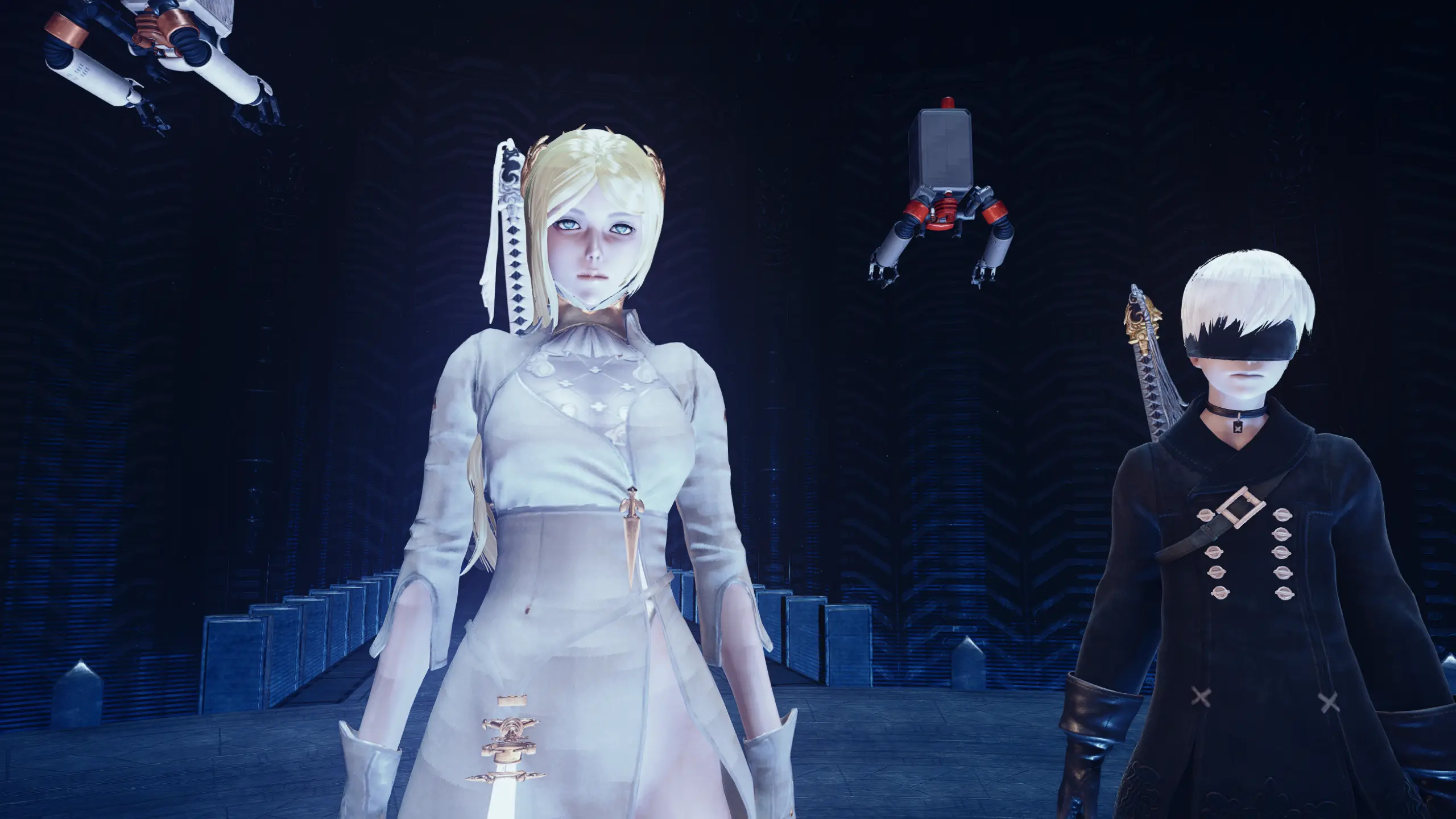
🔍 Analysis
- 👍 5.2% endorsement rate — high engagement, a strong quality signal
- 🏆 #4 of 40 Visuals and Graphics mods in this game by downloads
📋 About This Mod
A fantasy-style ReShade preset that adds a new level of depth, color, and visual effects to the original NieR - Automata graphics.
Please Endorse if you like this mod, it only takes a second. Thank You!
INSTALLATION
Copy everything from the "Main files" folder to your NieR game folder.
(Where NieRAutomata.exe is located)
default, then open ReShade.ini and set the directory path.
Leave the in-game brightness at default.
F. A. R. compatible! There's no need to enable the ReShade plugin.
IMPORTANT! Be sure that your monitor is in "sRGB" mode.
Play your game!
RESHADE CONTROLS
End key to toggle main effects
PageDown key to toggle Depth of Field (DOF)
PageUp key to toggle Ambient Occlusion
Home key to open GUI
TROUBLESHOOTING
Always remove ReShade files from a previous install before installing.
Rename "d3d11.dll" to "dxgi.dll" if your game crashes at startup.
Disable Steam overlay if you have issues.
Disable third-party programs, and seek help in the forums if all else.
Shinobi Master ReShade (for Sekiro - Shadows Die Twic
A ReShade preset that enhances NieR: Automata's visuals with fantasy-style depth, color, and effects. Popular with 1,968 endorsements and 38,036 downloads, though it hasn't been updated since 2019.
✨ Key Features
📊 Pros & Cons
✅ Pros
- Community favorite with nearly 2,000 endorsements and 38k downloads
- Gives the game a fresh fantasy look without changing gameplay
- Simple to install if you already use ReShade
⚠️ Cons
- Last updated in 2019 — may not work with the latest game patches or ReShade versions
- Requires ReShade, which isn't included and must be set up separately
For NieR: Automata players who want a visual overhaul with a fantasy twist and are comfortable using ReShade. Skip if you prefer the original look or don't want to mess with post-processing tools.
💡 Beginner Tips
- Make sure you have ReShade installed and set up for NieR: Automata before adding this preset.
- After installing, tweak the preset's settings in-game using the ReShade overlay to match your monitor's brightness and contrast.
- If the preset doesn't show up, double-check that the preset file is in the correct ReShade folder (usually the game's directory).
📊 Mod Details
- Game
- Nierautomata Mods
- Author
- Vanguard1776
- Version
- v1.0
- Downloads
- 38,036
- Endorsements
- 1,968
- Category
- Visuals and Graphics
- Created
- 9/8/2019
- Updated
- 9/21/2019
🔧 How to Install Nierautomata Mods
Download from Nexus Mods.
📖 Full step-by-step install guide for Nierautomata →
Visit the official mod page for specific installation instructions for this mod.
🎮 Need cheat codes or console commands? Check ur gaming wiki for Nierautomata commands, item IDs, and more.
Keep browsing — more Nierautomata mods await