Clean Reshade preset
⚪ Last updated 2023⚠️ Install Order · 1 step
Install in this order, then this mod last — most mods fail to load without their framework and dependencies in place.
Preview
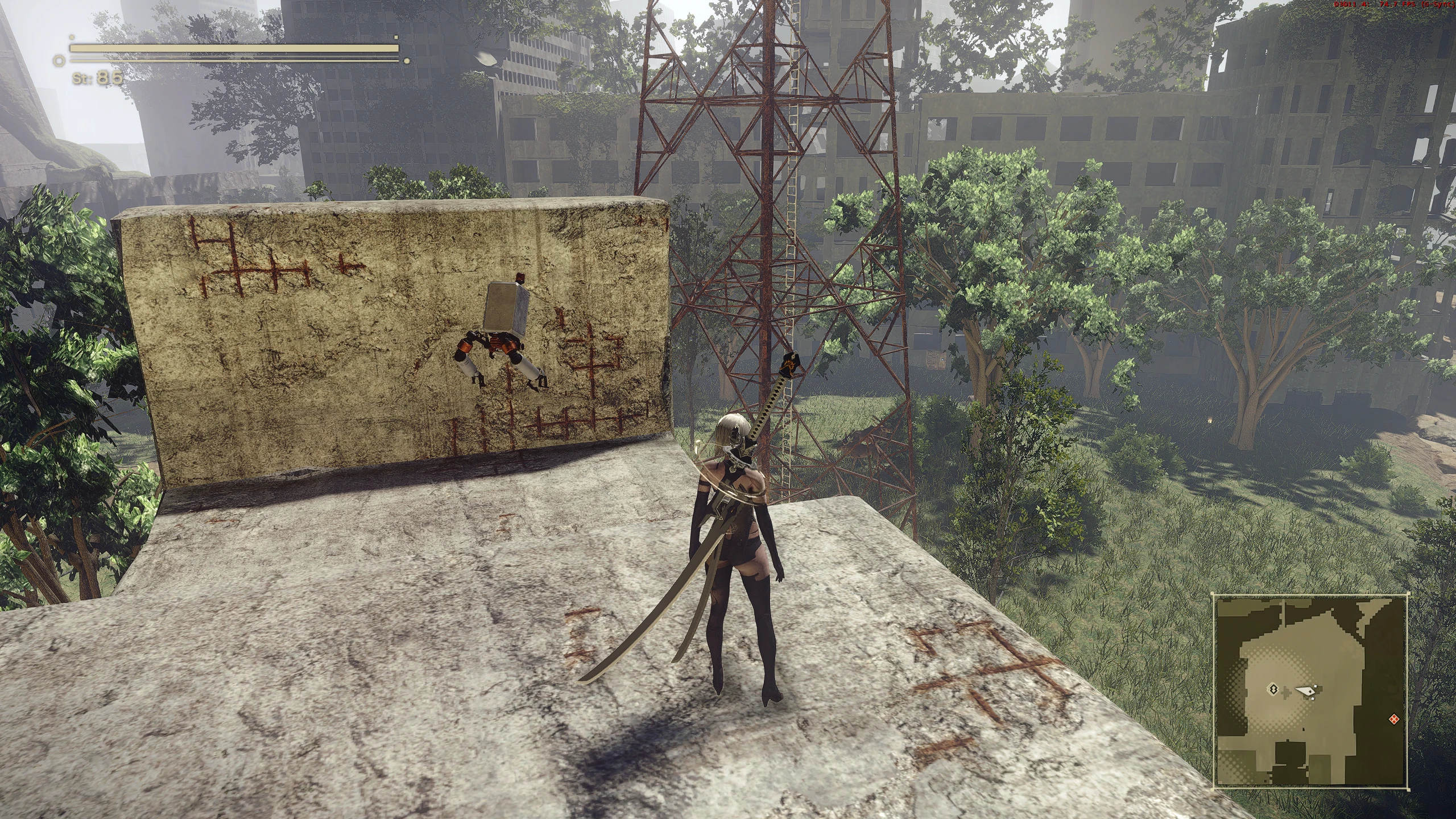
🔍 Analysis
- 👍 3.7% endorsement rate — high engagement, a strong quality signal
- 🏆 #1 of 40 Visuals and Graphics mods in this game by downloads
📋 About This Mod
Install Stuff
I generally recommend using either NAMH or reading THE guide.
If you're stubborn and don't want to, do this:
Extract the version of your choosing into your NieRAutomata folder.
If this causes issues, check comments or do what you didn't want to before.
Both versions are independant from each other.
Potential Issues
There seems to be an issue with particle effects disappearing.
The main fix seems to be using SpecialK as a local install and loading ReShade like described in ther Nier Automata section here
And should you be looking for a quick fix, replacing the default specialk.ini with my SpecialK.ini worked for someone.
Do not use nightly builds of SK (Discord). They don't work with ReShade. Use the stable build from the website instead.
To switch presets open ReShade by pressing home/pos1/yourlocalkeyboardequivalent
And click on what the arrow points at so the dropdown menu appears.
From then on it's straight forward: Choose the one you want or navigate to where your preset of choice is located.
If something is not to your liking, for example..
This is too bright! - adjust this
This is too vibrant! - adjust the chroma slider visible in the linked screenshot above
This is too sharp! - I'd suggest adjusting deblurs intensity in that case.
Game Settings
Check your brightness levels ingame. I have it at 4 for the new Preset, 8 for the old. Adjust that to your liking, really.
Now you're done. Have fun! :)
If there's anything wrong or hard to understand, feel free to ask for help.
My other NieR related presets:
NieR Replicant Preset
A Reshade preset that enhances image crispness and clarity while preserving the original aesthetic of the game. With 4,529 endorsements and 121,388 downloads, it's a popular choice for players seeking a clean visual upgrade without altering the game's look.
✨ Key Features
📊 Pros & Cons
✅ Pros
- Huge community trust – 4,529 endorsements and over 121k downloads
- Does exactly what it says: crisp, clean visuals without changing the game's feel
- Lightweight preset – no heavy effects, just a subtle clarity boost
⚠️ Cons
- No before/after screenshots or detailed settings breakdown in the description
- Last updated in March 2023 – may not be optimized for the latest Reshade versions
- Requires Reshade installed separately – not a standalone mod
For players who want a subtle visual clarity boost without altering the game's original art style. Perfect for those who find the default image a bit soft or hazy. Skip if you're looking for dramatic graphical overhauls or heavy post-processing effects.
💡 Beginner Tips
- Make sure you have Reshade installed and set up for your game before adding this preset.
- After installing, use the Reshade in-game overlay to adjust the preset's intensity to your liking.
- If the preset doesn't show up, check that the preset file is in the correct Reshade folder (usually the game's root directory).
📊 Mod Details
- Game
- Nierautomata Mods
- Author
- ChaserJZX
- Version
- 1.1
- Downloads
- 121,388
- Endorsements
- 4,529
- Category
- Visuals and Graphics
- Created
- 7/30/2019
- Updated
- 3/29/2023
🔧 How to Install Nierautomata Mods
Download from Nexus Mods.
📖 Full step-by-step install guide for Nierautomata →
Visit the official mod page for specific installation instructions for this mod.
🎮 Need cheat codes or console commands? Check ur gaming wiki for Nierautomata commands, item IDs, and more.
Keep browsing — more Nierautomata mods await