Automata LodMod fix
🟠 Updated over a year ago⚠️ Install Order · 1 step
Install in this order, then this mod last — most mods fail to load without their framework and dependencies in place.
Preview
🔍 Analysis
- 👍 2.1% endorsement rate — high engagement, a strong quality signal
- 🏆 #14 of 40 Visuals and Graphics mods in this game by downloads
📋 About This Mod
This mod with version 0. 3 is now identical to the update of the original mod on January 2, 2025 with version 0. 77. 5, so you only need one of the two. I will fix bugs if possible, but as described below, I don't know much about C++. Original Lodmod
Adds over 1000 new lines to the HardFilteredModels and SoftFilteredModels list.
This mod changes the xinput1_4.dll with version 0. 2, just a small change that (SkipBootingScreens = true) works everywhere.
I won't upload a new Version unless there are bugs. I hope the DLL works with everything. I used Visual Studio and C++ for the first time and I don't know much about it. I hope there are no other errors but I only changed 2 lines in the xinput1_4.dll.
I hope it's ok that I upload the mod here. I have linked below to the original mod and Creator.
Just so you know what the Lod mod changes, many textures that are blurry up close are sharper for longer in the distance, but there are also many that don't change. I can't change that, you would have to set (HQMapSlots = 7) higher, but then there would be flying objects everywhere and you would see flying enemies appear in the air in the distance and then there would still be some textures that would remain blurry. You could perhaps improve the performance if you looked at what Lod Mod loads when moving to other areas and then removed the unnecessary for certain areas, but that would be a lot of work.
-
[]Download latest ZIP from the files section
[
]Extract LodMod.ini and xinput1_4.dll next to your NieRAutomata.exe[]the Lod Mod has the original settings change it to your settings
[]do not change (LOD Multiplier = 0) and (HQMapSlots = 7) otherwise flying objects will appear again.
Setup
Namh
-
[]This mod is already included in version V4. 4 uploaded on 05 January 2025.
[
]In Namh go to Wrappers and set the Lod Mod to on. Click on the gear to change the settings.[]the Lod Mod has the original settings change it to your settings
[]do not change (LOD Multiplier = 0) and (HQMapSlots = 7) otherwise flying objects will appear again.
What has changed in version v0. 3
-
[]This mod is already included in version V4. 4 uploaded on 05 January 2025.
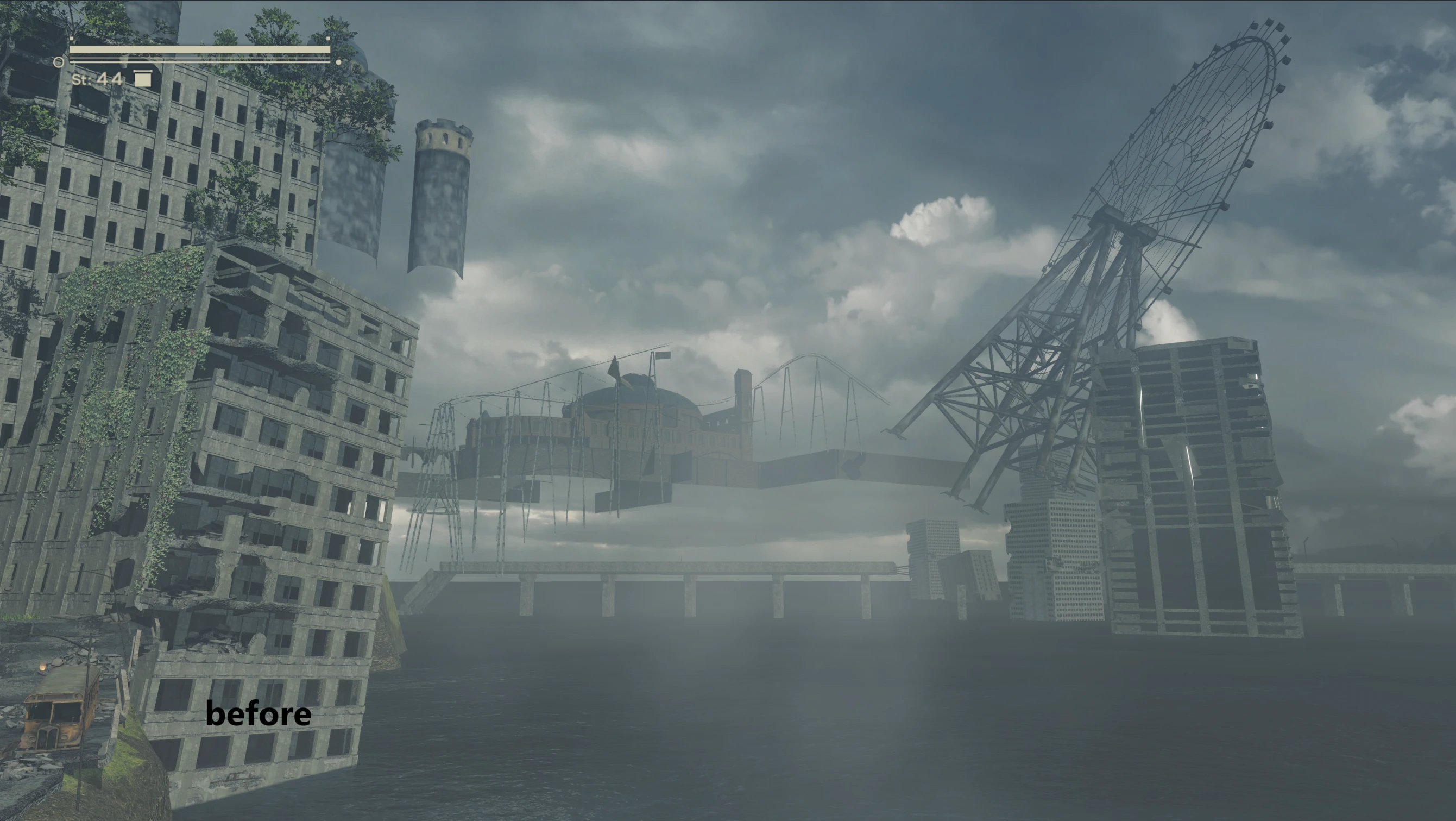
Automata LodMod fix is a small update for LodMod that removes flying and misplaced objects when DisableManualCulling is enabled, such as floating objects from the Amusement Park in the Flooded City. It also fixes SkipBootingScreens to work correctly. With 163 endorsements and 7,669 downloads, it's a niche fix for players using those settings.
✨ Key Features
📊 Pros & Cons
✅ Pros
- Tackles a real annoyance for players using DisableManualCulling
- Small but active community (163 endorsements, 7,669 downloads)
- Direct fix for a specific issue, no bloat
⚠️ Cons
- Only useful if you use DisableManualCulling or SkipBootingScreens
- Requires the original LodMod to function
For Automata players who've enabled DisableManualCulling and noticed floating objects breaking immersion. Also for those who want SkipBootingScreens to actually work. Skip if you don't use those settings or don't have LodMod.
💡 Beginner Tips
- Make sure you have the original LodMod installed first, then overwrite with this fix.
- If you're using a mod manager, let it handle the file replacement to avoid conflicts.
- Check your ini settings to confirm DisableManualCulling is set to true to see the fix in action.
📊 Mod Details
- Game
- Nierautomata Mods
- Author
- basti5555
- Version
- 0.3
- Downloads
- 7,669
- Endorsements
- 163
- Category
- Visuals and Graphics
- Created
- 11/25/2024
- Updated
- 1/2/2025
🔧 How to Install Nierautomata Mods
Download from Nexus Mods.
📖 Full step-by-step install guide for Nierautomata →
Visit the official mod page for specific installation instructions for this mod.
🎮 Need cheat codes or console commands? Check ur gaming wiki for Nierautomata commands, item IDs, and more.
Keep browsing — more Nierautomata mods await