HUD Colour Unified
⚪ Last updated 2018⚠️ Install Order · 6 steps
Install in this order, then this mod last — most mods fail to load without their framework and dependencies in place.
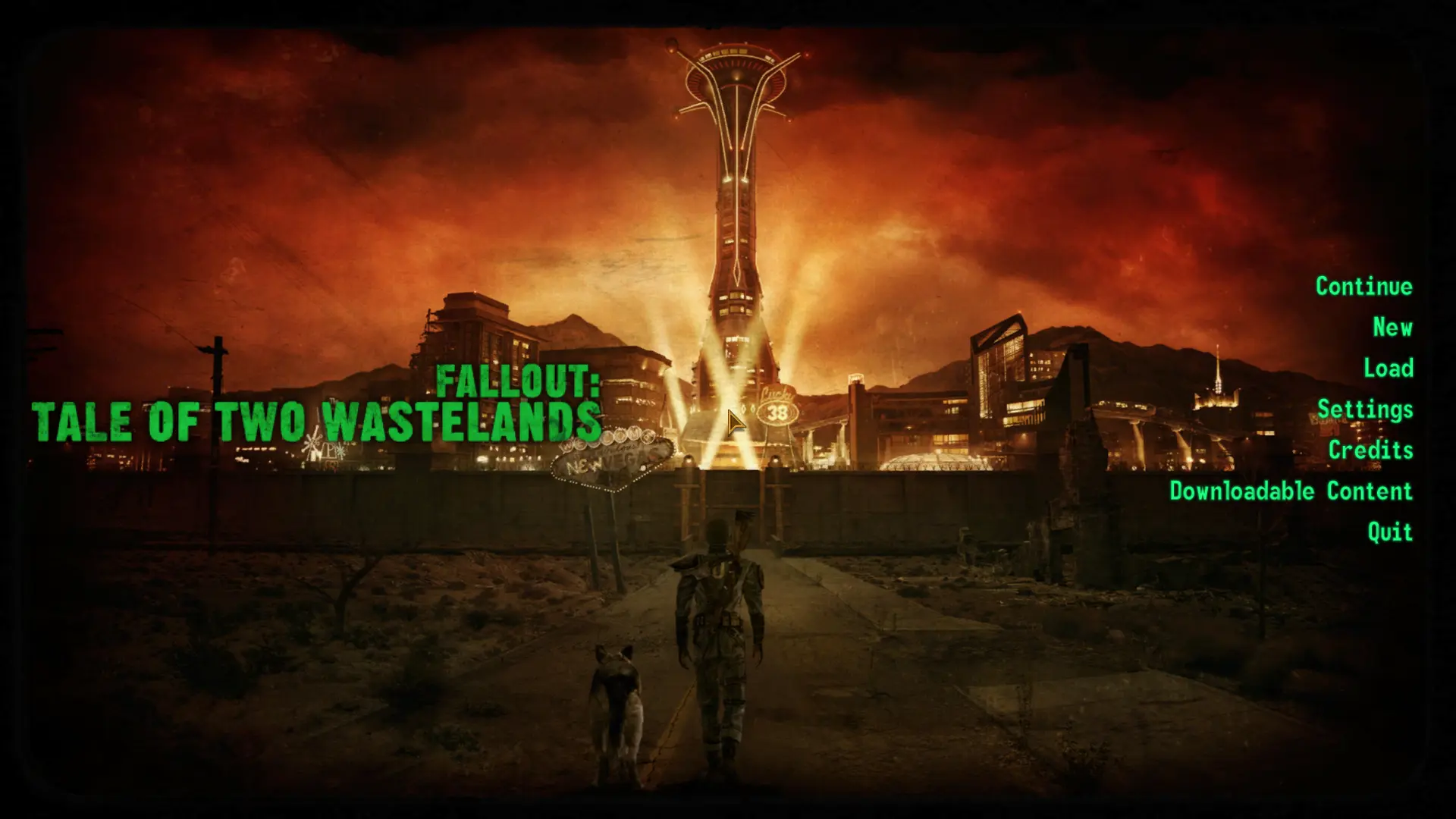
Preview
🔍 Analysis
- 👍 4.1% endorsement rate — high engagement, a strong quality signal
- 🏆 #45 of 103 User Interfaces mods in this game by downloads
📋 About This Mod
Unify your HUD colour today!
The aim of this mod is the unify the HUD colour within the menu systems (Main menu, pause menu, MCM). This will restore the lost functionality that the previous entry Fallout 3 provided. That being your chosen HUD colour (Green, Amber, White) matches the menu colour.
Supports FNV & TTW
This mod was originally created especially for use in my Two Tales Wasteland playthrough, as I wanted the authentic green menu just as I remembered it! Please note this mod in no way requires TTW, it will work perfectly fine on standalone Fallout: New Vegas.
Required Mods:
Recommended Mod:
Vanilla HUD Remastered (4K)
UI Mod Comparability:
MTUI - Patch available
DarNified UI - Patch available
Vanilla HUD Remastered - Works with HCU Original Edition
HUD Colour Unified is a small UI mod for Fallout 4 that syncs the game's menu and Mod Configuration Menu (MCM) colors with the player's selected HUD color. It has 337 endorsements and 8,202 downloads, last updated in November 2018. This is a simple quality-of-life tweak for players who want a consistent color scheme across their interface.
✨ Key Features
📊 Pros & Cons
✅ Pros
- Simple and effective—no more mismatched menu colors clashing with your HUD.
- Community-tested with 337 endorsements and over 8,000 downloads.
- Lightweight mod that doesn't bloat your load order.
⚠️ Cons
- Last updated in 2018—may not be compatible with the latest Fallout 4 patches or DLC.
- Only affects menu and MCM colors; doesn't touch other UI elements.
- Requires the Mod Configuration Menu (MCM) to be installed, which is an extra dependency.
For Fallout 4 players who like a cohesive UI color scheme and use the Mod Configuration Menu. If you're tired of your menu clashing with your HUD color, this is a quick fix. Skip if you don't use MCM or want more extensive UI overhauls.
💡 Beginner Tips
- Make sure you have the Mod Configuration Menu installed first, as this mod relies on it to sync colors.
- After installing, check your HUD color settings in the game's options to see the menu and MCM update automatically.
- If you use a mod manager like Vortex, let it handle the file placement to avoid overwriting other UI mods.
📊 Mod Details
- Game
- New Vegas Mods
- Author
- H3X1C
- Version
- v1.2
- Downloads
- 8,202
- Endorsements
- 337
- Category
- User Interfaces
- Created
- 11/20/2018
- Updated
- 11/25/2018
🔧 How to Install New Vegas Mods
Download from Nexus.
📖 Full step-by-step install guide for New Vegas →
Visit the official mod page for specific installation instructions for this mod.
🎮 Need cheat codes or console commands? Check ur gaming wiki for New Vegas commands, item IDs, and more.
Keep browsing — more New Vegas mods await