Hall Of Equipment
⚪ Last updated 2023⚠️ Install Order · 5 steps
Install in this order, then this mod last — most mods fail to load without their framework and dependencies in place.
Preview
🔍 Analysis
- 👍 1.0% endorsement rate
- 🏆 #164 of 621 Models and Textures mods in this game by downloads
📋 About This Mod
PRESENTATION
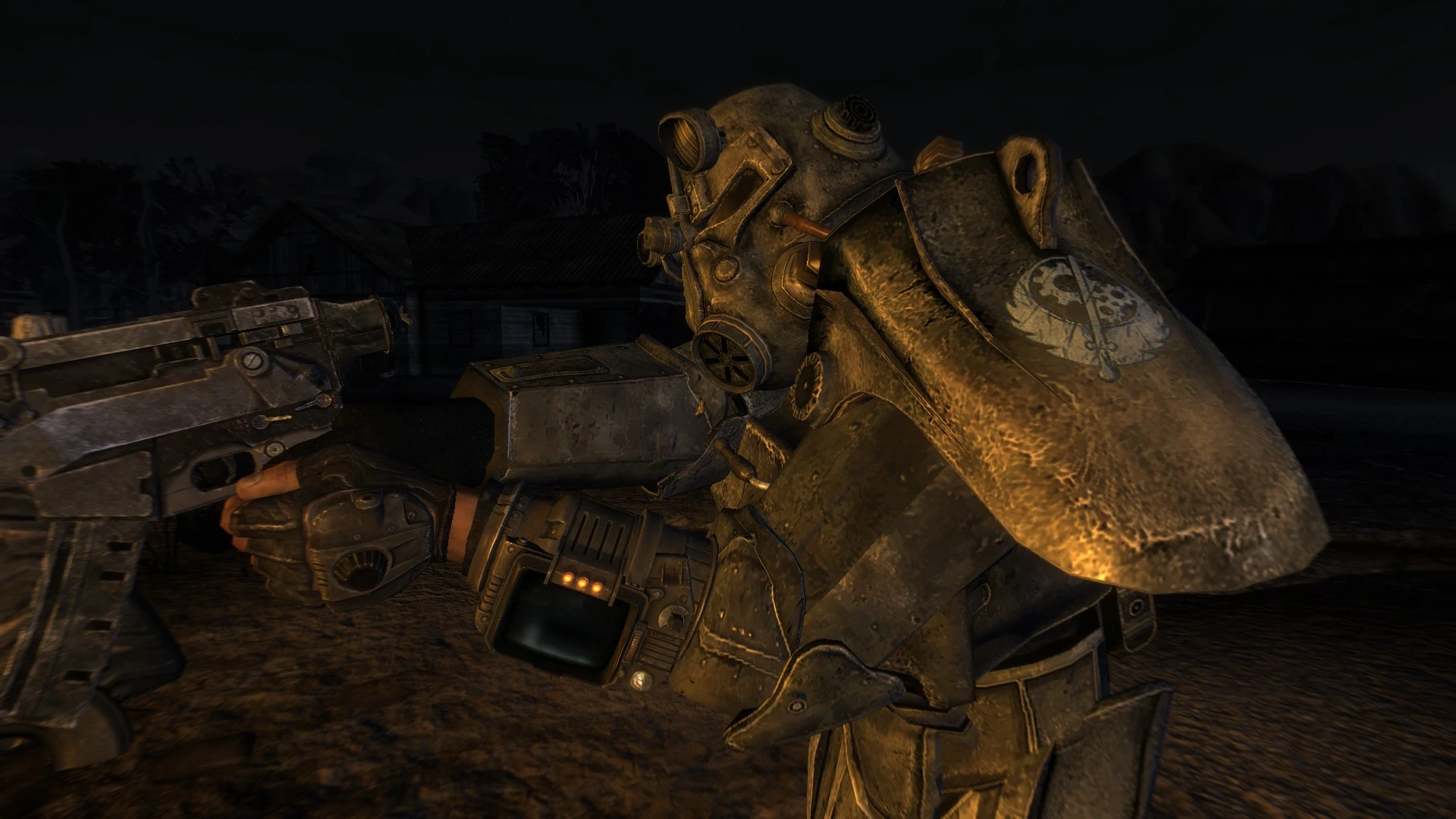
Improved textures of any armor and any clothing. The goal is not to completely change the texture, but just to give them more depth, relief. If you use other mods that change only a few clothes and armor, and you want to enjoy everything, install it first and others after.
Change only the diffuse map.
V2023: Rework all the textures with new interpolation process. Less sharpened
V. 1. 1 : New file size to avoid loss of FPS while maintaining quality. bnxus thank you to for advice. Thank you to kkirspel for photos and for its amendment of the eyes of the Ranger helmet.
INSTALLATION
Download with Mod Organizer 21. Click the Download with manager button.
2. Hall Of Equipment appear in MO2's Mods list once it's downloaded. Click the Hall Of Equipment entry.
OR
Manual installation (Not recommended)
1. Select the Data/ folder in your Fallout New Vegas installation directory. Normally it's found at Program Files/Steam/SteamApps/common/fallout new vegas/Data/.
2. Extract the contents of the downloaded archive file to your Data/ folder. Use ArchiveInvalidation for the textures are accepted by the game.
CREDITS
Thank you to Bethesda and Obsidian for this game, thank you to the community for his contributions regulated mod to increase our enjoyment of the game.
Nexus for this site and to have put this mod in HotFile.
Pour plus de mods Français:
>>>La Confrérie des Traducteurs
Hall Of Equipment is a texture overhaul mod for armor and clothing, created by Deblazkez. It has gained significant popularity with 4,301 endorsements and over 451,000 downloads, last updated in May 2023. This mod is for players who want improved visual quality on their gear without changing gameplay.
✨ Key Features
📊 Pros & Cons
✅ Pros
- Huge community trust – 4,301 endorsements and over 451k downloads
- Simple concept: better-looking armor and clothes, no gameplay changes
- Still updated as of May 2023, so likely works with recent game versions
⚠️ Cons
- Description is extremely thin – no details on which armors or how many textures are changed
- May not cover all armor sets – you'll have to test in-game to see what's improved
For players who want a quick visual upgrade to their character's gear without messing with gameplay. If you're tired of blurry or low-res armor textures, this is a no-fuss option. Skip if you need detailed patch notes or specific armor coverage – the description doesn't tell you what's included.
💡 Beginner Tips
- Since the mod is just texture files, you can install it manually by dropping the contents into your game's Data folder, but using a mod manager makes it easier to uninstall if needed.
- Check the mod's file page for any optional files or patches – sometimes authors include multiple versions for different texture resolutions.
- If you're using other texture mods, load order matters – place this mod after other armor mods to ensure its textures take priority.
📊 Mod Details
- Game
- New Vegas Mods
- Author
- Deblazkez
- Version
- 2023
- Downloads
- 451,910
- Endorsements
- 4,301
- Category
- Models and Textures
- Created
- 12/6/2011
- Updated
- 5/24/2023
🧩 Commonly Used Together
Users add these mods to the same collections — a real compatibility signal, not an AI guess.
🔧 How to Install New Vegas Mods
Download from Nexus.
📖 Full step-by-step install guide for New Vegas →
Visit the official mod page for specific installation instructions for this mod.
🎮 Need cheat codes or console commands? Check ur gaming wiki for New Vegas commands, item IDs, and more.
Keep browsing — more New Vegas mods await