Aimpoint Crosshair
⚪ Last updated 2010⚠️ Install Order · 5 steps
1🛠️ NVSE — New Vegas Script Extender Download ↗
2🛠️ 4GB Patcher — FNV 4GB Patcher Download ↗
3🔧 NVAC — New Vegas Anti Crash Download ↗
4🧩 JIP LN — JIP LN NVSE Plugin Download ↗
5🔧 YUP — Yukichigai Unofficial Patch Download ↗
Install in this order, then this mod last — most mods fail to load without their framework and dependencies in place.
Preview
🔍 Analysis
- 👍 3.7% endorsement rate — high engagement, a strong quality signal
- 🏆 #55 of 103 User Interfaces mods in this game by downloads
📋 About This Mod
- Fallout 3 version
- http://www.fallout3nexus.com/downloads/file.php?id=10426
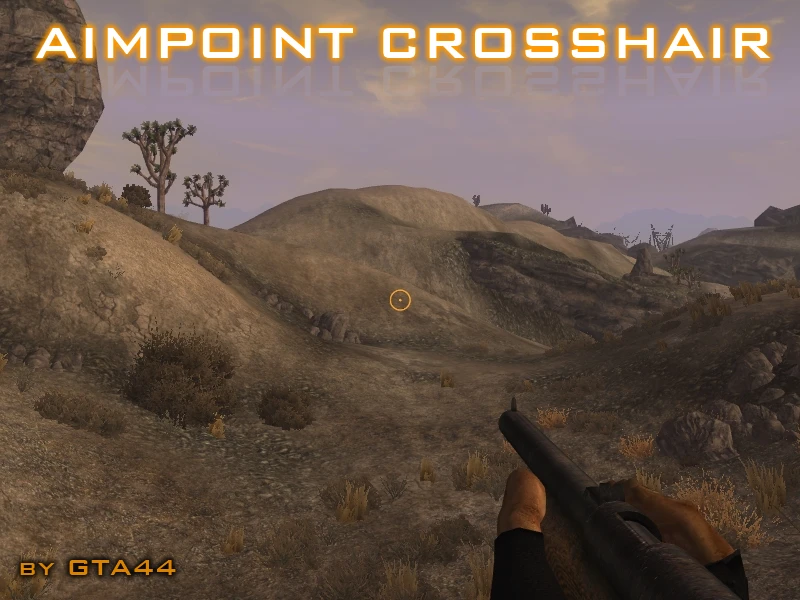
- Idle Crosshair
- Dot-in-Circle.
- Interact Crosshair
- Two circles around each other. No dot.
- ALT Interact Crosshair
- Two circles around each other, with dot.
🤖 AI-enhanced — based on mod data
Aimpoint Crosshair is a compact UI mod for Fallout 3 that replaces the default crosshair with an Aimpoint-style circle-dot reticle. With 280 endorsements and over 7,600 downloads, it's a simple, popular choice for players seeking a cleaner aiming interface. Last updated in 2010, it remains a lightweight cosmetic tweak.
✨ Key Features
Replaces the default crosshair with an Aimpoint-style circle-dot reticle.
Lightweight UI mod with 280 endorsements and 7,628 downloads.
Last updated in 2010, indicating a stable, long-standing mod.
📊 Pros & Cons
✅ Pros
- Community-approved with 280 endorsements and over 7,600 downloads.
- Simple, clean design that improves aiming precision without clutter.
- Lightweight and doesn't require additional dependencies.
⚠️ Cons
- Last updated in 2010 — may be incompatible with newer game versions or mods.
- Only changes the crosshair; no other UI tweaks included.
🎯 Is This For You?
For Fallout 3 players who want a more realistic and precise aiming reticle without overhauling the entire UI. If you're a purist who prefers the default crosshair, this mod isn't for you. It's a simple, no-frills cosmetic change that fits right in with other lightweight UI tweaks.
For Fallout 3 players who want a more realistic and precise aiming reticle without overhauling the entire UI. If you're a purist who prefers the default crosshair, this mod isn't for you. It's a simple, no-frills cosmetic change that fits right in with other lightweight UI tweaks.
📦 Install:Easy· Under 1 minute
💡 Beginner Tips
- Since this mod is from 2010, check if you're using the latest Fallout 3 patch or any UI overhaul mods that might conflict.
- If you're using a mod manager like Fallout Mod Manager (FOMM), you can install this mod by simply dropping the files into your Data folder or using the manager's package installer.
- Test the crosshair in-game by aiming at different surfaces to see if the circle-dot reticle suits your playstyle.
📊 Mod Details
- Game
- New Vegas Mods
- Author
- GTA44
- Version
- Final
- Downloads
- 7,628
- Endorsements
- 280
- Category
- User Interfaces
- Created
- 11/7/2010
- Updated
- 11/7/2010
🔧 How to Install New Vegas Mods
Download from Nexus.
📖 Full step-by-step install guide for New Vegas →
Visit the official mod page for specific installation instructions for this mod.
🎮 Need cheat codes or console commands? Check ur gaming wiki for New Vegas commands, item IDs, and more.
Keep browsing — more New Vegas mods await