Adjustable HUD - aHUD
⚪ Last updated 2011⚠️ Install Order · 5 steps
Install in this order, then this mod last — most mods fail to load without their framework and dependencies in place.
Preview
🔍 Analysis
- 👍 4.6% endorsement rate — high engagement, a strong quality signal
- 🏆 #134 of 173 User Interfaces mods in this game by downloads
📋 About This Mod
THIS MOD IS NO LONGER SUPPORTED Please use One HUD (oHUD) instead.
Installation I have made a full installation tutorial for installing several of my HUD mods together that can be found here: Modding Fallout NV Tutorial - Part 1 - User Interface.
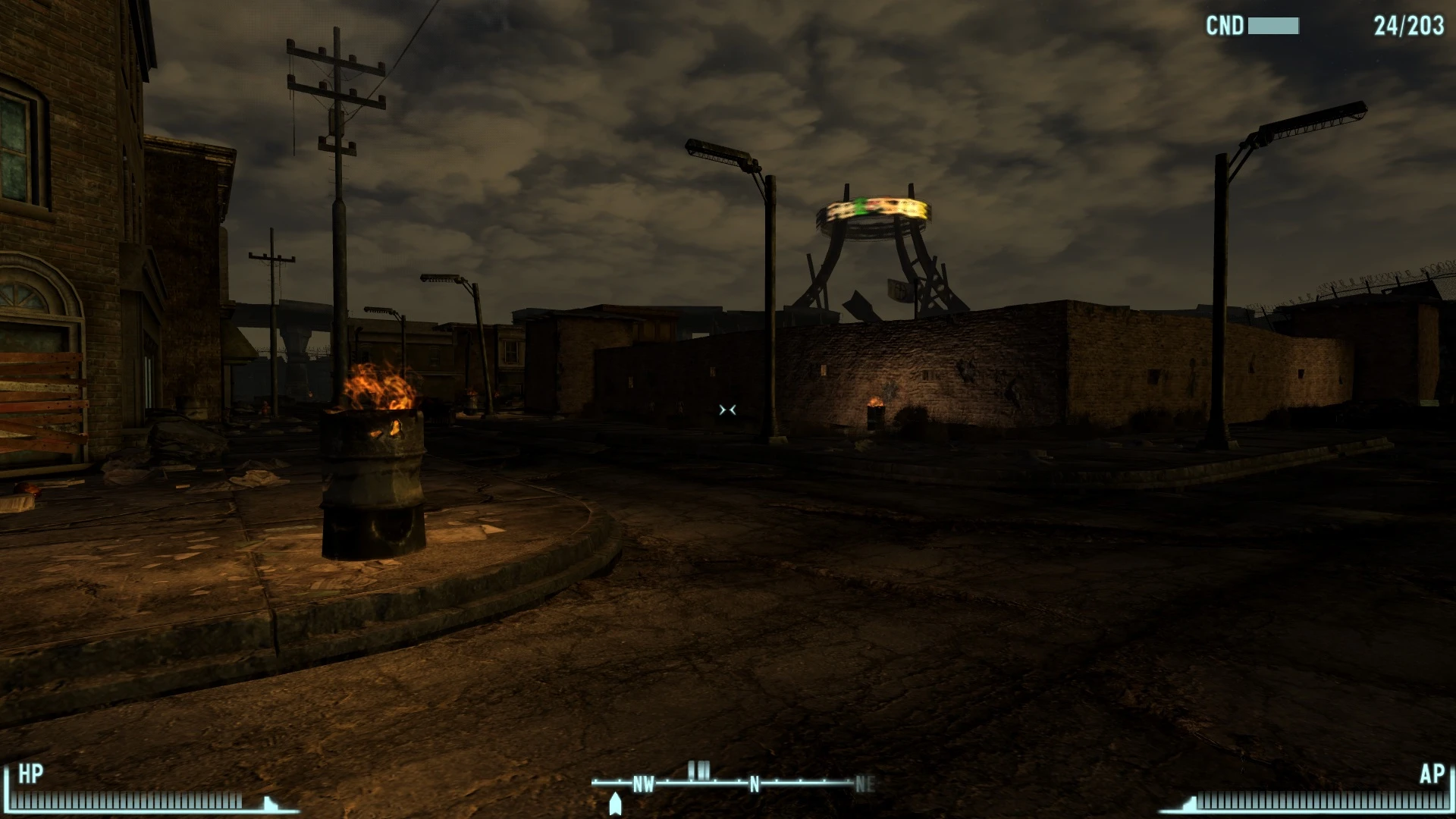
Description The aim of this mod is to let you set up your HUD as you like it. Don't like the compass where it is? No problem. Just move it. Too many brackets? Get rid of some. And that is pretty much it.
Once the mod is installed you will initially notice no difference. To start adjusting the HUD go to the MCM menu.
Recommended Installation Order It is important to install aHUD after Darns UI and before iHUD. Here is an example order to install iHUD and aHUD with Darns UI and Project Nevada:
1. Deactivate Unified HUD (if already installed). 2. Activate Darnified UI. 3. Activate Project Nevada 4. Activate Mod Configuration Menu (MCM) 5. Activate Adjustable HUD (aHUD). 6. Activate Immersive HUD (iHUD) . 7. Activate Unified HUD .
*Always install iHUD and uHUD last. And if you install any mod affecting the HUD after these, reinstall them both.
Recommended I recommend using iHUD with this mod to give even more control over your HUD.
Language addons 1. Spanish. 2. German.
Requirements This mod requires The Mod Configuration Menu (MCM). This mod NEEDS NVSE!
Supported User Interfaces (UI) 1. Vanilla 2. MTUI 3. Darnified beta test v 4. 4. Revelation
Compatible with 1. iHUD (Version 2. 0 or later) 2. Simple HUD 3. All mods compatible with Unifed HUD (uHUD)
Semi-Compatible with 1. Asuka HUD
Asuka HUD has a small problem with the splitting of the hitpoints and the compass, in that the bracket seperating the two is a non standard size. So it gets split incorrectly, and the Hitpoints brackets takes the top of the compass bracket with it.
Adjustable HUD (aHUD) by Gopher lets you reposition and remove HUD elements like the compass and brackets in Fallout: New Vegas. With 4,654 endorsements and over 100k downloads, it's a proven utility for players who want a cleaner or customized interface.
✨ Key Features
📊 Pros & Cons
✅ Pros
- Huge community trust with 4,654 endorsements and over 100k downloads.
- Simple concept that does exactly what it says—move and remove HUD elements.
- Author Gopher is a well-known modder, adding credibility.
⚠️ Cons
- Last updated in 2011—may have compatibility issues with newer game versions or mods.
- No detailed instructions or feature list provided in the description.
- Requires manual configuration in-game, which might be fiddly for some users.
For Fallout: New Vegas players who want a cleaner HUD or need to reposition elements for better visibility. Skip if you're happy with the default HUD or want more advanced UI overhauls.
💡 Beginner Tips
- After installing, load your save and open the mod's configuration menu (check the mod's readme for keybind) to start moving elements.
- If you use other UI mods, install aHUD first and then adjust their elements to avoid conflicts.
- Test in a variety of lighting conditions to ensure your HUD changes don't obscure important info.
📊 Mod Details
- Game
- New Vegas Mods
- Author
- Gopher
- Version
- 1.3
- Downloads
- 100,712
- Endorsements
- 4,654
- Category
- User Interfaces
- Created
- 3/11/2011
- Updated
- 8/19/2011
🔧 How to Install New Vegas Mods
Download from Nexus.
📖 Full step-by-step install guide for New Vegas →
Visit the official mod page for specific installation instructions for this mod.
🎮 Need cheat codes or console commands? Check ur gaming wiki for New Vegas commands, item IDs, and more.
Keep browsing — more New Vegas mods await