TES Online Morrowind Theme - Animated menu - menu music and Bethesda logo replacement
⚪ Last updated 2018⚠️ Install Order · 2 steps
Install in this order, then this mod last — most mods fail to load without their framework and dependencies in place.
Preview
🔍 Analysis
- 👍 4.2% endorsement rate — high engagement, a strong quality signal
- 🏆 #53 of 60 Audio mods in this game by downloads
📋 About This Mod
CHECK PREVIEW ON YOUTUBE in video tab. It is a bit stuttering because I was taking it with my low-spec PC. In mod everything is OK -- nice and smooth.
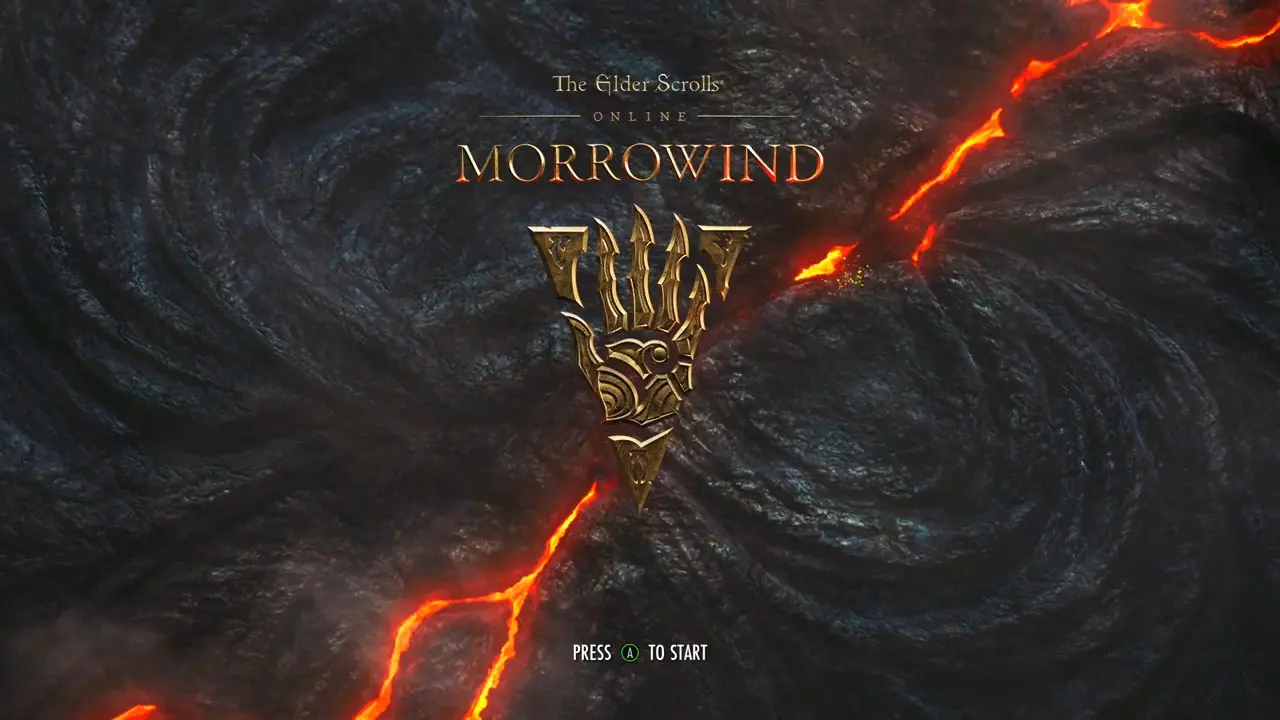
ESO: Morrowind animated main menu, main theme and Bethesda logo replacer.
REQURIMENTS
============
You MUST be using Morrowind Code Patch 1. 9+ by Hrnchamd, and have "High-def cutscene support" enabled! If you do not, your game will crash immediately upon loading the video.
OR you should use OpenMw engine.
This is remastered version of my previous mod -- static ESO Morrowind title screen
https://www.nexusmods.com/morrowind/mods/45548
So if you don't like -PRESS (A) TO START- message, you can use static version.
I can't erase this message (I do not know how to edit picture, I can only cut/combine movie parts and convert them), and I'm not able to capture own video without this message because my PC is not supporting DirectX 11 which is a system requirement for TES Online.
So I will be grateful if you (namely YOU) will send me (if you'll find it) link to the same Youtube video but without -PRESS (A) TO START- message, and I will remake this mod.
INSTALLATION
============
I belive you'll make it. Via manager or manual.
If you need optional 'Nostalgia'-version with vanilla BethesdaLogo music, you should to overwrite it manually.
THERE IS OPTIONAL folder in archive, it contains same Bethersda logo replacer but with vanilla sound from "Bethesda Logo.bik".
CREDITS
=======
Mod inspired by Daggerfall Animated Menu by vtastek (I found out Morrowind can have one):
https://www.nexusmods.com/morrowind/mods/42100
Optional file inspired by Morrowind Bethesda logo HD makeover by Markelius (he also put optional file with vaniilla Bethesda logo sound).
https://www.nexusmods.com/morrowind/mods/42352
All movies downloaded from official Bethesda Youtube channels with Download Master by Westbyte.
I was using Avidemux for cutting video parts, and RAD Video tools for converting to BIK-format. Both progs are freeware.
http://www.avidemux.org/
http://www.radgametools.com/
Thanks to Bethesda and Michael Kirkbride for this amazing universe.
This mod replaces Skyrim's main menu with an animated TES Online: Morrowind-style title screen featuring lava and sparks, swaps the menu music to match, and replaces the Bethesda logo movie with a Vivec and Baar Dau scene. A compact audio/visual overhaul for fans of ESO's Morrowind aesthetic, with 39 endorsements and last updated in 2018.
✨ Key Features
📊 Pros & Cons
✅ Pros
- Niche but dedicated following (39 endorsements) — ESO Morrowind fans will appreciate the authentic vibe.
- Three-in-one package: menu animation, music, and logo replacement in one mod.
- Adds a unique fantasy atmosphere to the otherwise static Skyrim main menu.
⚠️ Cons
- Last updated in 2018 — may not work with the latest Skyrim version or mod setups.
- Only 39 endorsements — small user base means less community testing and support.
For Skyrim players who love TES Online's Morrowind aesthetic and want to spice up their main menu with a cinematic touch. Skip if you prefer vanilla menus or want gameplay changes — this is purely cosmetic.
💡 Beginner Tips
- Since this mod replaces menu files, make sure to back up your original Data folder files before installing.
- If you use a mod manager like Vortex or MO2, let it handle the file overwrites to avoid conflicts with other UI mods.
- Check if the mod is compatible with your Skyrim version (Special Edition vs. Legendary) — the 2018 date suggests it may target the original release.
📊 Mod Details
- Game
- Morrowind Mods
- Author
- bashlykkazan
- Version
- 0.2
- Downloads
- 930
- Endorsements
- 39
- Category
- Audio
- Created
- 11/20/2018
- Updated
- 12/15/2018
🔧 How to Install Morrowind Mods
Download from Nexus.
📖 Full step-by-step install guide for Morrowind →
Visit the official mod page for specific installation instructions for this mod.
🎮 Need cheat codes or console commands? Check ur gaming wiki for Morrowind commands, item IDs, and more.
Keep browsing — more Morrowind mods await