TES Construction Set Fix - Morrowind Steam GOTY - GOG - Bethesda.net _ English - French (TESCS)
⬇ Download on Nexus ModsPreview
About This Mod
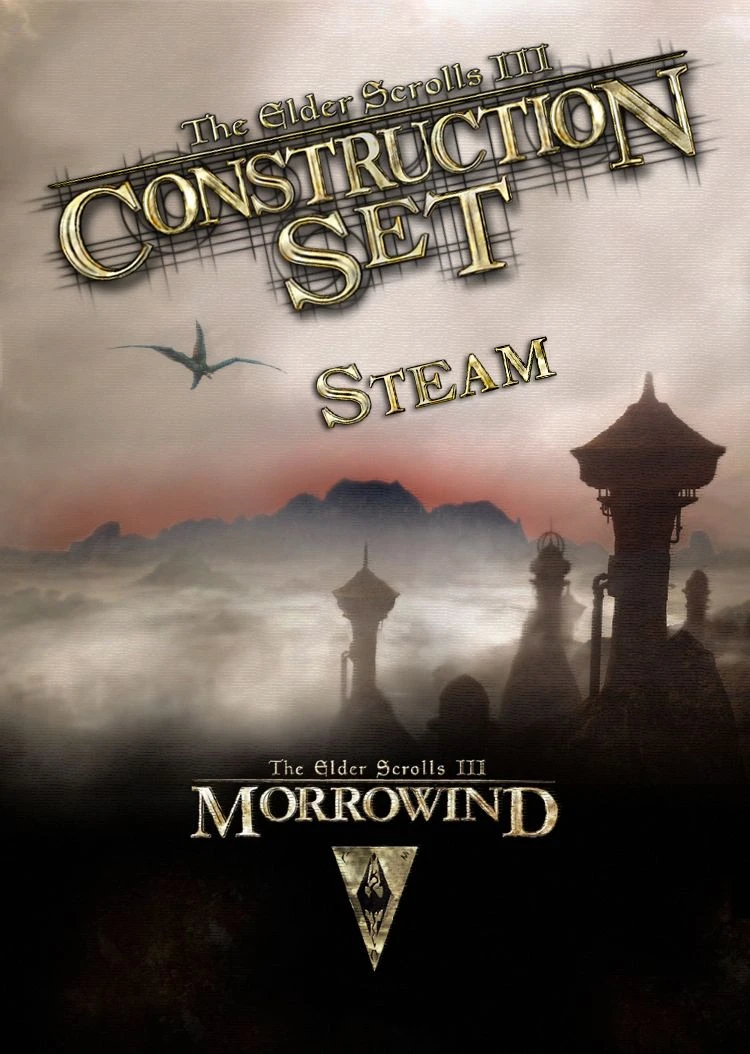
This mod replace the missing files & allow the use of the TES: Construction Set with the Steam version of Morrowind Game of the Year Edition (v1. 6. 1820), the GOG and the Bethesda.net Launcher versionCe mod ajoute les fichiers manquants et
**************************************************************************************************
| TES: Construction Set fixed for Morrowind Steam GOTY v1. 6. 1820, GOG & Bethesda.net Launcher |
*************************************************************************************************
It works with: STEAM version, GOG version and BETHESDA. NET version
THIS IS THE FULL VERSION OF THE TES: CONSTRUCTION SET.
You don't need anything except the game of course.
This mod now works with the official Bloodmoon extension, and the Tribunal one too.
It contains the latest updated TES: Construction Set version from the English Game Of The Year (v1. 6. 1820).
INSTALLATION:
Extract the .zip file.
Then place its files: Data Files, TES Construction Set.exe, etc., into the main Morrowind directory.
Usually in C:\Program Files (x86)\Steam\Steamapps\Common\Morrowind\
Check the Readme (.txt file) for more details.
Some points to remember to be able to use MODs:
- [] You need to redate the BSA files. Simply running the https://www.nexusmods.com/morrowind/mods/19510?tab=files" rel="nofollow noopener" target="_blank">Morrowind Code Patch once will do this for you. Or change the BSA's date with this utility: http://www.nirsoft.net/utils/filedatech.html" rel="nofollow noopener" target="_blank">FileDate Changer , you will need to redate Morrowind.bsa to 2001, and the BSA from the expansions to 2002. Then right-click on the .bsa files (located in Morrowind\Data Files\) and mark them as read-only to lock the dates. Once the dates are locked non-.esm/.esp mods should work. (If you don't read-only the files then Steam will overwrite the date causing problems in the future). [] If you use MGE - MGE XE: You need to disable the Steam Overlay option. Open Steam, right click on the Morrowind game in your list of games, click on Properties, and then uncheck the Enable the Steam Overlay.
3. Also, to be able to select the TES3 Files in the window Data Files within the "TES Construction Set" you need to double click on them.
Only when they are marked with a "X" you can go on by clicking "OK". (credit to 8leshij)
Source: http://wiki.theassimilationlab.com/mmw/Beginners_Guide" rel="nofollow noopener" target="_blank">Morrowind Modding the Game - Beginner's Guide
This mod is a fixed version for this one available here: http://morrowind.nexusmods.com/mods/29388.
My mod doesn't require the original mod.
F. A. Q :
1) Whenever I open it, it doesn't matter which data files I ask it to load, but it starts giving me a sea of errors such as "cannot find sound file..." "unable to find Region..." "following string is different for topic...", etc. Any idea what's causing this and how I can fix it?
SOLUTION: This is because Tribunal and Bloodmoon added dilogues over dialogue of Morrowind. This is a common harmless error reporting.
Add the line without quotes "Allowyestoall=1" on section in the Morrowind.ini file (who's located into the Morrowind's game folder).
This allow you to skip all those 'harmless' errors by clicking "Cancel" (thanks hollaajith)
2) When i extracted the files of this fix to the Morrowind ones in the folder SteamApps > Common > Morrowind, nothing happened. Except for the fact that when i tried to install it, it asks me to insert a disc of the game, but i bought it on steam.
SOLUTION: I was able to fix it by launching the game in the future by using the game's shortcut in it's folder, not opening it from Steam. (thanks Phoenix Risen)
3) I'm getting a warning. Texture "textures\_default. tga" count 2"
SOLUTION: Just ignore it, it's nothing to worry about.
4) Where or how can i get the textures and meshes of Morrowind game?
SOLUTION: They are contained in the file Morrowind.bsa (Tribunal.bsa and Bloodmoon.bsa for the extensions game files), which you can think of as similar to a .zip file/compressed folder, except that it requires a special program to take them out.
You can use one of these programs to extract the files: http://www.uesp.net/wiki/Tes3Mod:BSAPack" rel="nofollow noopener" target="_blank">http://www.uesp.net/wiki/Tes3Mod:BSAPack (thanks Salaa)
5) Each time I restart Morrowind all the settings are on default. Viewing distance, controls, difficulty, everything.
SOLUTION: for the Steam version: you need to disable the Steam Cloud synchronization function (it's used to save your saves online, but don't worry they will be stored as originally intended: in your computer, not online).
Open your Steam client and navigate to your Library, then right-click on the Morrowind game > select Properties > under the Updates tab, UNCHECK the box next to "Enable Steam Cloud synchronization for The Elder Scrolls III: Morrowind". (thanks xxjmoxx)
6) Every time I edit the Gameplay > Settings > fEncumbrancestrmult . Every statistics in game gets the letter "s" in front of it?
SOLUTION: You need to make sure Morrowind.esm is loaded (to the Data Files selection window, when opening the Construction Set, make sure Morrowind.esm is checked (cross in front of it)).
Then edit any Gameplay settings you want. (thanks Andrew0001)
=======================================================================================
VERSION FRANÇAISE
Il fonctionne avec : la version STEAM, GOG et BETHESDA. NET
IL S'AGIT DE LA VERSION COMPLÈTE DU TES: CONSTRUCTION SET. Vous n'avez besoin de rien d'autre excepté bien sûr le jeu.
Ce mod fonctionne désormais avec l'extension officielle Bloodmoon, et également celle de Tribunal.
Elle contient donc la dernière version mise à jour du TES: Construction Set, de la version française "Jeu de l'année (GOTY)" (v1. 6. 1820).
INSTALLATION :
Décompressez le fichier .zip.
Ensuite placez ses fichiers : Data Files, TES Construction Set.exe, etc. dans le dossier de jeu nommé Morrowind.
Habituellement dans C:\Program Files (x86)\Steam\Steamapps\Common\Morrowind\
Voir le lisez-moi pour plus de détails.
Plusieurs points à effectuer pour pouvoir utiliser des MODS :
- [] Vous aurez besoin de redater les fichiers BSAs de votre jeu Morrowind. Installer et appliquer les correctifs inclut dans
Mod Details
- Game
- The Elder Scrolls III: Morrowind
- Author
- papill6n
- Version
- 1.6.1820
- Downloads
- 95,854
- Endorsements
- 4,522
- Category
- Utilities
- Last Updated
- 7/29/2024
How to Install Morrowind Mods
Use OpenMW or MWSE. Most mods go in Data Files.
Visit the Nexus Mods page for specific installation instructions for this mod.
⭐ Rate & Review
Your rating:FAQ
Is TES Construction Set Fix - Morrowind Steam GOTY - GOG - Bethesda.net _ English - French (TESCS) safe to download?
Linked from Nexus Mods which scans all files for viruses. Always download from the official source.
Does this mod work with the latest game update?
Last updated 7/29/2024. Check the official download page for version compatibility.
Where can I learn more about Morrowind modding?
Check our complete Morrowind modding tools guide for step-by-step setup instructions.