Simple Progress Bars
🟠 Updated over a year ago⚠️ Install Order · 2 steps
Install in this order, then this mod last — most mods fail to load without their framework and dependencies in place.
Preview
🔍 Analysis
- 🏆 #31 of 82 User Interface mods in this game by downloads
📋 About This Mod
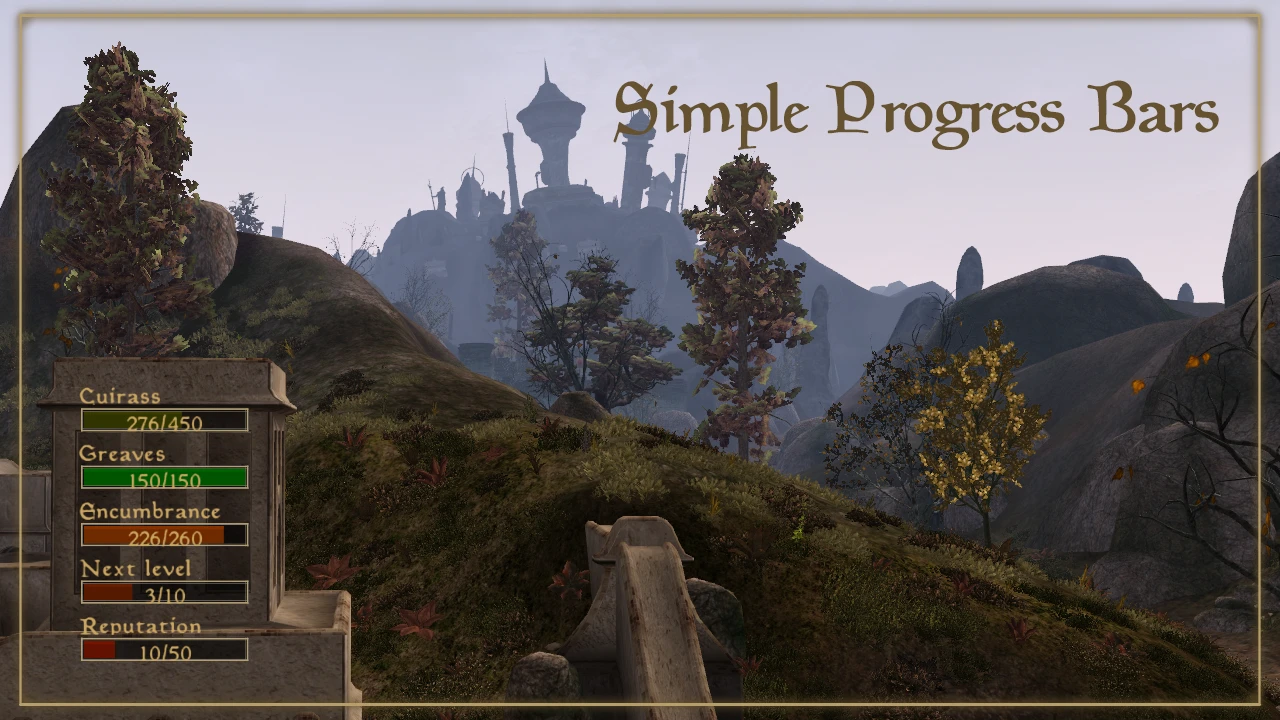
This mod can add various informative and configurable bars to the game HUD. You need to select the bars to display in mod config menu. MWSE required for this to work.
Simple Progress Bars
Have you ever wondered how long it's gonna take you to rise the next level in Athletics? Sometimes it seems to take forever to level up while running or swimming somewhere. Or were you curious when your shiny cuirass would be destroyed? It's sometimes hard to keep track of things during a heated fight. And you need to open the character menu and hover the skill/item each time you want to check it. Well, now you don't need to.
Progress bars
This mod can add progress-bars to your HUD to show various stats and skills progress on screen without the hassle of browsing through menus. The supported progress-bar values are:
-
[]Progress to skill level-up, skill info on mouseover
[]Armor condition (by slot), item info on mouseover
[]Character stats, including the following
[]Progress to next level up (current / 10)
[]Current encumbrance value (current / max)
[]Reputation (dynamically scaled)
[]Bounty (dynamically scaled)
[]Effective armor rating (current / max with 100% condition)
[]Armor rating to Unarmored (current / max unarmored)
[]Armor piece in worst condition, armor summary on mouseover
Timers
Values marked with can display estimated time left to skill level up or to armor destruction next to the corresponding bar. The timer is updated each second and represents simple extrapolation of your recent activities. It may be inaccurate, but for steady activities such as running or constant jumping / cast spell spam it is fairly reliable.
To enable timers functionality, switch on the countdowns option in Mod config menu. The timers will show up automatically, after enough
consecutive value changes are registered.
____________________________________________________
Usage
Requirements
This simple mod uses Morrowind Script Extender lua to work. Install MGE XE and run “MWSE-Update.exe” from the game folder to make sure it's functional. The skills and items are updated from the active game files, so it would probably work with any custom ones. Armor slots and character stats lists are fixed and use vanilla formulas for calculations.
Obviously, this won't work on OpenMW.
Installation
Unzip the archive to Morrowind "Data Files" folder or use your favorite mod manager.
Configuration
In the included MCM settings menu you can configure bars position, size and layout. The settings are applied as you change them, so simply move the sliders to see where you want t
📊 Mod Details
- Game
- Morrowind Mods
- Author
- Redweller
- Version
- 1.0.3
- Downloads
- 244
- Endorsements
- 14
- Category
- User Interface
- Created
- 1/9/2025
- Updated
- 1/12/2025
🔧 How to Install Morrowind Mods
Download from Nexus.
📖 Full step-by-step install guide for Morrowind →
Visit the official mod page for specific installation instructions for this mod.
🎮 Need cheat codes or console commands? Check ur gaming wiki for Morrowind commands, item IDs, and more.
Keep browsing — more Morrowind mods await