PLOX - Load order sorter
🟠 Updated over a year ago⚠️ Install Order · 2 steps
Install in this order, then this mod last — most mods fail to load without their framework and dependencies in place.
Preview
🔍 Analysis
- 👍 3.0% endorsement rate — high engagement, a strong quality signal
- 🏆 #30 of 49 Utilities mods in this game by downloads
📋 About This Mod
# PLOX - Plugin Load Order eXpert
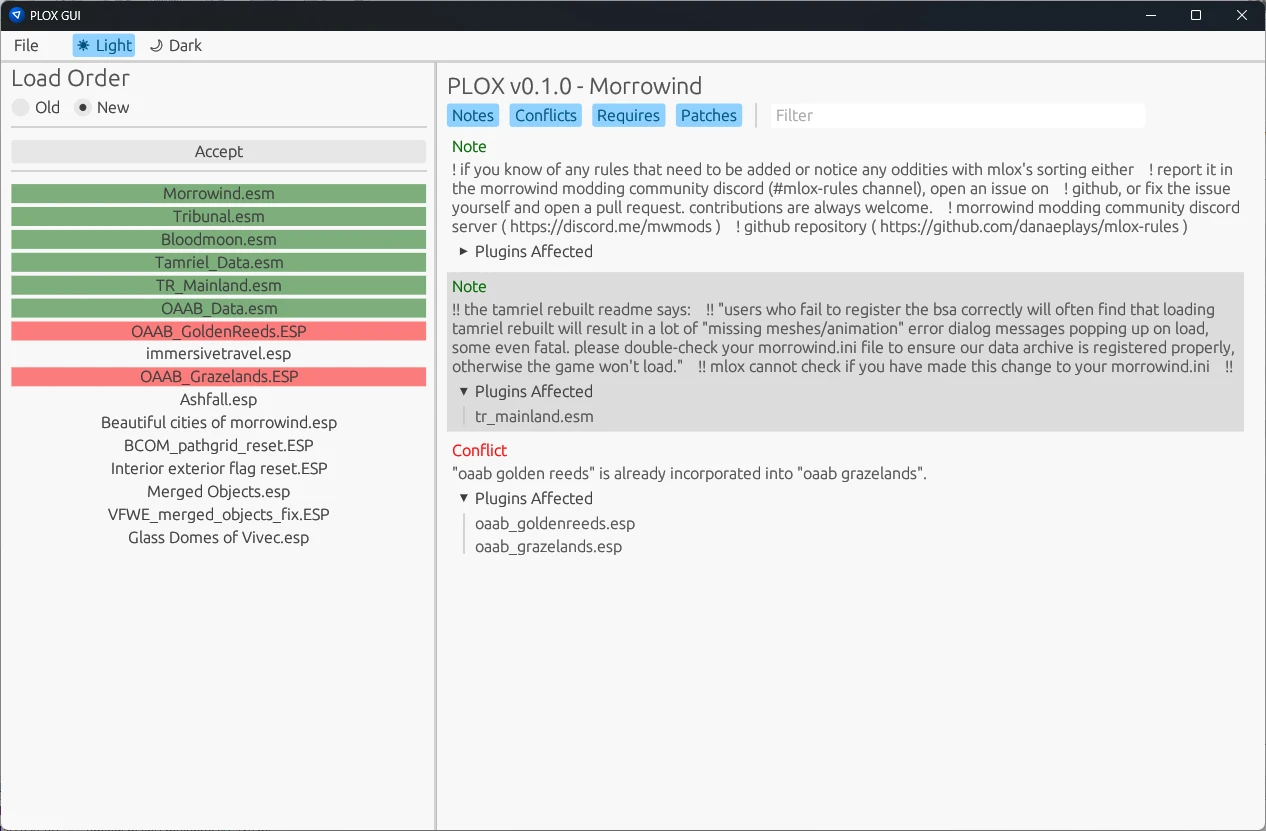
PLOX is a rust re-write of MLOX, a utility tool to sort a modlist topologically according to ordering rules. PLOX also outputs warnings and notes dependent on the mods in your load order. You can use it as a GUI app or as a commandline tool.
Supported games:
- ✅TES3 - Morrowind
- ✅OpenMorrowind
- 🚧Cyberpunk 2077
PPlugins are sorted according to rules. The rules are hosted in their own repository:
- TES3 - Morrowind and OpenMW: https://github.com/DanaePlays/mlox-rules
You can additionally specify your own rules in a text file that you can create: (Game directory)/mlox/mlox_my_rules.txt
Source code on GitHub: https://github.com/rfuzzo/plox
The PLOX GUI supports a configuration file called `plox.toml` (place next to `plox_gui`) that allows you to customize its behavior.
Here's an example of how to use the `plox.toml` file:
config = "openmw.cfg"
game = "OpenMW"
## Differences to MLOX
- For Morrowind.exe, not really any other than this is a bit faster
- For Openmw: this supports it natively
## Usage
1. Download `plox_gui.exe`from the latest release from <https://github.com/rfuzzo/plox/releases>
2. Place `plox_gui.exe` next to the game's exe
3. Double click `plox_gui.exe` to run
## Screenshots
## Credits
- MLOX https://github.com/mlox/mlox
- MLOX Rules https://github.com/DanaePlays/mlox-rules
- OpenMw Cfg Crate https://gitlab.com/bmwinger/openmw-cfg
PLOX is a Rust rewrite of MLOX, a utility that topologically sorts your modlist based on ordering rules and outputs warnings and notes. It offers both a GUI and command-line interface, making it flexible for different user preferences. With 379 endorsements and recent updates, it's a niche but actively maintained tool for load order management.
✨ Key Features
📊 Pros & Cons
✅ Pros
- Actively maintained (last updated May 2025) — you won't be stuck with a dead tool.
- Dual GUI and command-line interface — great for both casual users and power users who script their setup.
- Community-trusted with 379 endorsements and over 12k downloads — people actually use this.
⚠️ Cons
- No detailed documentation or usage examples provided in the description — you'll have to figure out the GUI or CLI on your own.
- Requires understanding of load order rules to get the most out of it — not a one-click fix for beginners.
- No explicit mention of supported games or mod formats — compatibility with your specific game might be uncertain.
For modders who juggle large load orders and want an automated way to sort them logically. Also for command-line enthusiasts who prefer scripting their mod management. Skip if you have a small modlist or prefer manual sorting.
💡 Beginner Tips
- Run PLOX from the command line with --help to see available options if you're not using the GUI.
- Use the warnings it generates to spot potential conflicts — they're more valuable than the sorting itself.
- If you're new to load order sorting, start with the GUI to visualize the changes before diving into CLI.
📊 Mod Details
- Game
- Morrowind Mods
- Author
- rfuzzo
- Version
- 0.5.0
- Downloads
- 12,543
- Endorsements
- 379
- Category
- Utilities
- Created
- 3/11/2024
- Updated
- 5/8/2025
🔧 How to Install Morrowind Mods
Download from Nexus.
📖 Full step-by-step install guide for Morrowind →
Visit the official mod page for specific installation instructions for this mod.
🎮 Need cheat codes or console commands? Check ur gaming wiki for Morrowind commands, item IDs, and more.
Keep browsing — more Morrowind mods await