OpenMW Quick switch between settings
⚪ Last updated 2021⚠️ Install Order · 2 steps
Install in this order, then this mod last — most mods fail to load without their framework and dependencies in place.
Preview
🔍 Analysis
- 🏆 #27 of 42 Utilities mods in this game by downloads
📋 About This Mod
This is a windows batch script that quickly switches between two versions of files. The second versions should have the prefix "transpose_" (without quotes).This is useful when you want to have different settings and mod lists for tes3mp
This windows batch script transposes two file versions on demand. The bat file must be inside the same folder with the said files.
This is useful for quickly switching between your multiplayer (TES3MP) and single-player profiles. No more manual copying of openmw.cfg and settings.cfg.
1. HOW TO SETUP
You have two options. If you are going to use this for openMW, use the automatic install. If you are going to use this for something else, you can use the manual install.
1.a. Automatic Install
-
[]Download the file "Transpose - Automatic".
[
]Put the transpose.bat where openmw.cfg and setttings.cfg is (My Documents/My Games/OpenMW/).1.b. Manual Install
-
[]Download the file "Transpose - Manual".
[
]Put transpose.bat where openmw.cfg and setttings.cfg are (My Documents/My Games/OpenMW/).[]Make copies of your openmw.cfg and settings.cfg inside the same folder.
[]Rename the copies to transpose_openmw.cfg and transpose_settings.cfg.
2. USAGE
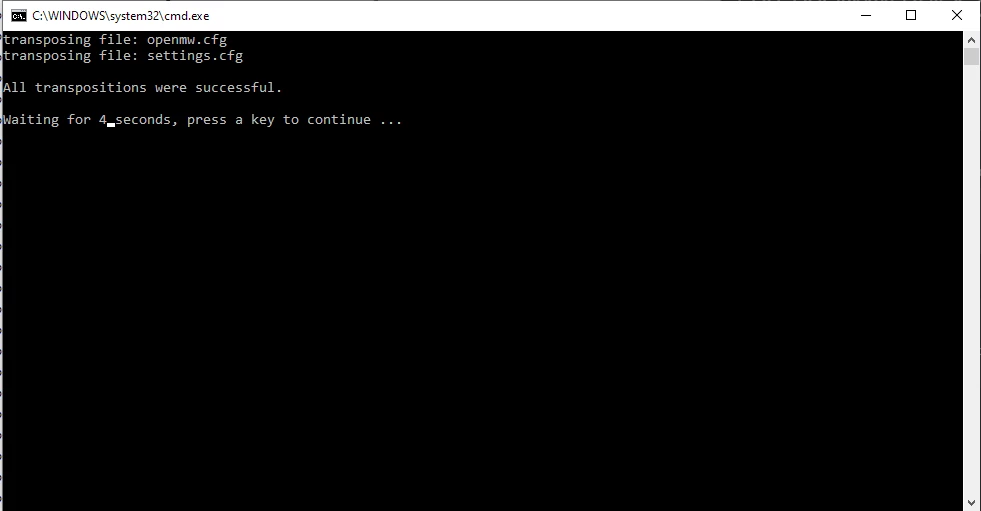
To switch between profiles, double click "transopse.bat". If successful, you will get an "All transpositions were successful." message and the program will exit. You can create a desktop shortcut for transpose.bat for ease of use.
3. SUGGESTIONS FOR MO2 USERS
People that use two different mod profiles generally use Mod Organizer 2's profiling system. However, that system does not change settings.cfg. Many people would like to use different distant land and groundcover settings in multiplayer. Even if you are using the same settings in SP and MP, opening up MO2 to switch between two mod profiles every time is a hassle.
I recommend people with this problem to follow the instructions below:
-
[]If you haven't already, follow the instructions in the first section.
[
]Open MO2, select one of your mod profiles and export it to openmw.[]Run the transpose.bat
[]Go back to MO2, select your secondary mod profile, and export it to openmw.
Voila, your mod lists are now properly recorded. To switch between them, run the transpose.bat.
How it works:
The script looks for files with the prefix "transpose_" and finds their non-prefixed counterparts. Then it basically switches those two sets of files with their counterparts. (Detailed explanation for people interested: It adds a temp_ prefix to original files, deletes the transpose_ prefix from the secondary files, and then replaces the te
-
[]If you haven't already, follow the instructions in the first section.
-
[]Download the file "Transpose - Manual".
📊 Mod Details
- Game
- Morrowind Mods
- Author
- napstrike
- Version
- 1.2
- Downloads
- 62
- Endorsements
- 2
- Category
- Utilities
- Created
- 4/11/2021
- Updated
- 4/11/2021
🔧 How to Install Morrowind Mods
Download from Nexus.
📖 Full step-by-step install guide for Morrowind →
Visit the official mod page for specific installation instructions for this mod.
🎮 Need cheat codes or console commands? Check ur gaming wiki for Morrowind commands, item IDs, and more.
Keep browsing — more Morrowind mods await