Hammock Texture replacer
⚪ Last updated 2023⚠️ Install Order · 2 steps
Install in this order, then this mod last — most mods fail to load without their framework and dependencies in place.
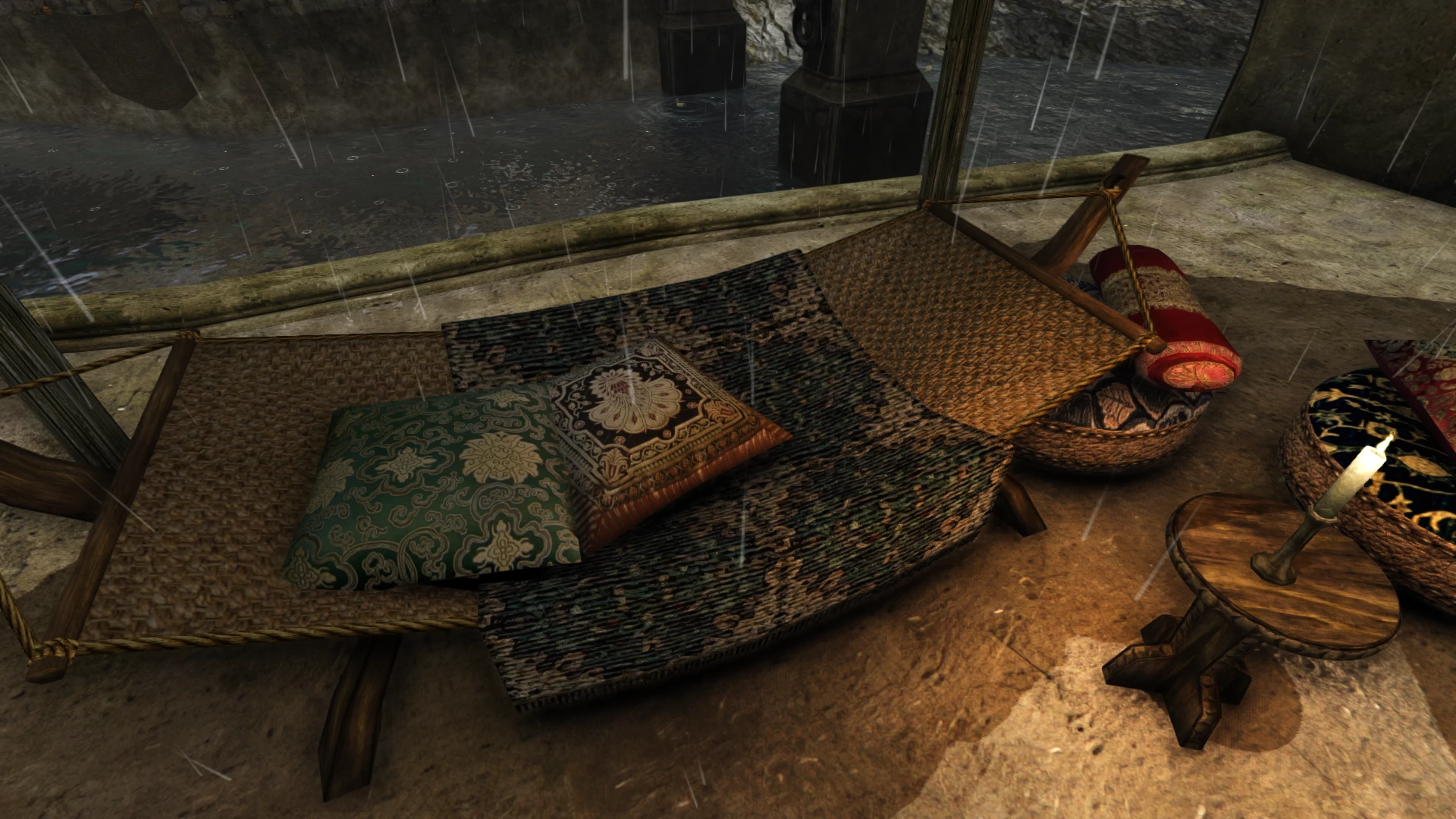
Preview
🔍 Analysis
- 👍 0.5% endorsement rate
- 🏆 #345 of 544 Models and Textures mods in this game by downloads
📋 About This Mod
Not HD because I did not find a good source material, and also because I mostly don’t know what I’m doing !
But it’s good enough, I’m never the nose on it anyway. And it’s better than the originals already, to my taste at least.
It’s just texturing so it can go along a mesh replacer, such as Animated Hammock or Pherim’s Hammock Replacer.
I also made one for an OAAB asset untouched by Better Rope Bridges ; a rope fence, often used in TR for example.
Updates : Made upscaled and darker versions.
I tried but I definitely wasn’t able to improve much the net hammock from the same source material…
So I used another one to make a new version : It looks less organic, but has a way better definition.
A compact texture replacer for the three hammocks and rope fence in Valheim, adding custom textures and normal maps. With 108 endorsements and over 21,000 downloads, it's a niche but popular cosmetic upgrade for players who want more visual detail in their builds.
✨ Key Features
📊 Pros & Cons
✅ Pros
- Community-approved with 108 endorsements and over 21k downloads—clearly fills a need.
- Covers all hammock variants plus the rope fence, giving consistent visual upgrades.
- Lightweight cosmetic mod that won't impact gameplay performance.
⚠️ Cons
- Last updated in August 2023—may not be compatible with the latest Valheim patches.
- No screenshots or detailed previews in the description, so you're flying blind on the look.
- Only affects hammocks and rope fence—if you want broader texture overhauls, this won't cut it.
For Valheim builders who love cozy details and want their hammocks to look more realistic or stylized. Skip if you're after gameplay changes or a full texture overhaul—this is purely cosmetic and limited in scope.
💡 Beginner Tips
- Since it's a texture replacer, just drop the files into your Valheim folder—no mod manager needed, but make sure you're not running other texture mods that conflict.
- If you're using mods that alter the same hammock models, load order might matter—test after installing to ensure the textures show up correctly.
- Back up your original texture files if you want to revert easily, but the mod is small so reinstalling is quick.
📊 Mod Details
- Game
- Morrowind Mods
- Author
- Obb
- Version
- 2
- Downloads
- 21,914
- Endorsements
- 108
- Category
- Models and Textures
- Created
- 8/3/2023
- Updated
- 8/11/2023
🔧 How to Install Morrowind Mods
Download from Nexus.
📖 Full step-by-step install guide for Morrowind →
Visit the official mod page for specific installation instructions for this mod.
🎮 Need cheat codes or console commands? Check ur gaming wiki for Morrowind commands, item IDs, and more.
Keep browsing — more Morrowind mods await