Dying Worlds - moons retexture
⚪ Last updated 2014⚠️ Install Order · 2 steps
1🛠️ MWSE — Morrowind Script Extender Download ↗
2🔧 MCP — Morrowind Code Patch Download ↗
Install in this order, then this mod last — most mods fail to load without their framework and dependencies in place.
Preview
🔍 Analysis
- 👍 2.1% endorsement rate — high engagement, a strong quality signal
- 🏆 #238 of 544 Models and Textures mods in this game by downloads
📋 About This Mod
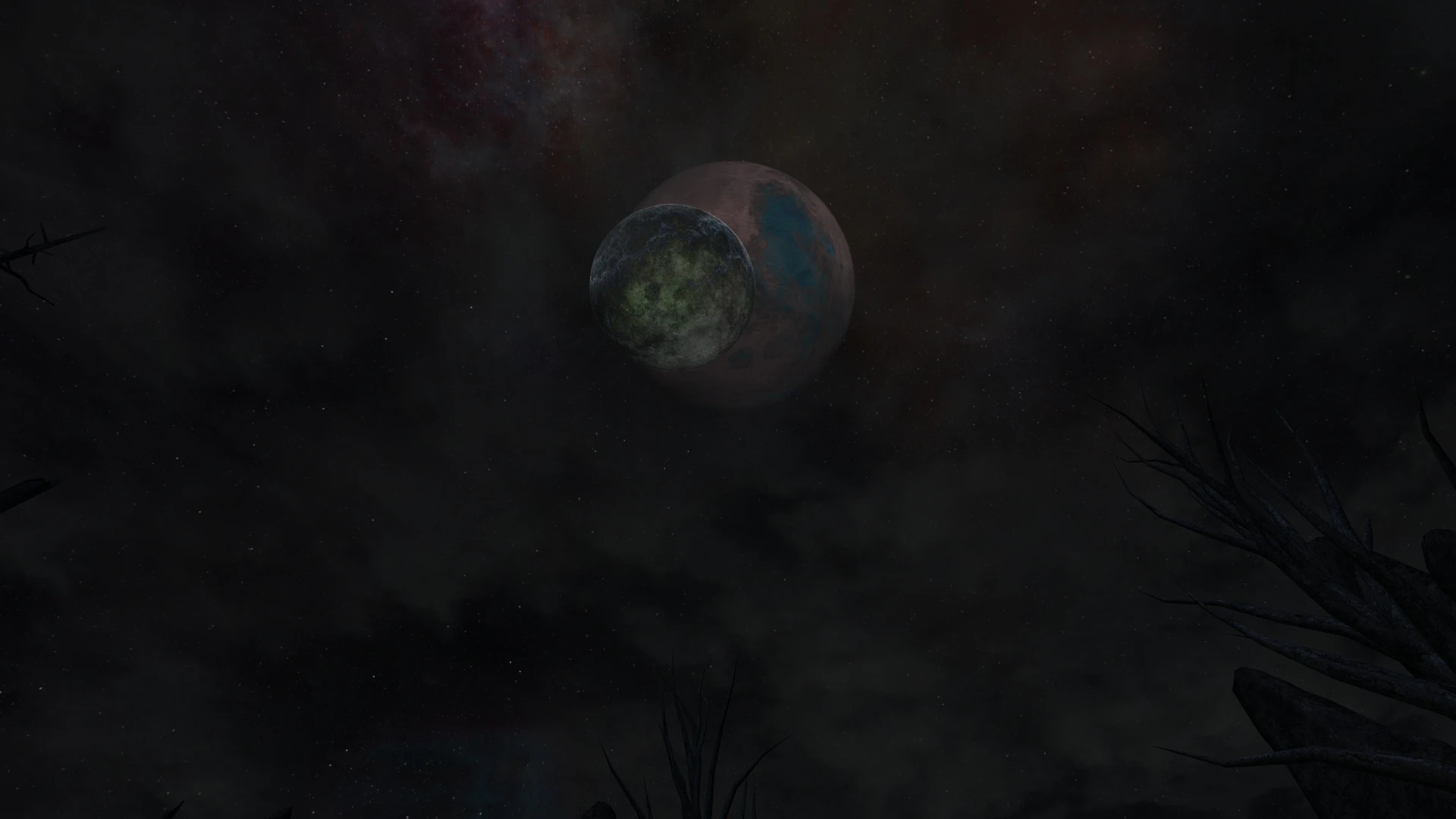
Simple retexture, which make Masser and Secunda dying planets, where is no more place for life.
🤖 AI-enhanced — based on mod data
Dying Worlds is a simple retexture mod for Skyrim that transforms Masser and Secunda into dying, lifeless planets. With 817 endorsements and over 38,000 downloads, it's a popular cosmetic choice for players seeking a darker, more desolate sky.
✨ Key Features
Retextures both Masser and Secunda to appear as dying planets
Removes signs of life from the moons, creating a desolate look
Simple texture replacement, easy to install
📊 Pros & Cons
✅ Pros
- Community favorite with 817 endorsements and 38k downloads
- Gives Skyrim's nights a unique, grim atmosphere
- Lightweight mod that doesn't affect performance
⚠️ Cons
- Last updated in 2014, may not be compatible with the latest Skyrim versions
- Only affects the two moons, so the visual change is limited
- No screenshots or detailed description provided, so you'll have to try it to see the result
🎯 Is This For You?
For Skyrim players who want a darker, more somber night sky without overhauling the entire game. If you're into lore-friendly but grim aesthetics, this is a quick win. Skip if you prefer the vanilla bright moons or want more comprehensive visual changes.
For Skyrim players who want a darker, more somber night sky without overhauling the entire game. If you're into lore-friendly but grim aesthetics, this is a quick win. Skip if you prefer the vanilla bright moons or want more comprehensive visual changes.
📦 Install:Easy· Under 1 minute
💡 Beginner Tips
- Since it's a simple texture replacer, just drop the files into your Data folder or use a mod manager like Vortex.
- If you're using other moon texture mods, make sure this one loads after them to take effect.
- Check the mod's compatibility with your Skyrim version; if you're on Special Edition, you may need to convert the textures.
📊 Mod Details
- Game
- Morrowind Mods
- Author
- Tyddy
- Version
- 1
- Downloads
- 38,149
- Endorsements
- 817
- Category
- Models and Textures
- Created
- 1/29/2014
- Updated
- 1/29/2014
🔧 How to Install Morrowind Mods
Download from Nexus.
📖 Full step-by-step install guide for Morrowind →
Visit the official mod page for specific installation instructions for this mod.
🎮 Need cheat codes or console commands? Check ur gaming wiki for Morrowind commands, item IDs, and more.
Keep browsing — more Morrowind mods await