Desktop Icon Replacer
⚪ Last updated 2013⚠️ Install Order · 2 steps
Install in this order, then this mod last — most mods fail to load without their framework and dependencies in place.
Preview
🔍 Analysis
- 👍 6.9% endorsement rate — high engagement, a strong quality signal
- 🏆 #147 of 176 Miscellaneous mods in this game by downloads
📋 About This Mod
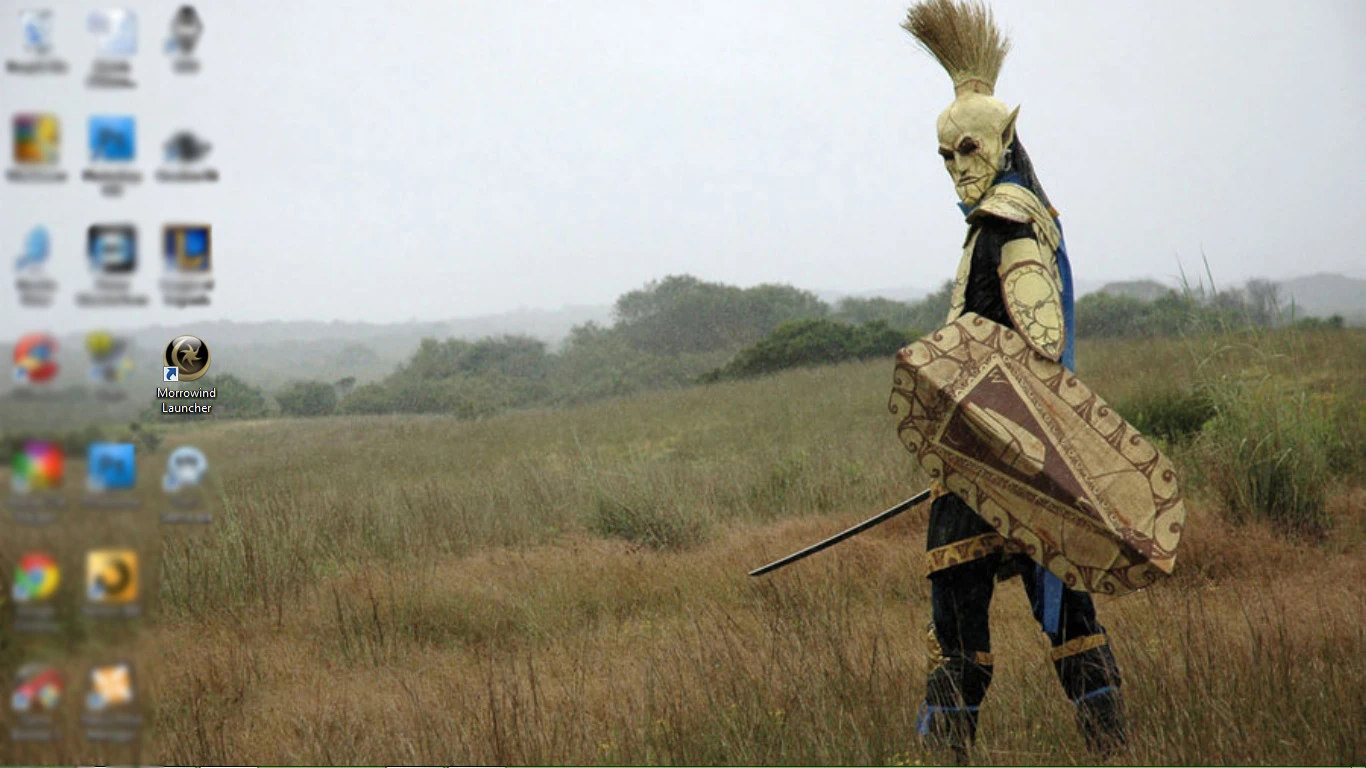
This mod aims to bring Morrowind out of the 2002 vibe and make its appearance more modern and high resolution. The instruction of how to assign this icon to our desktop can be found below. This also works on any other program on your desktop. Thank you for taking a look at my mod! Have a great day! Instructions: 1. Download the zip file and extract the image file (.ico) to the location of your choice. Remember where you placed the image. 2. Go to your desktop and right click your icon you use for Morrowind and select proprieties. I\\\'m using the icon re-placer in these images. 3. Select the \\\"Change Icon\\\" button. 4. Select the \\\"Browse...\\\" button and find the directory where you extracted your image (.ico). After you have found your image, double click the image. 5. After step four you should return to the properties screen and select \\\"Apply\\\" then close your properties. My \\\"Apply\\\" button is grayed because I didn\\\'t\\\' make a change my icon. 6. Voila! Your icon is now changed. Here is it\'s appearance at a reolution of 1336 by 768. The desktop wallpaper and the ico I used were found on the amazing website Deviantart and I shall leave you with both links. Wallpaper: http://browse.deviantart.com/art/Morrowind-Desktop-Wallpaper-136801675 Icon: http://browse.deviantart.com/art/Morrowind-dock-icon-17358801 Notes: I just saw that my file has hit the front page and I am elated! I would like to thank everyone who endorsed, downloaded, commented and even viewed my mod. Thank you all so much!
A simple desktop icon replacer that swaps default icons for higher resolution, modern alternatives. With 389 endorsements and over 5,600 downloads, it's a well-received cosmetic tweak for players wanting a cleaner desktop look. Last updated in 2013, so it's an older mod but still functional for its purpose.
✨ Key Features
📊 Pros & Cons
✅ Pros
- Community-approved with 389 endorsements and 5,649 downloads.
- Easy to install—just drop files in place.
- Gives your desktop a fresh, modern look without touching game files.
⚠️ Cons
- Last updated in 2013—may not match current OS icon styles.
- Only affects desktop icons, not in-game assets.
For players who spend time on their desktop and want a cleaner, more modern icon set. Skip if you're looking for gameplay changes—this is purely cosmetic.
💡 Beginner Tips
- Back up your original icons before replacing them, just in case.
- If you're on Windows, right-click the desktop and select 'Personalize' to change icon settings.
- Check if the mod includes a readme for specific installation steps.
📊 Mod Details
- Game
- Morrowind Mods
- Author
- The Mad Meister
- Version
- 1.0.0
- Downloads
- 5,649
- Endorsements
- 389
- Category
- Miscellaneous
- Created
- 4/11/2013
- Updated
- 4/11/2013
🔧 How to Install Morrowind Mods
Download from Nexus.
📖 Full step-by-step install guide for Morrowind →
Visit the official mod page for specific installation instructions for this mod.
🎮 Need cheat codes or console commands? Check ur gaming wiki for Morrowind commands, item IDs, and more.
Keep browsing — more Morrowind mods await