Darker Morrowind Mods
⚪ Last updated 2020⚠️ Install Order · 2 steps
Install in this order, then this mod last — most mods fail to load without their framework and dependencies in place.
Preview
🔍 Analysis
- 👍 1.0% endorsement rate — high engagement, a strong quality signal
- 🏆 #120 of 176 Miscellaneous mods in this game by downloads
📋 About This Mod
Darker Morrowind Mods
Summary
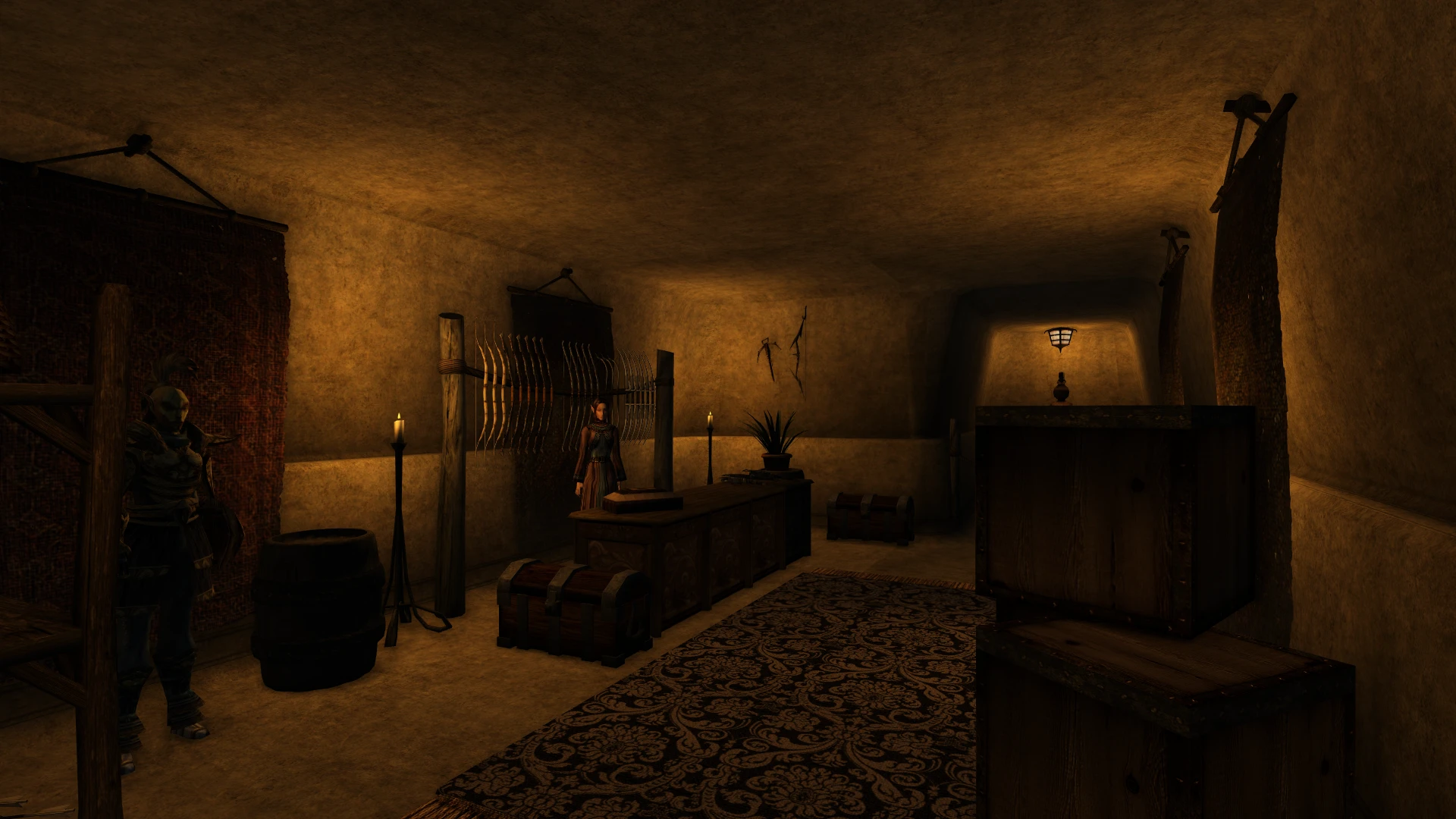
These plugins lower the ambient light, sunlight and fog light values for the new interior cells added by various mods. They're intended to be used along with a mod that lowers ambient light levels in vanilla interior cells, such as True Lights and Darkness, Di.still.ed Lights or Darkerwind, so that the new cells don't stand out as being too bright.
In the regular plugins (Darker X), the light level in each of the new cells has been adjusted to be in line with the changes made by TLD, depending on the type of cell. However, users of a different lighting mod like Di.still.ed Lights should find the changes made by these plugins adequate.
In the "Even Darker" plugins, all ambi/sun/fog light values have been set to zero, in line with the changes made by Darkerwind.
Installation
Use a mod management tool like Wrye Mash, or just copy the plugins you wish to use to your Data Files directory and select them in the Morrowind Launcher.
These plugins are patches for the respective mods they modify; they must be used alongside, and must load after, the relevant mods.
Also, these plugins edit ambient light values. Any other mod that edits the same cells is likely to revert these ambient light values back to their original values, so these plugins should load after any such mods.
Requirements
As these plugins edit cells created by mods, they require those mods to function. A list of these mods follows:
Area Effect Arrows
Darknut's Greater Dwemer Ruins
Siege at Firemoth
Mines and Caverns
Morrowind Advanced
Remiros' Tombs Expansion
The Neverhalls
Darker AEA.esp can be used with any version of Area Effect Arrows, or derivatives like BTB's Area Effect Projectiles. Darker Firemoth.esp can be used with any version of Siege at Firemoth (I recommend the UMOPP version).
Version History
Version 1. 0. 2 - 2020-03-19
- Darker DNGDR: Removed unnecessary exterior cell edit, and increased fog density above 0 in two cells to avoid fog bug.
- Created "Even Darker" versions of some plugins with all ambi/sun/fog values set to 0.
Version 1. 0. 1 - 2019-09-05
- Added patches for Mines and Caverns, and Remiros' Tombs Expansion.
Version 1. 0 - 2019-07-21
- Initial release.
Usage
Feel free to use this however you want.
A small utility mod that reduces ambient, sunlight, and fog lighting in interiors added by other mods, making them darker and more atmospheric. With 90 endorsements and 8,975 downloads, it's a niche tool for Morrowind players who want consistent lighting across modded interiors. Last updated in 2020, so compatibility with newer mods is uncertain.
✨ Key Features
📊 Pros & Cons
✅ Pros
- Does exactly what it says: darkens modded interiors for a more cohesive mood.
- Decent community trust with 90 endorsements and nearly 9k downloads.
- Lightweight plugin that won't bloat your load order.
⚠️ Cons
- Last updated in 2020 — may not cover newer mods or work with current Morrowind setups.
- No compatibility list provided, so you'll have to test which mods it affects.
- Only affects interiors added by mods, not vanilla or exterior lighting.
For Morrowind players who use multiple interior mods and want consistent, darker lighting to match the game's moody atmosphere. Skip if you prefer bright interiors or don't use many mod-added cells.
💡 Beginner Tips
- Place the plugin in your Morrowind Data Files folder and activate it in the launcher or your mod manager.
- Load order matters: put this after the mods whose interiors you want to darken.
- Test in a few modded interiors to see if the effect is too strong; you can adjust settings if needed.
📊 Mod Details
- Game
- Morrowind Mods
- Author
- Necrolesian
- Version
- 1.0.2
- Downloads
- 8,975
- Endorsements
- 90
- Category
- Miscellaneous
- Created
- 9/1/2019
- Updated
- 3/20/2020
🔧 How to Install Morrowind Mods
Download from Nexus.
📖 Full step-by-step install guide for Morrowind →
Visit the official mod page for specific installation instructions for this mod.
🎮 Need cheat codes or console commands? Check ur gaming wiki for Morrowind commands, item IDs, and more.
Keep browsing — more Morrowind mods await