MHW Editor
⚪ Last updated 2024Preview
🔍 Analysis
- 👍 3.3% endorsement rate — high engagement, a strong quality signal
- 🏆 #16 of 116 Utilities mods in this game by downloads
📋 About This Mod
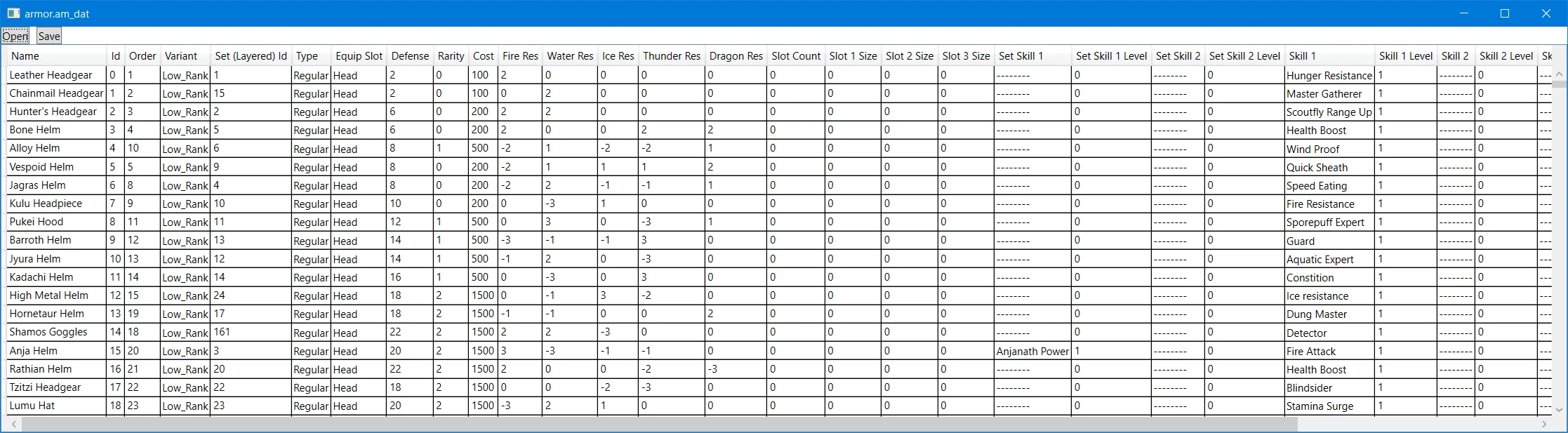
An editor capable of editing lots of data files in nativePC/common. Check the wiki for the full list.
THIS IS NOT A SAVE EDITOR!
. NET Framework 4. 7. 2 is required to use this tool!
Check the wiki first! It's not complete but has more info about which files do what.
Use the search button in the editor (near save) to find which chunk and path to get a file from.
For editing en masse, or importing/exporting, use the JSON saving/loading feature here.
Please report all bugs/issues through Github.
Shell Table M-notation info here.
Supported formats: just go check the wiki. I tire of maintaining two lists.
Your only limits to the fields are the data types themselves.
This is designed to be a very raw/structured view of the data. There's no verification of the data itself, beyond making sure it fits in the assigned data type.
If you set values incorrectly you can:
-
[]Fuck up your save.
[
]Crash the game.[]Cause infinite loading.
Make a backup of your save before using altered files!
I am not responsible for any problems you cause by messing with the data.
* You cannot add rows/data with this. It is only for altering existing data.
This may also change in the future but don't count on it.
The fields are auto limited to the range of the bound datatype. Most fields are either uint8 or uint16 with a few uint32. There's a sprinkling of signed bytes e.g. affinity.
If the field remains red it's due to this limit. Try a value closer to 0 if you have problems.
Make sure you have write access to the files if you want to save!
This will not ask for admin permissions for save. There is no UAC/Elevation prompt.
Made for and tested on files from v15. 2X. XX of the game.
You can use MHWNoChunk or WorldChunkTool to extract the chunkGN.bin files. This will get you the files you can edit.
Wiki page on extracting game files.
Then just copy what you've edited to nativePC with the right path (case-sensitive).
e.g. nativePC/common/equip/armor.am_dat
Source: https://github.com/Synthlight/MHW-Editor
📊 Mod Details
- Game
- Monsterhunterworld Mods
- Author
- Synthlight
- Version
- 2.15
- Downloads
- 111,450
- Endorsements
- 3,681
- Category
- Utilities
- Created
- 1/23/2020
- Updated
- 2/23/2024
🔧 How to Install Monster Hunter: World Mods
Download from Nexus Mods.
📖 Full step-by-step install guide for Monster Hunter: World →
Visit the official mod page for specific installation instructions for this mod.
🎮 Need cheat codes or console commands? Check ur gaming wiki for Monster Hunter: World commands, item IDs, and more.
Keep browsing — more Monster Hunter: World mods await