Lower Render Resolution
🟠 Updated over a year agoPreview
🔍 Analysis
- 👍 3.4% endorsement rate — high engagement, a strong quality signal
- 🏆 #136 of 180 Visuals and Graphics mods in this game by downloads
📋 About This Mod
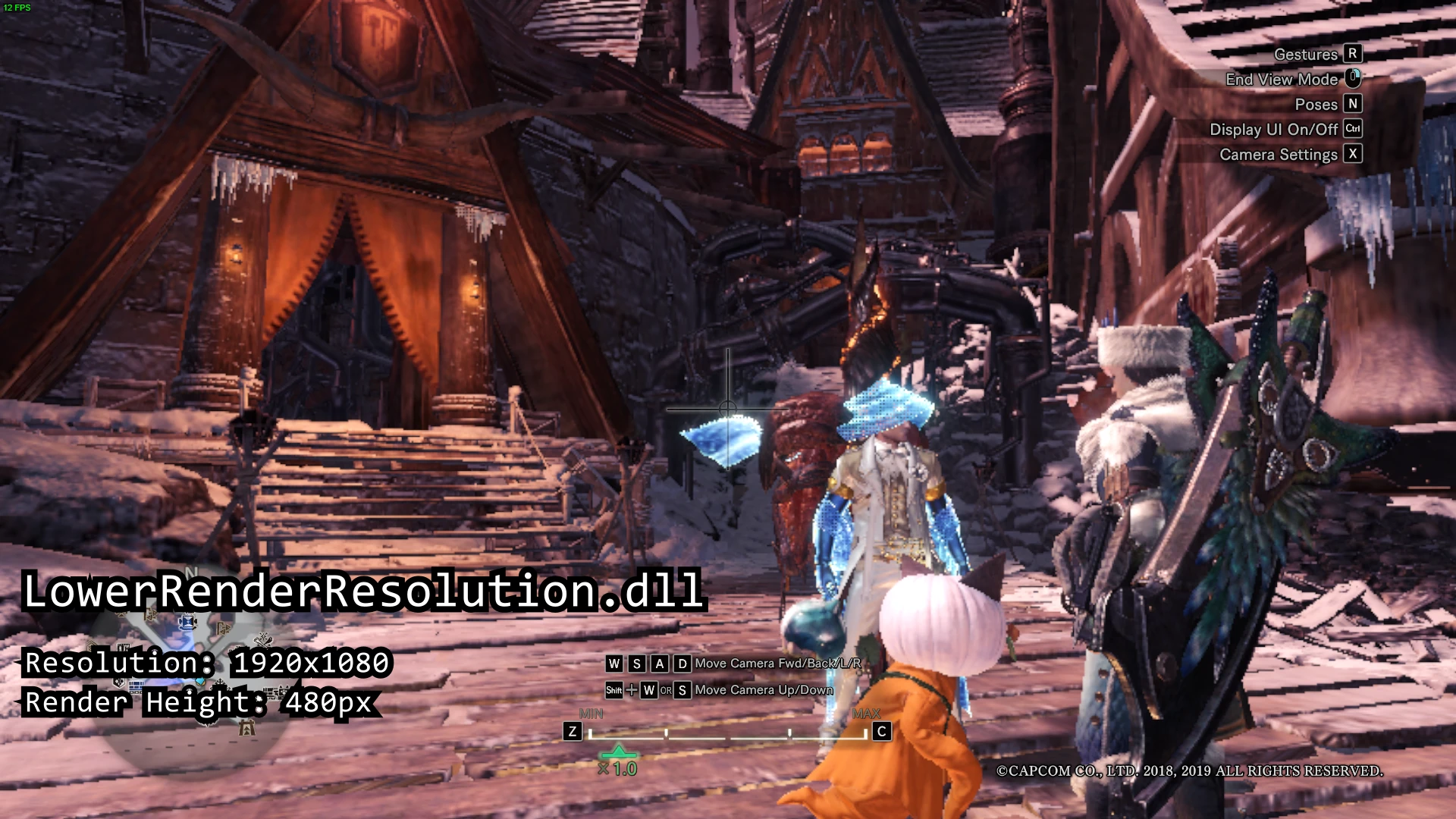
Force scale the world rendering resolution of the game to a lower resolution than what's possible. No more blurry text for low-end hunters!
This plugin aims to make the game render the world in a lower resolution. The render resolution is different from the in-game display resolution settings, so you can see text while rendering the world uglier, making the game more playable for other potato pc gamers.
How to install
-
[]Open the zip folder and copy the file with the desired target resolution.
[
]Go to your MHW installation folder.[]Paste the dll file inside the nativePC/plugins folder.
-
[]Requires Stracker's Loader
[]Make sure that "FidelityFX CAS + Upscaling" option is turned off.
[]It's recommended to set the Image Quality settings to "Low" (from the Advanced Graphics Settings).
[]Some UI's may still be laggy when you switch to a higher display resolution. In that case, try to lower it until it's manageable. (I have it on 1366x768)
[]Please make sure you choose a target height smaller than the resolution height chosen inside the game.
[]Only tested with the Iceborne DLC.
[]Will not work on installations with modified game exe file.
Do I need this plugin?
I made this mod because my device can't run the game in 30fps in 1280x720 resolution (running on 3rd gen Intel i3 without dedicated GPU), so I had to run it in lower res (640x480), but it results to very unreadable text in the game. You might benefit with this mod if:
-
[]Running at the Lowest graphics settings possible still doesn't let you run at 30fps.
[
]You've been playing the game at very low resolution but want to be able to see the text better.[]Weapon attacks seems to be sluggish because the game can't run at 30fps
Choosing a Resolution
The "_###p" at the end of the filename defines what target height the plugin will aim for. Here are some sample cases:
LowerRenderResolution_144p.dll
-
[]renders 256x144 for 16:9 monitors
[]192x144 for 4:3 monitors
[]336x144 for 21:9 monitors
LowerRenderResolution_360p.dll
-
[]renders 640x360 for 16:9
[
]480x360 for 4:3[]840x360 for 21:9
LowerRenderResolution_720p.dll
[]1280x720 for 16:9
[*]960x720 for 4:3
-
[]renders 640x360 for 16:9
-
[]renders 256x144 for 16:9 monitors
-
[]Running at the Lowest graphics settings possible still doesn't let you run at 30fps.
📊 Mod Details
- Game
- Monsterhunterworld Mods
- Author
- kunchakisa
- Version
- v1.0.3
- Downloads
- 4,215
- Endorsements
- 144
- Category
- Visuals and Graphics
- Created
- 1/22/2024
- Updated
- 10/15/2024
🔧 How to Install Monster Hunter: World Mods
Download from Nexus Mods.
📖 Full step-by-step install guide for Monster Hunter: World →
Visit the official mod page for specific installation instructions for this mod.
🎮 Need cheat codes or console commands? Check ur gaming wiki for Monster Hunter: World commands, item IDs, and more.
Keep browsing — more Monster Hunter: World mods await