Blur off Next Gen Reshade
⚪ Last updated 2023Preview
🔍 Analysis
- 👍 2.6% endorsement rate — high engagement, a strong quality signal
- 🏆 #128 of 180 Visuals and Graphics mods in this game by downloads
📋 About This Mod
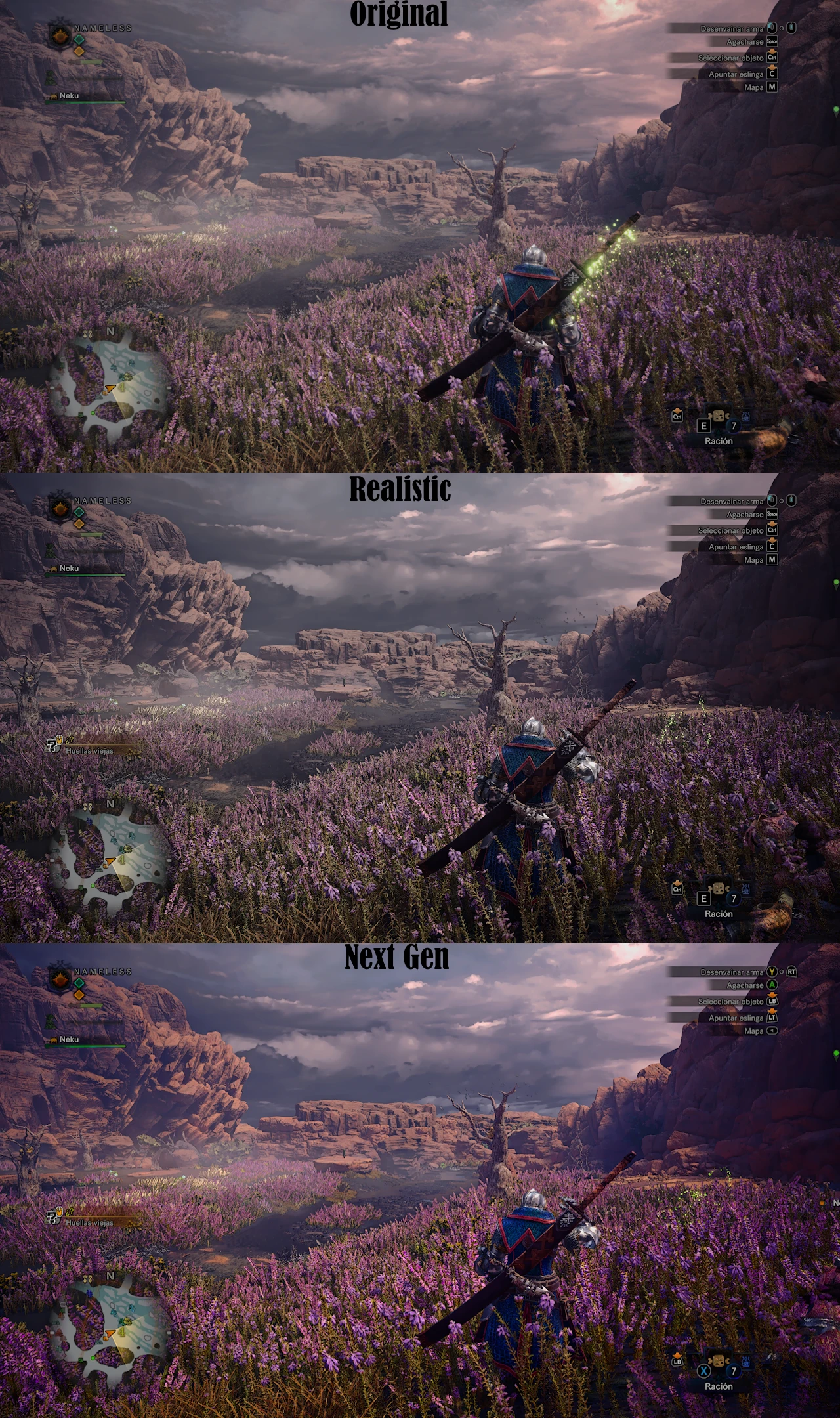
Ever felt like the game was blurry af even on max settings?Well this solves that issue, alongside some textures and lighting improvements.
This includes two reshade presets, both antiblur and with the same features, difference is that one of them is made to give a realistic feeling while the other is meant for a vivid experience, i personally recommend the latter.
Installation:
Step 1 - Install Reshade, the normal version, not the Add-On one, choose your game executable and use DirectX12 like normal, make sure to check all the effects.
Step 2 - Install Mod Organizer 2.
Step 3 - Read this guide.
Step 4 (optional) - I suggest that you disable the in-game TAA antialiasing and use only the FXAA, this will give you a cleaner and better look, the screenshots were also taken using only FXAA.
📊 Mod Details
- Game
- Monsterhunterworld Mods
- Author
- PotatoFried
- Version
- 1.1
- Downloads
- 4,793
- Endorsements
- 126
- Category
- Visuals and Graphics
- Created
- 10/18/2023
- Updated
- 10/19/2023
🔧 How to Install Monster Hunter: World Mods
Download from Nexus Mods.
📖 Full step-by-step install guide for Monster Hunter: World →
Visit the official mod page for specific installation instructions for this mod.
🎮 Need cheat codes or console commands? Check ur gaming wiki for Monster Hunter: World commands, item IDs, and more.
Keep browsing — more Monster Hunter: World mods await