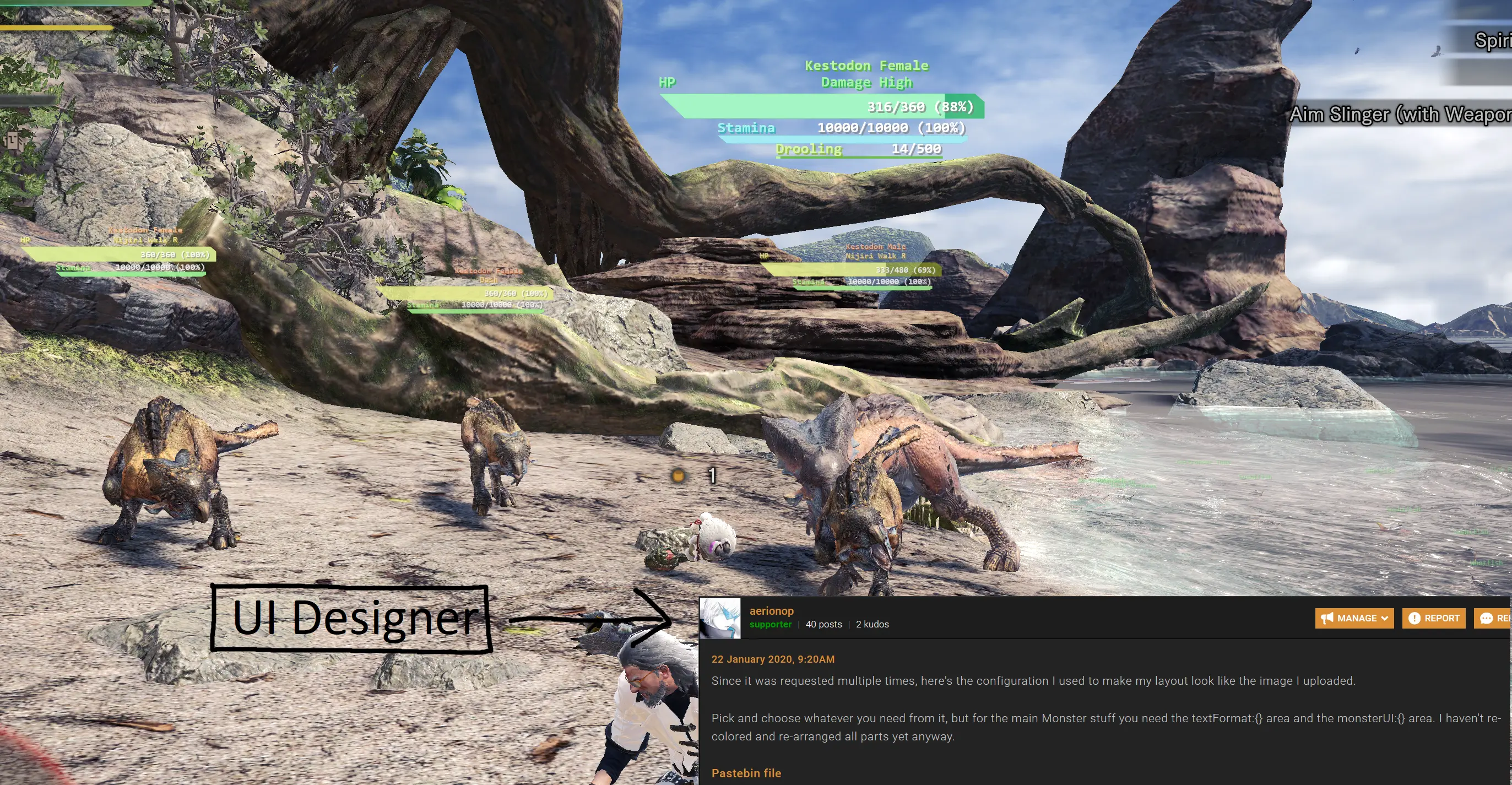
an overlay that shows lots and lots of stuff
⚪ Last updated 2021Preview
🔍 Analysis
- 👍 1.9% endorsement rate — high engagement, a strong quality signal
- 🏆 #2 of 81 User Interface mods in this game by downloads
📋 About This Mod
Shows EndemicLife/Monsters Behavior/Size/HP/Stamina/Rage/Crown/Status/PartHP, TeamDamage, TrainingDummyDamage, BuffTimer, MapTimer. Press F5 to send team damage to chat window.*You have to be the host if you want to see
Trivia:
According to Isiloki, running this program while playing PUBG can get your 1455-hours-playtime-PUBG-account banned.
According to SirDancelots, It can also get you permabanned in league of legends if helloworld.exe is running in the background.
Usage:
0. Use Windows 8. 1 or Windows 10 or Windows 11
1. Disable Hardware-accelerated GPU scheduling if you are using Windows 10 build 2004
2. Download the exe file.
3. Place the exe file at a directory such that it has file read/write permission at its current directory.
4. Launch the exe file before/while the game is running. the process helloworld.exe must have equal or higher privileged process token than that of the process monsterhunterworld.exe
5. Make sure the game is running in DX12 or borderless windowed mode or both.
6. Mouseover a UI element and hold left mouse button to change its position.
7. Mouseover a UI element and hold cap to increase the its scale.
8. Mouseover a UI element and hold lctrl to decrease the its scale.
9. Press (back_tick is the button next to ESC) to randomize UI color until you are happy with all the UI colors.
10. Press to switch between monsterUI static view and dynamic view. (If you want to have monsterUI rendered at a fixed position on your monitor instead of at where the monsters are on the screen, press this keybind)
11. Open chat window (press insert), press F5 to send team damage to chat window.
12. Open chat window (press insert), press F6 to send highlighted monster's information to chat window.
13. Read the rest of the description page(Optional but highly recommended)
*You have to be the host if you want to see monster-status-buildup and monster-part-hp
FAQ:Q: Will you remove the function to post team damage to chat?
A: No
Q:Do you have any plans on making this open sourced? Not only would I'd be more willing to trust it but others could contribute to it.
A: No.
Q: How do I make "HelloWorld.exe" exit automatically when game exits.
A: Open "config.json", set "bExitOnGameExit" to true, save "config.json"
Q: Any way to lock the UI so that you can no longer drag it everywhere? -BirdSpirit
A: yes, set keyBinds.dragUI.enable to false. Or, set keyBinds.dragUI.keys to some buttons other than ["mouse left"]
Q: How can I stop it sorting the parts like this? -wjy940330
Q: Any way to disable the actions showing for the monster?
A: Set monsterUI.bRen
📊 Mod Details
- Game
- Monsterhunterworld Mods
- Author
- HelloWorId
- Version
- 10.3
- Downloads
- 1,062,889
- Endorsements
- 19,707
- Category
- User Interface
- Created
- 9/9/2018
- Updated
- 7/29/2021
🔧 How to Install Monster Hunter: World Mods
Download from Nexus Mods.
📖 Full step-by-step install guide for Monster Hunter: World →
Visit the official mod page for specific installation instructions for this mod.
🎮 Need cheat codes or console commands? Check ur gaming wiki for Monster Hunter: World commands, item IDs, and more.
Keep browsing — more Monster Hunter: World mods await