Damage and DPS tool
⚪ Last updated 2018⚠️ Install Order · 1 step
Install in this order, then this mod last — most mods fail to load without their framework and dependencies in place.
Preview
🔍 Analysis
- 👍 3.5% endorsement rate — high engagement, a strong quality signal
- 🏆 #51 of 64 Utilities mods in this game by downloads
📋 About This Mod
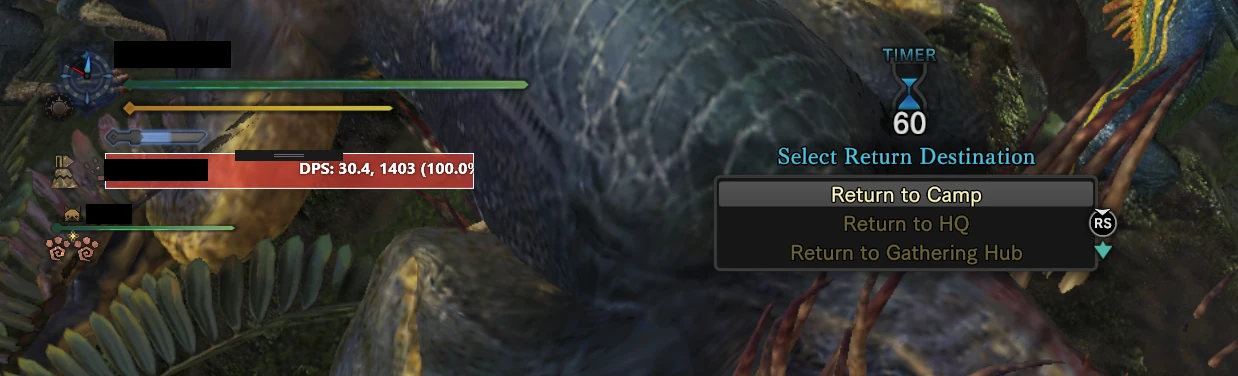
DPS is displayed in a seven second sliding window, by default.
There is an ini file, properties.ini, which defines this. Change the value on the right to change the window time.
Most of the work on this project was done by other people on this site.
I'm going to slap the GNU GPLv3 in this folder, along with my source code. You're free to inspect the code, and make whatever changes you would like.
For those interested in seeing changes:
properties are read when the MainWindow is initialized. I know this is bad form and I don't care too much.
the actual meat of the changes happens in the update_info function, and above it.
Changes in damage are taken by the delta, and you keep a queue of numbers, removing them at one end and adding at the other.
It's good enough for me.
Also, I'm not sure which of the DLL's included are needed at all. It seems to run without them, but that might just hang on your system having them updated already.
Damage and DPS tool is a utility mod that displays DPS in a seven-second sliding window by default, with adjustments based on community feedback. It has 607 endorsements and 17,520 downloads, last updated in September 2018.
✨ Key Features
📊 Pros & Cons
✅ Pros
- Solid community trust with 607 endorsements.
- Decent download count (17,520) for a utility mod.
- Simple, focused feature: DPS display with a sliding window.
⚠️ Cons
- Last updated in 2018, so it may not be compatible with newer game versions.
- Limited feature set—only DPS display, no other combat metrics.
- Potential conflicts with other UI or combat mods that alter the same interface.
For players who want a straightforward DPS meter without extra bells and whistles. If you're into min-maxing or testing builds, this gives you the numbers you need. Skip if you need advanced combat analytics or if you're on a recent game version that might break it.
💡 Beginner Tips
- Check if your game version is compatible, since the mod hasn't been updated since 2018.
- If you use other UI mods, test them together to avoid overlapping elements.
- Adjust the sliding window duration if you prefer a different DPS average.
📊 Mod Details
- Game
- Monster Hunter World Mods
- Author
- F Stein
- Version
- 1
- Downloads
- 17,520
- Endorsements
- 607
- Category
- Utilities
- Created
- 9/3/2018
- Updated
- 9/3/2018
🔧 How to Install MHW Mods
Install Stracker\
📖 Full step-by-step install guide for MHW →
Visit the official mod page for specific installation instructions for this mod.
🎮 Need cheat codes or console commands? Check ur gaming wiki for MHW commands, item IDs, and more.
Keep browsing — more MHW mods await