Automatic Steamworks - 100 Percent Success Rate
⚪ Last updated 2021⚠️ Install Order · 1 step
Install in this order, then this mod last — most mods fail to load without their framework and dependencies in place.
Preview
🔍 Analysis
- 👍 3.1% endorsement rate — high engagement, a strong quality signal
- 🏆 #5 of 64 Utilities mods in this game by downloads
📋 About This Mod
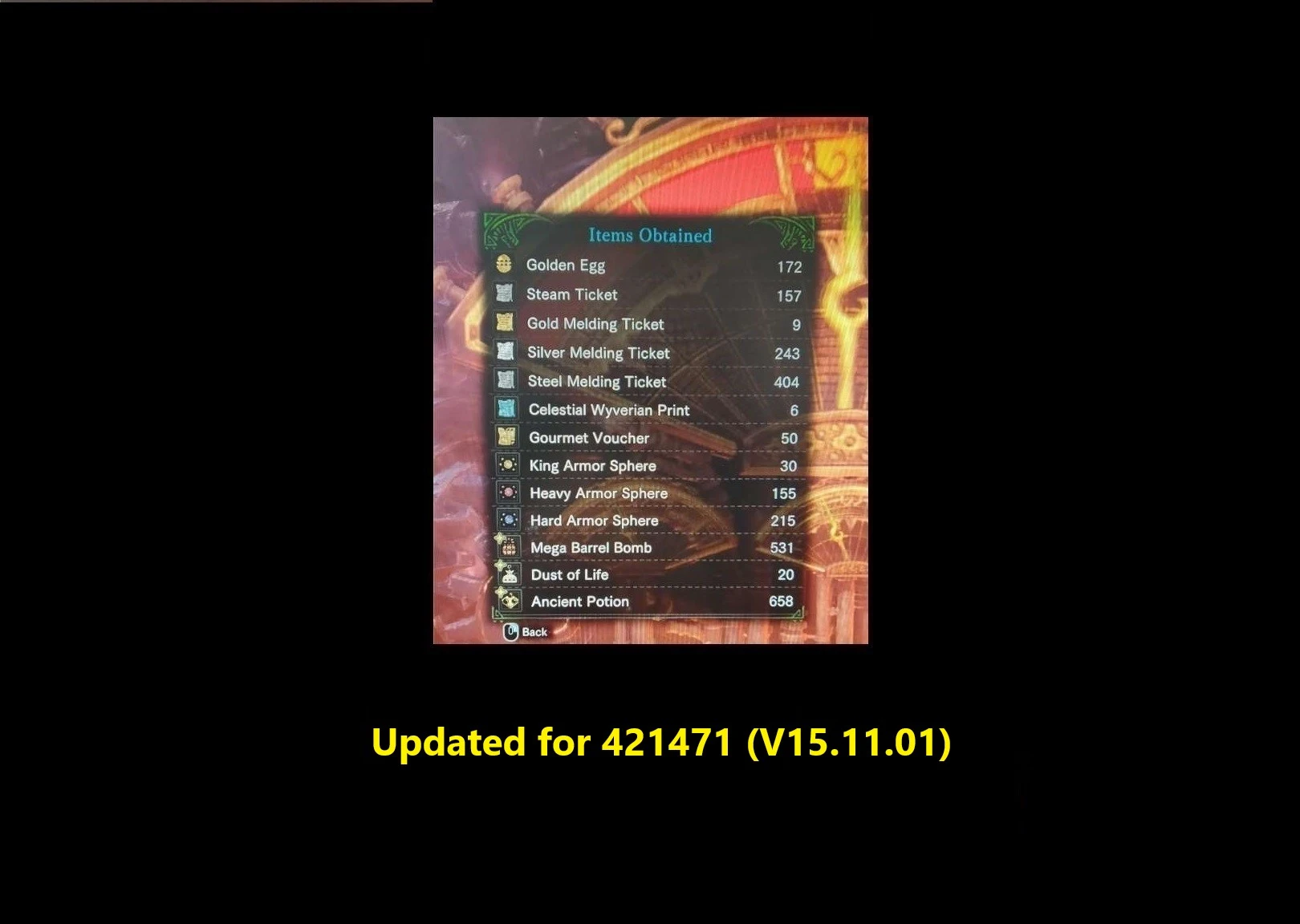
Supported version: 421471 (v15. 11. 01) - v19. 0 - full support
Functionality
Reads game memory and finds the "expected" key pattern that the Steamworks needs and then Types that pattern.
Restarts automatically when the Steamworks game is over IF if you have enough fuel and skips animations if setup correctly (presses X - the default animation cancel keyboard button)
Stops automatically if you are out of fuel or you press the stop button.
Random Pattern clicking if the app is out of date - checks game version against internal version - This provides random results of course, but better than nothing until app is updated.
Smart RANDOM run clicking sequence randomly while preserving the other functionality.
Introduced a menu to chose what type of run you want.
[New]
Possibility to choose:
- Configurable value ShouldConsumeAllFuel added to AutoSteamApp.exe.config option was added to setup using ALL the fuel or Only the Natural Fuel
- Default value is true
[New]
Do a smart RANDOM run:
- New functionality to do a RANDOM run - this will give random results, as no memory reading is happening.
- The other functions of the application will still work (fuel checking, automatic stop and restart etc).
- Random Run will be available even if the app is up to date.
Make sure you replace the old AutoSteamApp.exe.config file with the new one or app will crash!
How to install it
1. Download the .zip
2. Extract it wherever you like (i.e: Desktop)
3. Installation Done.
How to use it
0. Game must be started, press "start" on your Steamworks minigame
1. Execute AutoSteamApp.exe as Administrator
2. Switch to the game window
3. Press "Home" for the app to consume ALL the fuel
4. Press "F1" for the app to consume ONLY Natural fuel
5. Press "End" for the app to stop typing or wait for the fuel tank to be empty
Configurable Parts - AutoSteamApp.exe.config
1. Combo delay - time to wait between 3-key press sequence - useful to sync with animations (larger value might result in better results)
2. ShouldConsumeAllFuel - set this to false if you want only the Natural Fuel to be used. Otherwise set to true - default value true
3. Enable/Disable logging - keep it disabled unless something looks fishy or malfunctions (or you wanna sniff the logs)
4. Change between AZERTY(QZD) or QUERTY(AWD) - based on your keyboard, pick one - default is QUERTY
5. KeyCodeStart - allows to bind other key for Starting the App
6. KeyCodeStartNatural - allows to bind other key for Starting the App in Natural Fuel Only mode
7. KeyCodeStop - allows to bind other key for Stopping the App
8. KeyCutsceneSkip - allows to bind other key for Cutscene/Animation skip - must match the controls set in game at System > Options > Controls > Keyboard Settings > Menu Control > "Use or Register Loadout / Cancel Animation"
FAQ
It doesn't work on my end! what should i do?
- Please try to move it to Desktop and Run it as Admin.
- install .net framework - https://dotnet.microsoft.com/download/dotnet-framework/net472
- ensure you setup the correct keys for START/STOP and Cutscene Skip
- ensure you execute the file yourself, not via some other program
It is causing lag. Why ?
- because it is spamming keys with a 50ms delay to bypass the input lag.
Cutscene Skip won't work. Why?
- have you set the correct button to skip it ? see from Configurable Parts
- there is a delay between values in memory signal that a game can be started and that can cause a small break between game ending and pressing Space. I've noticed it can take up to a minute for it to restart it BUT it will always restart the game (press Space).
Is it safe to use?
- i have no idea, i've had no reports of anyone being banned and some people say nobody ever got banned by Capcom, but you use it at your own risk!!
Open Source code for you to make it better if you want: [Code might not be stable all the time] https://github.com/A
This utility mod for Space Engineers reads game memory to determine the correct sequence for the Steamworks mini-game, guaranteeing a 100% success rate. It also auto-restarts the game if fuel is available. Ideal for players who want to skip the mini-game's guesswork and maximize rewards.
✨ Key Features
📊 Pros & Cons
✅ Pros
- Huge community trust with 12,069 endorsements and nearly 388k downloads.
- Eliminates the frustration of the Steamworks mini-game by guaranteeing success every time.
- Auto-restart feature saves time by automatically starting a new game when fuel is available.
⚠️ Cons
- Last updated in June 2021 — may not work with the latest game version.
- Requires reading game memory, which could trigger anti-cheat or be flagged by some systems.
- No detailed instructions or troubleshooting provided by the author.
For Space Engineers players who find the Steamworks mini-game tedious and want to guarantee rewards without the guesswork. Also for those who want to automate the restart process to farm efficiently. Skip if you enjoy the mini-game challenge or prefer a more manual approach.
💡 Beginner Tips
- Make sure to disable any anti-cheat or memory integrity checks before using this mod, as it reads game memory.
- Check the mod's comments section for any compatibility notes with the latest game updates.
- If the auto-restart doesn't trigger, verify you have fuel in your inventory before starting.
📊 Mod Details
- Game
- Monster Hunter World Mods
- Author
- tzup
- Version
- 19.0
- Downloads
- 387,986
- Endorsements
- 12,046
- Category
- Utilities
- Created
- 2/15/2020
- Updated
- 6/5/2021
🧩 Commonly Used Together
Users add these mods to the same collections — a real compatibility signal, not an AI guess.
🔧 How to Install MHW Mods
Install Stracker\
📖 Full step-by-step install guide for MHW →
Visit the official mod page for specific installation instructions for this mod.
🎮 Need cheat codes or console commands? Check ur gaming wiki for MHW commands, item IDs, and more.
Keep browsing — more MHW mods await