Subtle Clarity Reshade
🟠 Updated over a year agoPreview
🔍 Analysis
- 👍 2.5% endorsement rate — high engagement, a strong quality signal
- 🏆 #29 of 140 Visuals mods in this game by downloads
📋 About This Mod
Warning: Capcom anti-tamper is currently still causing RE Framework to crash randomly.
Some people say Special-K is more stable at the moment.
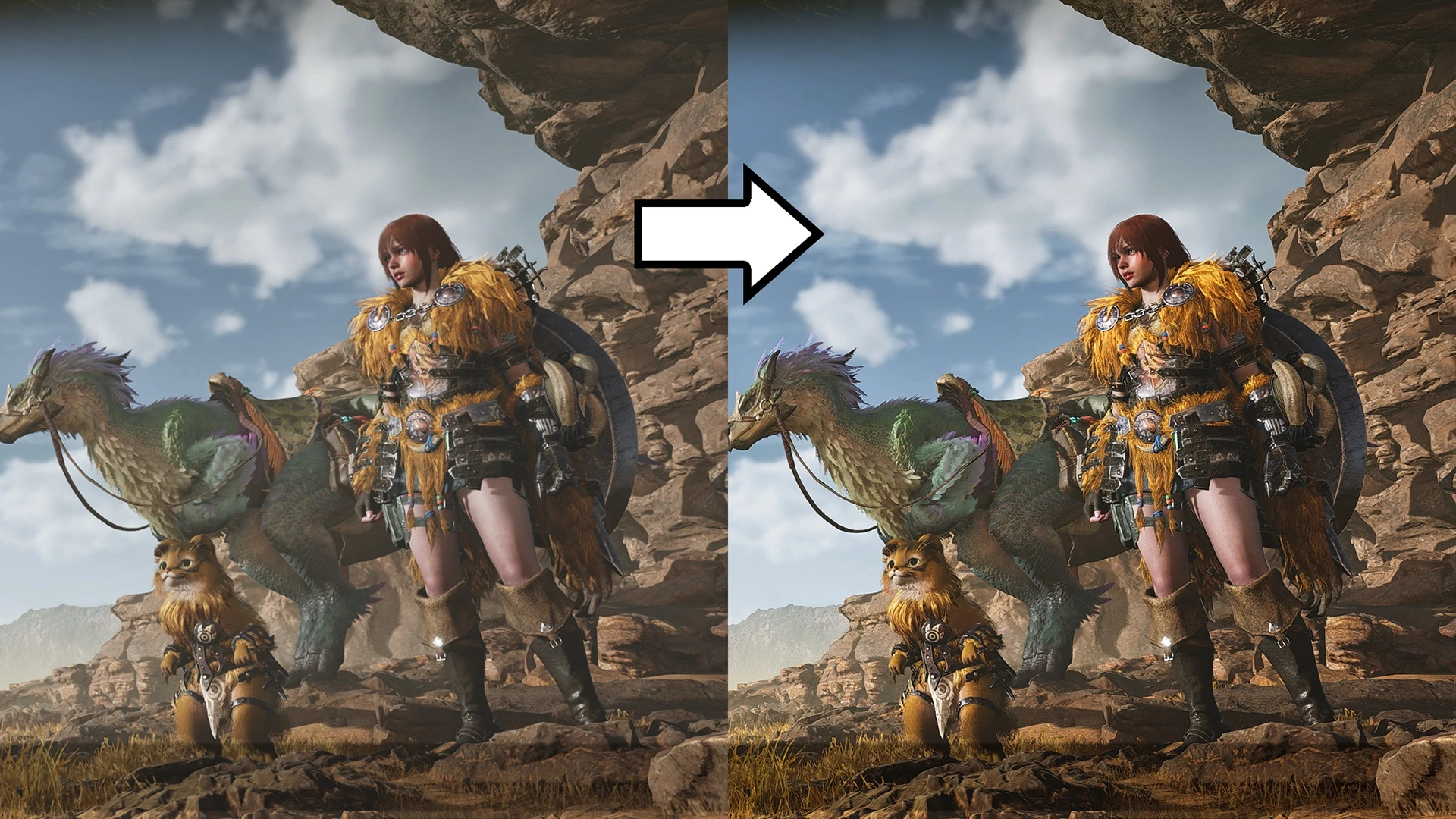
A ReShade preset that slightly increases sharpness, saturation and contrast between light and shadow, with minimal FPS cost. If the game seems washed-out, faded or desaturated, this should fix it.
I made this for the beta. Added a new version based on advice from huy98vn, who made a similar Reshade here.
I don't know if I'm going to make any other mods for Wilds.
Installation:
1. Install REFramework and Reshade
2. Select Direct X 11-12, install all the shaders.
3. Unpack the archive into Steam\Steamapps\common\Monster Hunter Wilds\
4. Start Wilds, open the ReShade menu (I think default is Home key)
5. At the top of ReShade menu, click Home tab, then select the SubtleClarity.ini from the top drop down menu (in between < > and the folder icon).
Uninstallation:
1. In the Wilds folder, delete dxgi.dll. You can delete the other Reshade files, if you want.
📊 Mod Details
- Game
- Monster Hunter Wilds Mods
- Author
- UberGrainy
- Version
- 2.0
- Downloads
- 11,322
- Endorsements
- 286
- Category
- Visuals
- Created
- 2/27/2025
- Updated
- 3/1/2025
🔧 How to Install MH Wilds Mods
Use Fluffy Mod Manager.
📖 Full step-by-step install guide for MH Wilds →
Visit the official mod page for specific installation instructions for this mod.
🎮 Need cheat codes or console commands? Check ur gaming wiki for MH Wilds commands, item IDs, and more.
Keep browsing — more MH Wilds mods await