Preem Wilds ReShade
🟠 Updated over a year agoPreview
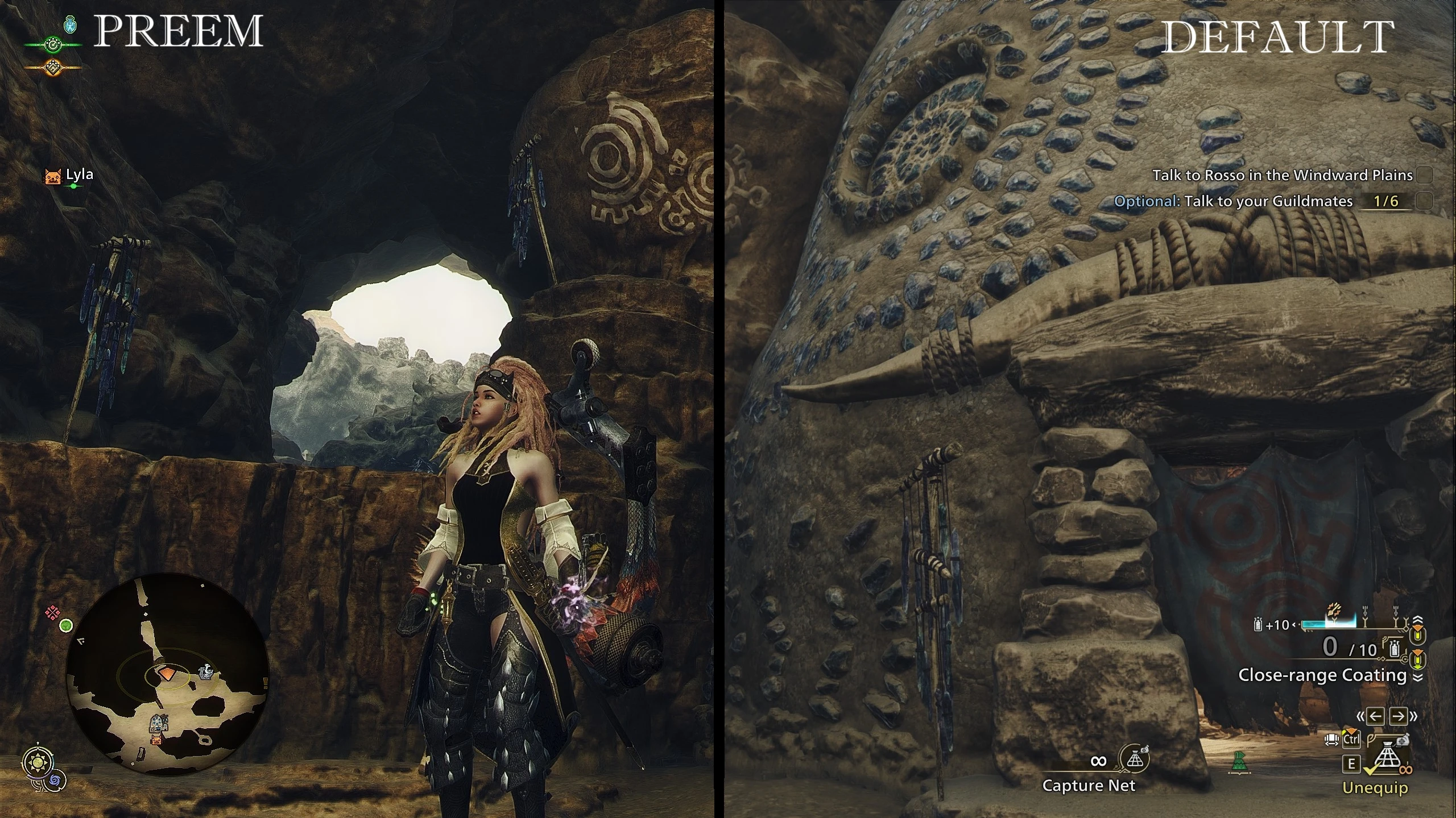
🔍 Analysis
- 👍 2.8% endorsement rate — high engagement, a strong quality signal
- 🏆 #74 of 140 Visuals mods in this game by downloads
📋 About This Mod
ReShade w/ darker shadows, sharper image and vibrant colors.
This ReShade gets rid of the washed out visuals and colors.
But also doesn't overdo it on the darkness and doesn't blow out the colors
I tried several other Reshades and found they all either were too dark or way too colorful.
So I imported my Cyberpunk Reshade and tweaked it and put together this one for MH Wilds.
This one isn't too dark or too colorful.
This was configured in SDR so if you're using HDR it will likely need some tweaking.
ReShade Requires RE Framework
1. Download RE Framework and extract to MH WIlds Directory.
2. Download this ReShade Preset and Extract to MH Wilds Directory.
3. Download ReShade and Install, select DirectX 10/11/12, Next
4. Click BROWSE at the bottom of ReShade installer and select the Preem Wilds ini file.
5. Click Next to continue and complete installation.
6. Make sure to adjust your in game brightness settings after activating ReShade.
I've added a Less Vibrant, Less Sharp and Less Vibrant & Sharp version under Optional Downloads.
Please leave any suggestions, questions or feedback in the comments.
📊 Mod Details
- Game
- Monster Hunter Wilds Mods
- Author
- Syxx
- Version
- v2
- Downloads
- 1,952
- Endorsements
- 54
- Category
- Visuals
- Created
- 3/3/2025
- Updated
- 3/4/2025
🔧 How to Install MH Wilds Mods
Use Fluffy Mod Manager.
📖 Full step-by-step install guide for MH Wilds →
Visit the official mod page for specific installation instructions for this mod.
🎮 Need cheat codes or console commands? Check ur gaming wiki for MH Wilds commands, item IDs, and more.
Keep browsing — more MH Wilds mods await