Vibrant Vision
🟢 Updated this monthPreview

🔍 Analysis
- 🏆 #11 of 11 high mods in this game by downloads
📋 About This Mod
The closest to getting Vibrant Visuals for Java with Iris
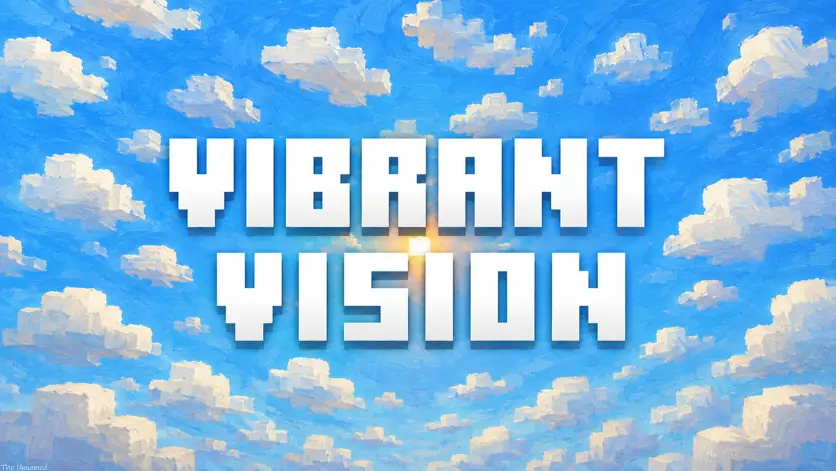
### A brighter vision of Minecraft: Java Edition
Vibrant Vision is a shader pack inspired by Minecraft Bedrock Edition's Vibrant Visuals, recreated and expanded for Minecraft: Java Edition.
It enhances Minecraft with richer lighting, cleaner shadows, atmospheric skies, improved water, customizable materials, and greater depth while keeping the game's familiar blocky identity.
Bright. Familiar. Configurable.
> Make Minecraft look more alive without making it stop looking like Minecraft.
Vibrant Vision is designed as a graphical upgrade rather than a complete visual replacement.
Minecraft's familiar blocks, textures, clouds, water, colors, and dimensions remain recognizable while receiving improved lighting, atmosphere, reflections, materials, and environmental effects.
### Highlights
Warm sunlight and readable shaded areas Dynamic soft or pixelated shadows Minecraft-style customizable clouds Enhanced water with waves, reflections, refraction, foam, and caustics Improved sunrise, sunset, night, rain, fog, and atmospheric effects Optional PBR, emissive, reflective, and parallax materials Separate Overworld, Nether, and End rendering Distant Horizons and Voxy support Five performance profiles Extensive customization
## Performance Profiles
| Profile | Intended Use | | ------------ | --------------------------------------------- | | FAST | Maximum performance | | BALANCED | Improved visuals with moderate GPU cost | | VIBRANT | Recommended default experience | | LUSH | Higher-quality lighting, shadows, and effects | | SHOWCASE | Maximum visual quality and cinematic use |
VIBRANT is recommended for first-time users.
Profiles provide convenient starting points, but individual settings can still be changed independently.
Lighting & Shadows
Vibrant Vision combines direct sunlight, ambient illumination, block lighting, indirect lighting, and environmental color to create a brighter and more dimensional world.
Features include:
Warm directional sunlight Cooler readable shade Improved block and sky lighting Optional indirect sky lighting Dynamic shadow distance and quality Configurable shadow softness and filtering Optional pixelated shadows Entity and player shadows Sunrise and sunset lighting Weather and dimension-specific lighting Protected highlights Vibrant Vision Color Response
### Vibrant Vision Color Response
Instead of simply increasing saturation, Vibrant Vision adjusts different parts of the image independently to provide richer daylight, warmer sunlight, cooler shade, cleaner vegetation, clearer skies, and protected highlights.
The effect can be adjusted or disabled.
Clouds
Clouds intentionally retain their familiar Minecraft appearance.
Three styles are available:
### Vibrant
The default Vibrant Vision style. Minecraft-like clouds receive illuminated edges and improved lighting for additional depth.
Adds a vertical transparency gradient for a softer and more atmospheric appearance.
### Vanilla
Keeps clouds close to Minecraft's original appearance while allowing the rest of Vibrant Vision to remain enabled.
Water
Vibrant Vision improves water without replacing Minecraft's recognizable water texture.
Available settings include:
Wave strength, scale, and frequency Surface bumpiness Transparency Water fog Refraction Reflections Foam Caustics Underwater rendering Water coloration Surface lighting
Water can range from relatively simple and transparent to significantly more reflective and detailed.
Atmosphere & Dimensions
Vibrant Vision provides environmental rendering for different times, weather conditions, and dimensions.
Features can include:
Sunrise and sunset effects Night atmosphere Stars Fog and atmospheric haze Light shafts Rain and storm effects Custom sun and moon rendering * Environmental color controls
### Overworld
The primary Vibrant Vision experience with enhanced daylight, weather, clouds, water, shadows, and atmosphere.
Custom lighting and atmospheric effects designed around the Nether's darker environment.
Separate rendering designed to preserve the strange and empty appearance of the End while giving it its own visual identity.
Most atmospheric effects can be adjusted or disabled individually.
Materials & PBR
Minecraft blocks remain
📊 Mod Details
- Game
- Minecraft Shaders
- Author
- the_unnamed
- Version
- 26.2
- Downloads
- 176
- Endorsements
- 2
- Category
- high
- Created
- 9/5/2026
- Updated
- 9/8/2026
🔧 How to Install Minecraft Shaders Mods
Download from Modrinth. Use Prism Launcher or drop into your mods folder.
📖 Full step-by-step install guide for Minecraft Shaders →
Visit the official mod page for specific installation instructions for this mod.
🎮 Need cheat codes or console commands? Check ur gaming wiki for Minecraft Shaders commands, item IDs, and more.
Keep browsing — more Minecraft Shaders mods await