Alpha Piscium
🟡 Updated this year🖼️ Gallery (12 images)
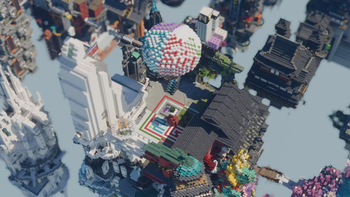
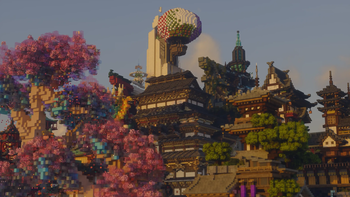
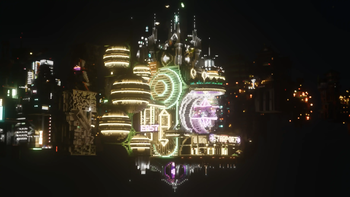
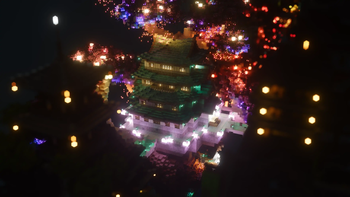
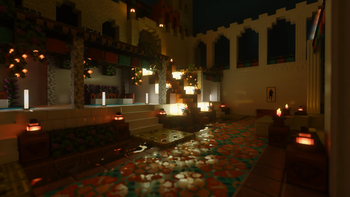
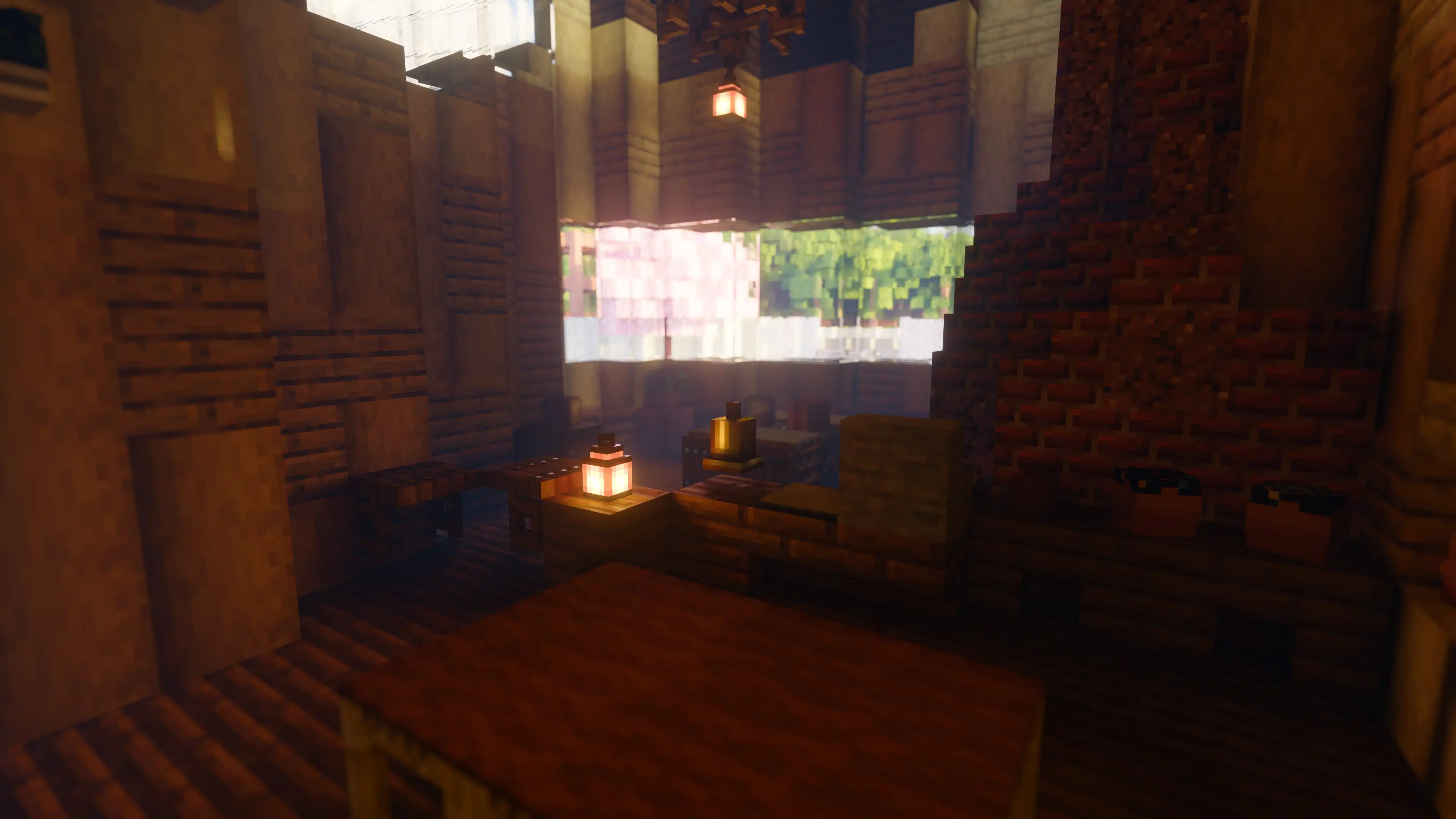
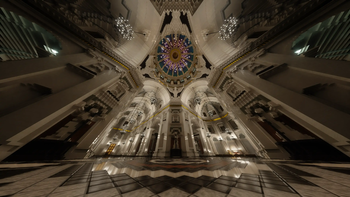


🔍 Analysis
- 👍 0.1% endorsement rate
- 🏆 #2 of 11 high mods in this game by downloads
📋 About This Mod
# Alpha Piscium High-quality realistic Minecraft shaderpack featuring global illumination, volumetric clouds, atmospheric scattering, and stunning visual effects. Official Website link: https://alphapiscium.org/ \ Discord server link: https://discord.gg/E2Uq2MmHgq <img width="1920" height="1080" alt="Alpha Piscium" src="https://github.com/user-attachments/assets/bab05ffa-9c46-4f9b-a69c-94bc6c82f3d5" /> ## Features - **Real-time Global Illumination** - (https://research.nvidia.com/sites/default/files/pubs/2020-07_Spatiotemporal-reservoir-resampling/ReSTIR.pdf) (ReSTIR) based Screen-Space Global Illumination - (https://doi.org/10.1007/978-1-4842-7185-8_49) based denoising - Realistic, real-time, and fast **Atmospheric Scattering** - (https://sebh.github.io/publications/egsr2020.pdf) - (https://gdcvault.com/play/1018227/Practical-Implementation-of-Light-Scattering) - Real-time **Volumetric Clouds** - (https://www.guerrilla-games.com/read/nubis-evolved) - High-quality adaptive **Shadows** - (https://www.cspaul.com/publications/Rosen.2012.I3D.pdf) (RTWSM) ## Installation 1. Download the Alpha Piscium shaders for Minecraft from (https://modrinth.com/shader/alpha-piscium) or (https://github.com/Luna5ama/Alpha-Piscium/releases). 2. Install (https://www.irisshaders.dev/download) shader loader. 3. Open the Minecraft launcher and choose the Iris profile you just created with the version you're playing. 4. Launch Minecraft. 5. Go to **Options** → **Video Settings** → **Shader Packs**, then click **Open Shader Pack Folder**. 6. Move the downloaded ZIP file into this folder (`.minecraft/shaderpacks`). 7. In-game, select the newly installed pack from the shaders list. (If you select a shader pack using Iris, its filename will turn yellow.) 8. Click **Done** or **Apply** and the shader will be loaded. ## FAQ - **No lighting at night**: Please use PBR resource packs. For vanilla style, SPBR is recommended. Otherwise, try Patrix. - **Can't load shaderpack**: Please use Iris with version 1.7 or higher. - **Everything goes dark when turning back**: This is due to the limitations of screenspace techniques. There isn't a perfect way to fix this. - **Intel GPU**: Alpha Piscium uses cutting-edge graphics technology. Unfortunately, Intel doesn't maintain their OpenGL driver well, so Intel GPUs are not supported. - **AMD GPU**: Check if your GPU driver is newer than 22.7.1. If older, please update your driver. - **Other loading errors**: Press Ctrl+D in Iris's shaderpack selection screen, then reload the shaderpack. Make an (https://github.com/Luna5ama/Alpha-Piscium/issues) with the error message and the relevant files in `.minecraft/patched_shaders` as shown in the error message. ## Roadmap ### 1.9 Specular GI * Add specular GI ### 2.0 World Space Tracing * Add voxelization and voxel tracing ### 2.1 DRT Update * Release Skibidi DRT * HDR mod support? ### 2.2 Volumetrics shadowing * Add cloud shadowing to volumetrics * Add screen space shadow to volumetrics ### 2.3 Local fog * Add ground fog ### 2.4 Cloud shadow * Add cloud shadow to terrain rendering * Add cloud to reflection/GI ### 2.5 Cloud update part 1 Improve cloud lighting * Add altocumulus * Rewrite cirrus modeling ### 2.6 Cloud udpate part 2 * Rewrite cumulus modeling * Add stratocumulus and nimbostratus ### 2.7 Upscaling??? * Add FSR 3.1 (no framegen) ### 2.8 Parallax mapping??? * Add steep/smooth parallax mapping * Add parallax mapping shadow ## AI / LLM Code Disclosure & Compliance Notice Please be advised that this codebase incorporates software components generated or assisted by Large Language Models (LLMs). If your personal policy, regulatory constraints, or usage criteria prohibit the deployment or execution of AI-generated software, you are requested to immediately cease utilization and remove all instances of Alpha Piscium from your systems. ## License Files under the `scripts` directory are licensed under the MIT License. All other files are licensed under the GNU General Public License v3.0.
# Alpha Piscium High-quality realistic Minecraft shaderpack featuring global illumination, volumetric clouds, atmospheric scattering, and stunning visual effects.
Official Website link: https://alphapiscium.org/ \ Discord server link: https://discord.gg/E2Uq2MmHgq
## Features - Real-time Global Illumination - [Reservoir-based SpatioTemporal Importance Resampling](https://research.nvidia.com/sites/default/files/pubs/2020-07_Spatiotemporal-reservoir-resampling/ReSTIR.pdf) (ReSTIR) based Screen-Space Global Illumination - [ReBLUR](https://doi.org/10. 1007/978-1-4842-7185-8_49) based denoising - Realistic, real-time, and fast Atmospheric Scattering - [Unreal Engine Sky Atmosphere Rendering Technique](https://sebh.github.io/publications/egsr2020.pdf) - [Epipolar Sampling](https://gdcvault.com/play/1018227/Practical-Implementation-of-Light-Scattering) - Real-time Volumetric Clouds - [Nubis](https://www.guerrilla-games.com/read/nubis-evolved) - High-quality adaptive Shadows - [Rectilinear Texture Warping](https://www.cspaul.com/publications/Rosen. 2012. I3D.pdf) (RTWSM)
## Installation 1. Download the Alpha Piscium shaders for Minecraft from (https://modrinth.com/shader/alpha-piscium) or (https://github.com/Luna5ama/Alpha-Piscium/releases). 2. Install (https://www.irisshaders.dev/download) shader loader. 3. Open the Minecraft launcher and choose the Iris profile you just created with the version you're playing. 4. Launch Minecraft. 5. Go to Options → Video Settings → Shader Packs, then click Open Shader Pack Folder. 6. Move the downloaded ZIP file into this folder (`.minecraft/shaderpacks`). 7. In-game, select the newly installed pack from the shaders list. (If you select a shader pack using Iris, its filename will turn yellow.) 8. Click Done or Apply and the shader will be loaded.
## FAQ - No lighting at night: Please use PBR resource packs. For vanilla style, SPBR is recommended. Otherwise, try Patrix. - Can't load shaderpack: Please use Iris with version 1. 7 or higher. - Everything goes dark when turning back: This is due to the limitations of screenspace techniques. There isn't a perfect way to fix this. - Intel GPU: Alpha Piscium uses cutting-edge graphics technology. Unfortunately, Intel doesn't maintain their OpenGL driver well, so Intel GPUs are not supported. - AMD GPU: Check if your GPU driver is newer than 22. 7. 1. If older, please update your driver. - Other loading errors: Press Ctrl+D in Iris's shaderpack selection screen, then reload the shaderpack. Make an (https://github.com/Luna5ama/Alpha-Piscium/issues) with the error message and the relevant files in `.minecraft/patched_shaders` as shown in the error message.
## Roadmap ### 1. 9 Specular GI Add specular GI
### 2. 0 World Space Tracing Add voxelization and voxel tracing
### 2. 1 DRT Update Release Skibidi DRT HDR mod support?
### 2. 2 Volumetrics shadowing Add cloud shadowing to volumetrics Add screen space shadow to volumetrics
### 2. 3 Local fog Add ground fog
### 2. 4 Cloud shadow Add cloud shadow to terrain rendering Add cloud to reflection/GI
### 2. 5 Cloud update part 1 Improve cloud lighting Add altocumulus Rewrite cirrus modeling
### 2. 6 Cloud udpate part 2 Rewrite cumulus modeling Add stratocumulus and nimbostratus
### 2. 7 Upscaling??? Add FSR 3. 1 (no framegen)
### 2. 8 Parallax mapping??? Add steep/smooth parallax mapping Add parallax mapping shadow
## AI / LLM Code Disclosure & Compliance Notice Please be advised that this codebase incorporates software components generated or assisted by Large Language Models (LLMs). If your personal policy, regulatory constraints, or usage criteria prohibit the deployment or execution of AI-generated software, you are requested to immediately cease utilization and remove all instances of Alpha Piscium from your systems.
## License Files under the `scripts` directory are licensed under the MIT License. All other files are licensed under the GNU General Public License v3. 0.
📊 Mod Details
- Game
- Minecraft Shaders
- Author
- Luna5ama
- Version
- 1.9.2
- Downloads
- 268,362
- Endorsements
- 202
- Category
- high
- Created
- 10/16/2025
- Updated
- 8/15/2026
- Game Versions
- 1.20.5, 1.20.6, 1.21.1, 1.21.2, 1.21.3
- Tags
- high, path-tracing, realistic
🔧 How to Install Minecraft Shaders Mods
Download from Modrinth. Use Prism Launcher or drop into your mods folder.
📖 Full step-by-step install guide for Minecraft Shaders →
Visit the official mod page for specific installation instructions for this mod.
🎮 Need cheat codes or console commands? Check ur gaming wiki for Minecraft Shaders commands, item IDs, and more.
❓ Frequently Asked Questions
Which Minecraft Shaders versions does Alpha Piscium support?
The author lists 1.20.5, 1.20.6, 1.21.1, 1.21.2, 1.21.3, 1.21.4. Other versions may work but are untested by the author.
What is the latest version of Alpha Piscium?
Version 1.9.2, published 2026-08-15 with 268,362 downloads recorded at the source.
Keep browsing — more Minecraft Shaders mods await