Vanilla Plus Shader
🟠 Updated over a year ago🖼️ Gallery (4 images)
🔍 Analysis
- 👍 0.0% endorsement rate
- 🏆 #7 of 262 iris mods in this game by downloads
📋 About This Mod
!(https://rre36.com/wp-content/uploads/2021/03/VPlus-Banner.jpg)
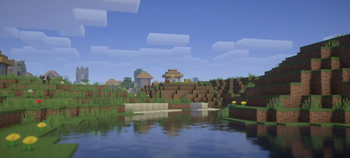
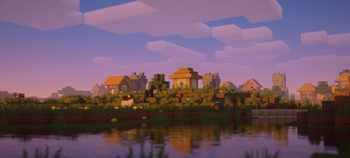
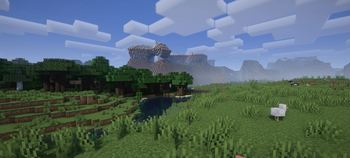
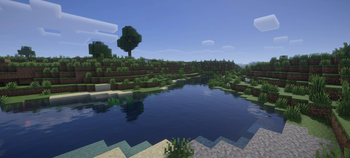
## What is the Vanilla Plus Shader? This shaderpack gives the the game a modern and streamlined visual overhaul while staying faithful to the original visuals.
## What features does it offer? Dynamic soft shadows Volumetric vanilla-style clouds (they rely on the cloud texture from the resourcepack as well) Temporal Anti-Aliasing Improved lighting and dynamic colours Optional custom water and screenspace reflections Screenspace godrays Support for resourcepack materials based on the labPBR standard Various colour profiles that imitate certain looks or older shaderpacks that are broken on modern Minecraft versions (examples below) Various optional lens effects such as depth of field, lens flares and vignette
!(https://i.postimg.cc/j2vdjKhp/profiles2020-12.jpg)
## Any Requirements? OptiFine for 1. 16 or newer/Iris 1. 5. 0 or newer A graphics card that supports OpenGL 4. 3 or newer Windows/Linux
## External Links: My Website: (https://rre36.com/vanilla-plus) My Discord Server: (https://discord.gg/y5xzQ6H)
[!(https://rre36.com/wp-content/uploads/2023/05/Patreon_ForEmbed.png)](https://www.patreon.com/bePatron?u=19790203)
Vanilla Plus Shader is a popular shaderpack that enhances Minecraft's visuals while preserving the original art style. It adds dynamic shadows, volumetric clouds, TAA, and optional effects like godrays and depth of field. Requires OptiFine or Iris and OpenGL 4.3+.
✨ Key Features
📊 Pros & Cons
✅ Pros
- Huge community trust with 2 million downloads and 497 endorsements
- Faithful to vanilla look while modernizing visuals
- Actively updated (last update Feb 2025)
⚠️ Cons
- Requires a GPU with OpenGL 4.3 or newer, which may exclude older hardware
- Clouds depend on resourcepack cloud texture, so they may not look right without a compatible pack
This is for players who want a visual upgrade without straying from Minecraft's classic aesthetic. It's also great for those who enjoy tweaking visuals with color profiles and optional effects like depth of field.
💡 Beginner Tips
- If you're using Iris, make sure it's version 1.5.0 or newer to avoid compatibility issues.
- Check your GPU's OpenGL version before installing; if it's below 4.3, the shader won't run.
- Try different color profiles in the shader settings to find the look that suits your preference.
📊 Mod Details
- Game
- Minecraft Shaders
- Author
- RRe36
- Version
- 3.3
- Downloads
- 1,997,632
- Endorsements
- 497
- Category
- iris
- Created
- 5/7/2023
- Updated
- 2/28/2025
- Game Versions
- 1.16.5, 1.17, 1.17.1, 1.18, 1.18.1
- Tags
- low, shadows, vanilla-like
🔧 How to Install Minecraft Shaders Mods
Download from Modrinth. Use Prism Launcher or drop into your mods folder.
📖 Full step-by-step install guide for Minecraft Shaders →
Visit the official mod page for specific installation instructions for this mod.
🎮 Need cheat codes or console commands? Check ur gaming wiki for Minecraft Shaders commands, item IDs, and more.
❓ Frequently Asked Questions
Which Minecraft Shaders versions does Vanilla Plus Shader support?
The author lists 1.16.5, 1.17, 1.17.1, 1.18, 1.18.1, 1.18.2. Other versions may work but are untested by the author.
What is the latest version of Vanilla Plus Shader?
Version 3.3, published 2025-02-28 with 2.0M downloads recorded at the source.
Keep browsing — more Minecraft Shaders mods await