TenLives
⚪ Last updated 2024🖼️ Gallery (2 images)

🔍 Analysis
- 🏆 #220 of 1317 bukkit mods in this game by downloads
📋 About This Mod
### TenLives Plugin !(https://cdn.modrinth.com/data/cached_images/973fc967bf9763d804b3839249d36a858ab63045.png) <iframe width="560" height="315" src="https://www.youtube-nocookie.com/embed/eZ_GV7NO7rE" title="YouTube video player" frameborder="0" allow="accelerometer; autoplay; clipboard-write; encrypted-media; gyroscope; picture-in-picture; web-share" allowfullscreen></iframe> **Overview:** TenLives is a Minecraft plugin that adds an exciting survival challenge by limiting the number of lives a player has. Each death reduces the player's maximum health, and if it drops too low, the player faces severe consequences such as being switched to spectator mode or banned. Players can restore their lives using special custom totems. **Features:** - **Health Reduction on Death:** - Each death reduces the player's maximum health by 2 points. - When a player's maximum health drops below 1 point, they are either switched to spectator mode or banned, based on the configuration. - **Life Restoration:** - Players can restore their lives using custom totems. - The custom totem increases the player's maximum health by 2 points, up to a maximum of 20 points. - **Customizable Messages:** - All in-game messages are customizable via the configuration file. - **Totem Distribution:** - Custom totems can be found with a 10% chance in storage minecarts. - Players can also receive totems via the `/gettotem` command if they have the necessary permissions. - **Commands:** - `/gettotem <nickname>`: Gives the player a custom totem if they have the required permission (`tenlives.gettotem`). - **Placeholders:** - `%tenlives_lives%`: Displays the number of lives a player has based on their current maximum health. **Installation:** 1. Download the TenLives plugin. 2. Place the downloaded file into your server's `plugins` directory. 3. Start or restart your server to load the plugin. 4. Configure the plugin as needed in the generated `config.yml` file. **Configuration:** - The `config.yml` file allows server administrators to customize various aspects of the plugin, such as messages and actions on death. **Usage:** - Players start with a default number of lives. - Each death reduces their maximum health, and they must use custom totems to restore it. - Admins can distribute totems using the `/gettotem` command. **Commands:** - `/gettotem`: Gives the player a custom totem if they have the required permission (`tenlives.gettotem`). **Configuration File (`config.yml`):** ```yaml # TenLives configuration death_action: "spectator" # Options: 'spectator' or 'ban' death_message: "&cВаши жизни закончились..." totem_name: "&6Тотем Жизни" totem_custom_model_data: 993 life_lost_title: "&cВы потеряли жизнь" life_lost_subtitle: "&eБудь внимательнее, они не вечны" life_restored_title: "&a1 Жизнь восстановлена" life_restored_subtitle: "&eПотрать её с умом" totem_received_message: "&aВы получили Тотем Жизни!" command_player_only: "&cЭту команду может использовать только игрок." no_permission_message: "&cУ вас нет прав на использование этой команды." ``` **Metrics:** - This plugin uses bStats to collect anonymous usage statistics to help improve the plugin. ### Code Breakdown #### Main Class: `TenLives` This is the main plugin class responsible for: - Enabling and disabling the plugin. - Managing events and commands. - Handling player deaths, resurrections, and interactions with storage minecarts. ##### Methods: - `onEnable()`: Initializes the plugin, loads the configuration, registers events and commands, and sets up metrics. - `onDisable()`: Cleans up when the plugin is disabled. - `onPlayerDeath(PlayerDeathEvent event)`: Handles player deaths and reduces their maximum health. - `onPlayerRespawn(PlayerRespawnEvent event)`: Provides feedback to the player when they respawn. - `onEntityResurrect(EntityResurrectEvent event)`: Handles player resurrections and restores their health if a custom totem is used. - `onPlayerInteractEntity(PlayerInteractEntityEvent event)`: Manages interactions with storage minecarts and adds custom totems to their inventory. - `onCommand(CommandSender sender, Command command, String label, String args)`: Handles the `/gettotem` command. - `createCustomTotem()`: Creates the custom totem item. - `isValidTotem(ItemStack item)`: Checks if an item is a valid custom totem. #### Placeholder Expansion: `LivesPlaceholder` This class integrates with PlaceholderAPI to provide custom placeholders. ##### Methods: - `getIdentifier()`: Returns the identifier for this placeholder expansion. - `getAuthor()`: Returns the author of this placeholder expansion. - `getVersion()`: Returns the version of this placeholder expansion. - `onPlaceholderRequest(Player player, @NotNull String identifier)`: Handles the placeholder request and returns the appropriate value for `%tenlives_lives%`. ### Usage Notes - Customize messages and other settings in the `config.yml` file. - Ensure players have the appropriat
### TenLives Plugin
!(https://cdn.modrinth.com/data/cached_images/973fc967bf9763d804b3839249d36a858ab63045.png)
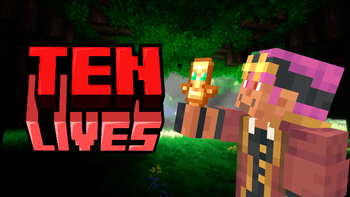
Overview: TenLives is a Minecraft plugin that adds an exciting survival challenge by limiting the number of lives a player has. Each death reduces the player's maximum health, and if it drops too low, the player faces severe consequences such as being switched to spectator mode or banned. Players can restore their lives using special custom totems.
Features:
- Health Reduction on Death:
- - Each death reduces the player's maximum health by 2 points.
- - When a player's maximum health drops below 1 point, they are either switched to spectator mode or banned, based on the configuration.
- Life Restoration:
- - Players can restore their lives using custom totems.
- - The custom totem increases the player's maximum health by 2 points, up to a maximum of 20 points.
- Customizable Messages:
- - All in-game messages are customizable via the configuration file.
- Totem Distribution:
- - Custom totems can be found with a 10% chance in storage minecarts.
- - Players can also receive totems via the `/gettotem` command if they have the necessary permissions.
- Commands:
- - `/gettotem
`: Gives the player a custom totem if they have the required permission (`tenlives.gettotem`).
- Placeholders:
- - `%tenlives_lives%`: Displays the number of lives a player has based on their current maximum health.
Installation: 1. Download the TenLives plugin. 2. Place the downloaded file into your server's `plugins` directory. 3. Start or restart your server to load the plugin. 4. Configure the plugin as needed in the generated `config.yml` file.
Configuration: - The `config.yml` file allows server administrators to customize various aspects of the plugin, such as messages and actions on death.
Usage: - Players start with a default number of lives. - Each death reduces their maximum health, and they must use custom totems to restore it. - Admins can distribute totems using the `/gettotem` command.
Commands: - `/gettotem`: Gives the player a custom totem if they have the required permission (`tenlives.gettotem`).
Configuration File (`config.yml`): ```yaml # TenLives configuration death_action: "spectator" # Options: 'spectator' or 'ban' death_message: "&cВаши жизни закончились..." totem_name: "&6Тотем Жизни" totem_custom_model_data: 993 life_lost_title: "&cВы потеряли жизнь" life_lost_subtitle: "&eБудь внимательнее, они не вечны" life_restored_title: "&a1 Жизнь восстановлена" life_restored_subtitle: "&eПотрать её с умом" totem_received_message: "&aВы получили Тотем Жизни!" command_player_only: "&cЭту команду может использовать только игрок." no_permission_message: "&cУ вас нет прав на использование этой команды." ```
Metrics: - This plugin uses bStats to collect anonymous usage statistics to help improve the plugin.
### Code Breakdown
#### Main Class: `TenLives` This is the main plugin class responsible for: - Enabling and disabling the plugin. - Managing events and commands. - Handling player deaths, resurrections, and interactions with storage minecarts.
##### Methods: - `onEnable()`: Initializes the plugin, loads the configuration, registers events and commands, and sets up metrics. - `onDisable()`: Cleans up when the plugin is disabled. - `onPlayerDeath(PlayerDeathEvent event)`: Handles player deaths and reduces their maximum health. - `onPlayerRespawn(PlayerRespawnEvent event)`: Provides feedback to the player when they respawn. - `onEntityResurrect(EntityResurrectEvent event)`: Handles player resurrections and restores their health if a custom totem is used. - `onPlayerInteractEntity(PlayerInteractEntityEvent event)`: Manages interactions with storage minecarts and adds custom totems to their inventory. - `onCommand(CommandSender sender, Command command, String label, String[] args)`: Handles the `/gettotem` command. - `createCustomTotem()`: Creates the custom totem item. - `isValidTotem(ItemStack item)`: Checks if an item is a valid custom totem.
#### Placeholder Expansion: `LivesPlaceholder` This class integrates with PlaceholderAPI to provide custom placeholders.
##### Methods: - `getIdentifier()`: Returns the identifier for this placeholder expansion. - `getAuthor()`: Returns the author of this placeholder expansion. - `getVersion()`: Returns the version of this placeholder expansion. - `onPlaceholderRequest(Player player, @NotNull String identifier)`: Handles the placeholder request and returns the appropriate value for `%tenlives_lives%`.
### Usage Notes - Customize messages and other settings in the `config.yml` file. - Ensure players have the appropriat
📊 Mod Details
- Game
- Minecraft Plugins
- Author
- saikonohack
- Version
- 8.2-RELEASE
- Downloads
- 314
- Endorsements
- 3
- Category
- bukkit
- Created
- 8/6/2024
- Updated
- 8/13/2024
- Game Versions
- 1.20, 1.20.1, 1.20.2, 1.20.3, 1.20.4
- Tags
- cursed, game-mechanics, minigame
🔧 How to Install Minecraft Plugins Mods
Download from Modrinth. Use Prism Launcher or drop into your mods folder.
📖 Full step-by-step install guide for Minecraft Plugins →
Visit the official mod page for specific installation instructions for this mod.
🎮 Need cheat codes or console commands? Check ur gaming wiki for Minecraft Plugins commands, item IDs, and more.
❓ Frequently Asked Questions
Which Minecraft Plugins versions does TenLives support?
The author lists 1.20, 1.20.1, 1.20.2, 1.20.3, 1.20.4, 1.20.5. Other versions may work but are untested by the author.
What is the latest version of TenLives?
Version 8.2-RELEASE, published 2024-08-13 with 314 downloads recorded at the source.
Keep browsing — more Minecraft Plugins mods await