SimpleCustomItems
🟡 Updated this year🖼️ Gallery (6 images)


🔍 Analysis
- 👍 0.4% endorsement rate
- 🏆 #935 of 1560 bukkit mods in this game by downloads
📋 About This Mod
This plugin allows you to easily create and manage custom items.
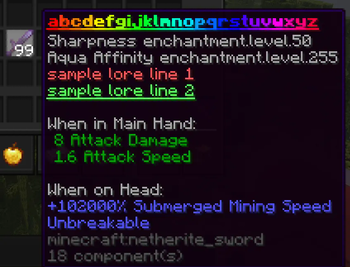
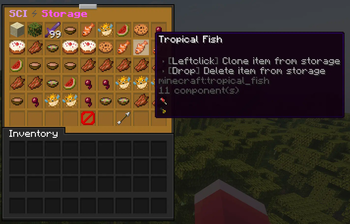
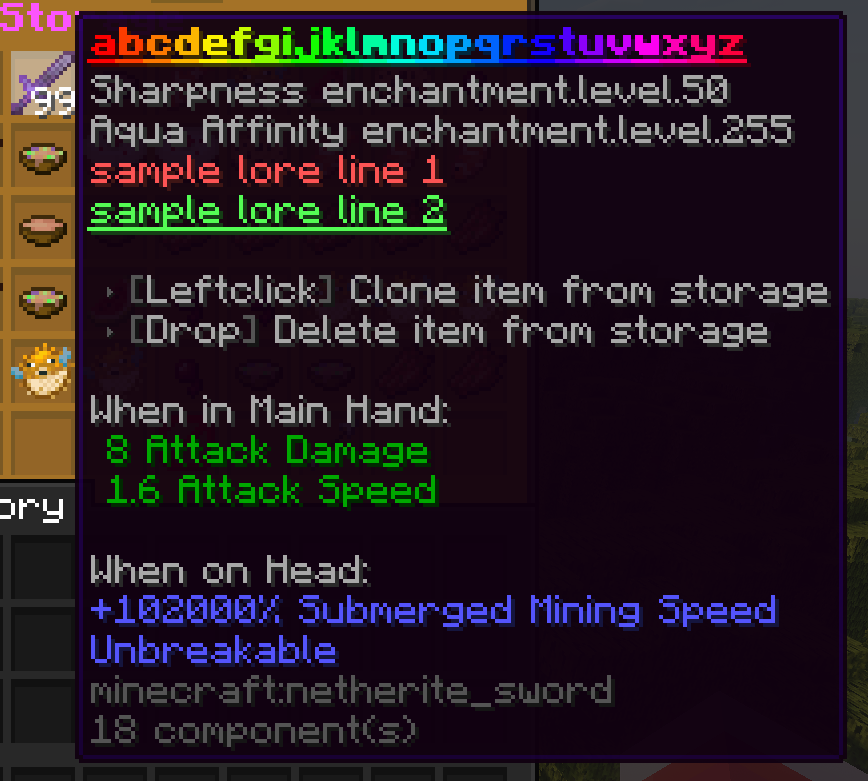
## Features - Rename items with unique names. - Rename items with unique displaynames. - Add customizable lore lines to items. - Apply/Remove various enchantments at all levels. - Apply/Remove various itemflags. - Set items as unbreakable. - Set items hidetooltip. - Set items maximal stack-size. - Set items amount. - Set items CustomModelData. - Use MiniMessage for advanced text formatting. - Simple commands for easy item management. - Customizable plugin messages. - Use the storagesystem to save your custom items. (Note: This feature is still experimental)
## Commands
- Use /simplecustomitems reload to reload the plugin.
- Use /simplecustomitems about to get information about the plugin.
- Use /ci name
## Permissions - simplecustomitems.admin.about - Allows you to use /sci about. - simplecustomitems.admin.reload - Allows you to use /sci reload. - simplecustomitems.admin.help - Allows you to use /sci help. - simplecustomitems.admin.storage - Allows you to use the storagesystem. - simplecustomitems.use - Allows you to use the /ci & /ci help command. - simplecustomitems.name - Allows you to use /ci name. - simplecustomitems.displayname - Allows you to use /ci displayname. - simplecustomitems.lore - Allows you to use /ci lore. - simplecustomitems.maxstacksize - Allows you to use the /ci maxstacksize command. - simplecustomitems.amount - Allows you to use the /ci amount command. - simplecustomitems.custommodeldata - Allows you to use the /ci custommodeldata command. - simplecustomitems.enchant - Allows you to use /ci enchant. - simplecustomitems.rmenchant - Allows you to use /ci rmenchant. - simplecustomitems.unbreakable - Allows you to use /ci unbreakable. - simplecustomitems.hidetooltip - Allows you to use /ci hidetooltip. - simplecustomitems.addflag - Allows you to use /ci addflag. - simplecustomitems.rmflag - Allows you to use /ci rmflag.
View config.yml
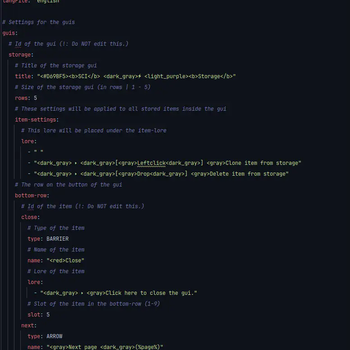
``` # This plugin utilizes MiniMessage for messages. # For more information, visit https://docs.adventure.kyori.net/minimessage.html
file-version: 1
# The prefix before every message
prefix: "<#D69BF5>SCI
# The messages file to use langFile: 'english'
# Settings for the guis
guis:
# Id of the gui (!: Do NOT edit this.)
storage:
# Title of the storage gui
title: "<#D69BF5>SCI
📊 Mod Details
- Game
- Minecraft Plugins
- Author
- Losterixx
- Version
- 2.1.0
- Downloads
- 2,264
- Endorsements
- 8
- Category
- bukkit
- Created
- 11/4/2024
- Updated
- 5/30/2026
- Game Versions
- 1.21, 1.21.1, 1.21.2, 1.21.3, 1.21.4
- Tags
- management, optimization, utility
🔧 How to Install Minecraft Plugins Mods
Download from Modrinth. Use Prism Launcher or drop into your mods folder.
📖 Full step-by-step install guide for Minecraft Plugins →
Visit the official mod page for specific installation instructions for this mod.
🎮 Need cheat codes or console commands? Check ur gaming wiki for Minecraft Plugins commands, item IDs, and more.
❓ Frequently Asked Questions
Which Minecraft Plugins versions does SimpleCustomItems support?
The author lists 1.21, 1.21.1, 1.21.2, 1.21.3, 1.21.4, 1.21.5. Other versions may work but are untested by the author.
What is the latest version of SimpleCustomItems?
Version 2.1.0, published 2026-05-30 with 2,264 downloads recorded at the source.
Keep browsing — more Minecraft Plugins mods await