rpchat
🟡 Updated this year🖼️ Gallery (6 images)
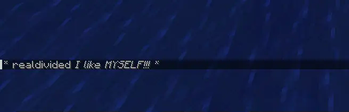
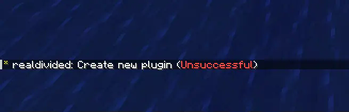
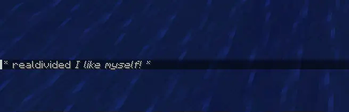


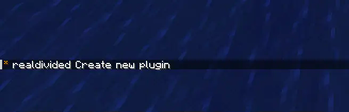
🔍 Analysis
- 👍 0.6% endorsement rate
- 🏆 #859 of 1560 bukkit mods in this game by downloads
📋 About This Mod
# _rpchat_ — Advanced Roleplay Chat Plugin **rpchat** is a lightweight, modern, and highly customizable roleplay chat plugin for Minecraft servers. It enhances roleplay experience with powerful emote-style commands, local/global messaging, full **Adventure** (MiniMessage) support for beautiful formatting, HEX colors, gradients, hover/click events, and **full PlaceholderAPI integration**. Perfect for RP servers, survival servers with roleplay elements, or any server that wants immersive chat actions! ## Features - **Local & Global Emotes**: - `/me` – Local third-person action (visible only to nearby players) - `/gme` – Global third-person action (visible to everyone) - `/do` – Local action description - `/try` – Try something with random success/failure result - `/dice` – Toss a 6-sided die - `/coin` – Toss a coin (heads/tails) - `/whisper` – Whisper to nearby players - **Modern Formatting with Adventure & MiniMessage**: - HEX colors: `<#FF0000>red text</color>` - Gradients: `<gradient:#FFAA00:#FFFF00>rainbow</gradient>` - Styles: `<bold>`, `<italic>`, `<underline>`, `<strikethrough>` - Hover & Click: `<hover:show_text="Click me!"><click:run_command:/say hi>clickable</click></hover>` - **Full PlaceholderAPI Support**: - Use any placeholders in formats: `%player_name%`, `%vault_eco_balance%`, `%luckperms_prefix%`, `%player_ping%`, etc. - Placeholders are **personalized** — each player sees their own values! - **Fully Configurable**: - Customize every command format, radius, usage messages, results, etc. - One global permission: `rpchat.commands` (default: true) - Custom no-permission message - **Performance & Compatibility**: - Works perfectly on **Paper**, **Folia**, and **Purpur** - Supports Minecraft **1.15 – 1.21+** - No external dependencies required (PlaceholderAPI is optional) ## Supported Versions | Minecraft Version | Tested | Supported | Notes | |-------------------|--------|-----------|------------------------------------| | 1.15 – 1.18 | ✅ | ✅ | | | 1.19 – 1.20 | ✅ | ✅ | Full Folia support | | 1.21 – 1.21.11 | ✅ | ✅ | Latest Adventure & MiniMessage | ## Installation 1. Download the latest version from (https://modrinth.com/plugin/rpchat/versions) 2. Place `rpchat-x.x.x.jar` into your `plugins/` folder 3. (Optional) Install **PlaceholderAPI** for extra placeholders 4. Restart the server 5. Edit `plugins/rpchat/config.yml` to your liking 6. Done! ## Permissions - **`rpchat.commands`** – Allows using all rpchat commands Default: **true** (everyone can use them) ## Commands | Command | Description | Radius (configurable) | |-------------|--------------------------------------------------|-----------------------| | `/me` | Local third-person action | Yes | | `/gme` | Global third-person action | No | | `/do` | Local action description | Yes | | `/try` | Try something (random success/failure) | Yes | | `/dice` | Toss a 6-sided die | Yes | | `/coin` | Toss a coin (heads/tails) | Yes | | `/whisper` | Whisper to nearby players | Yes |
# _rpchat_ — Advanced Roleplay Chat Plugin
rpchat is a lightweight, modern, and highly customizable roleplay chat plugin for Minecraft servers. It enhances roleplay experience with powerful emote-style commands, local/global messaging, full Adventure (MiniMessage) support for beautiful formatting, HEX colors, gradients, hover/click events, and full PlaceholderAPI integration.
Perfect for RP servers, survival servers with roleplay elements, or any server that wants immersive chat actions!
## Features
- Local & Global Emotes:
- - `/me` – Local third-person action (visible only to nearby players)
- - `/gme` – Global third-person action (visible to everyone)
- - `/do` – Local action description
- - `/try` – Try something with random success/failure result
- - `/dice` – Toss a 6-sided die
- - `/coin` – Toss a coin (heads/tails)
- - `/whisper` – Whisper to nearby players
- Modern Formatting with Adventure & MiniMessage:
- - HEX colors: `<#FF0000>red text`
- - Gradients: `
- - Styles: `
`, ` `, ` `, ` ` - - Hover & Click: `
- Full PlaceholderAPI Support:
- - Use any placeholders in formats: `%player_name%`, `%vault_eco_balance%`, `%luckperms_prefix%`, `%player_ping%`, etc.
- - Placeholders are personalized — each player sees their own values!
- Fully Configurable:
- - Customize every command format, radius, usage messages, results, etc.
- - One global permission: `rpchat.commands` (default: true)
- - Custom no-permission message
- Performance & Compatibility:
- - Works perfectly on Paper, Folia, and Purpur
- - Supports Minecraft 1. 15 – 1. 21+
- - No external dependencies required (PlaceholderAPI is optional)
## Supported Versions
| Minecraft Version | Tested | Supported | Notes | |-------------------|--------|-----------|------------------------------------| | 1. 15 – 1. 18 | ✅ | ✅ | | | 1. 19 – 1. 20 | ✅ | ✅ | Full Folia support | | 1. 21 – 1. 21. 11 | ✅ | ✅ | Latest Adventure & MiniMessage |
## Installation
1. Download the latest version from (https://modrinth.com/plugin/rpchat/versions) 2. Place `rpchat-x.x.x.jar` into your `plugins/` folder 3. (Optional) Install PlaceholderAPI for extra placeholders 4. Restart the server 5. Edit `plugins/rpchat/config.yml` to your liking 6. Done!
## Permissions
- `rpchat.commands` – Allows using all rpchat commands
- Default: true (everyone can use them)
## Commands
| Command | Description | Radius (configurable) | |-------------|--------------------------------------------------|-----------------------| | `/me` | Local third-person action | Yes | | `/gme` | Global third-person action | No | | `/do` | Local action description | Yes | | `/try` | Try something (random success/failure) | Yes | | `/dice` | Toss a 6-sided die | Yes | | `/coin` | Toss a coin (heads/tails) | Yes | | `/whisper` | Whisper to nearby players | Yes |
📊 Mod Details
- Game
- Minecraft Plugins
- Author
- realdivided
- Version
- 1.5.0
- Downloads
- 2,510
- Endorsements
- 14
- Category
- bukkit
- Created
- 7/15/2023
- Updated
- 1/23/2026
- Game Versions
- 1.21, 1.21.1, 1.21.2, 1.21.3, 1.21.4
- Tags
- decoration, social, utility
🔧 How to Install Minecraft Plugins Mods
Download from Modrinth. Use Prism Launcher or drop into your mods folder.
📖 Full step-by-step install guide for Minecraft Plugins →
Visit the official mod page for specific installation instructions for this mod.
🎮 Need cheat codes or console commands? Check ur gaming wiki for Minecraft Plugins commands, item IDs, and more.
❓ Frequently Asked Questions
Which Minecraft Plugins versions does rpchat support?
The author lists 1.21, 1.21.1, 1.21.2, 1.21.3, 1.21.4, 1.21.5. Other versions may work but are untested by the author.
What is the latest version of rpchat?
Version 1.5.0, published 2026-01-23 with 2,510 downloads recorded at the source.
Keep browsing — more Minecraft Plugins mods await